By Sarah Mitchell / Published: September 7, 2025 | Last Updated: January 9, 2026
Introduction
Using IPTV with VPN in Australia has become a common topic among streaming enthusiasts looking for more control over their viewing experience.
Whether you’re concerned about privacy, dealing with evening buffering on your NBN connection, or trying to access geo-restricted content, combining these two technologies seems like an obvious solution—but the reality is more nuanced.
IPTV apps in Australia range from fully licensed services to grey-market providers operating in legal grey zones. Adding a VPN into the mix can help with some issues (like hiding your streaming activity from your ISP) while creating new ones (like added latency or app compatibility problems).
It’s worth noting that while VPN use is entirely legal here, streaming unlicensed content still carries risks regardless of whether you’re using a VPN.
This guide offers practical, tested advice—not marketing promises—about what actually works on Australian networks in 2026.
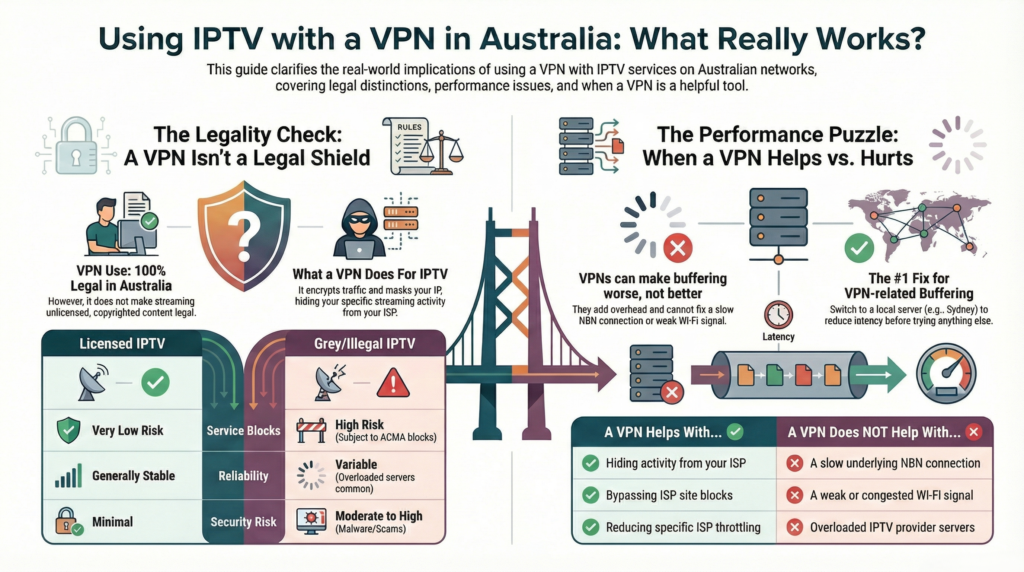
Table of Contents
- How does using IPTV with a VPN work in Australia?
- Is it legal and safe to use IPTV with a VPN in Australia?
- What problems do Australians face when using IPTV with a VPN?
- How should Australians choose the right VPN and IPTV setup in 2026?
- How to set up IPTV with a VPN step by step
- Expert overview: when does a VPN actually help IPTV users in Australia?
- Frequently Asked Questions
- Conclusion
How does using IPTV with a VPN work in Australia?
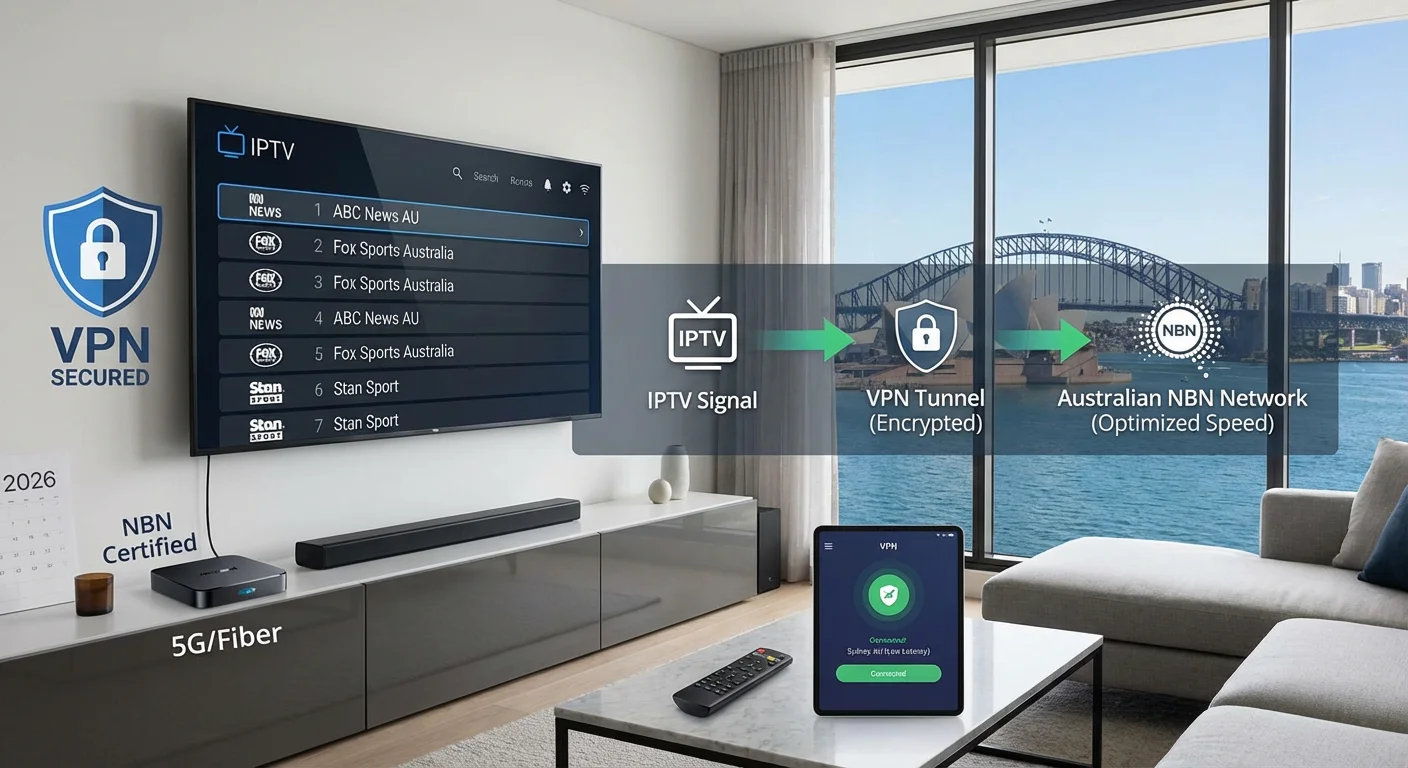
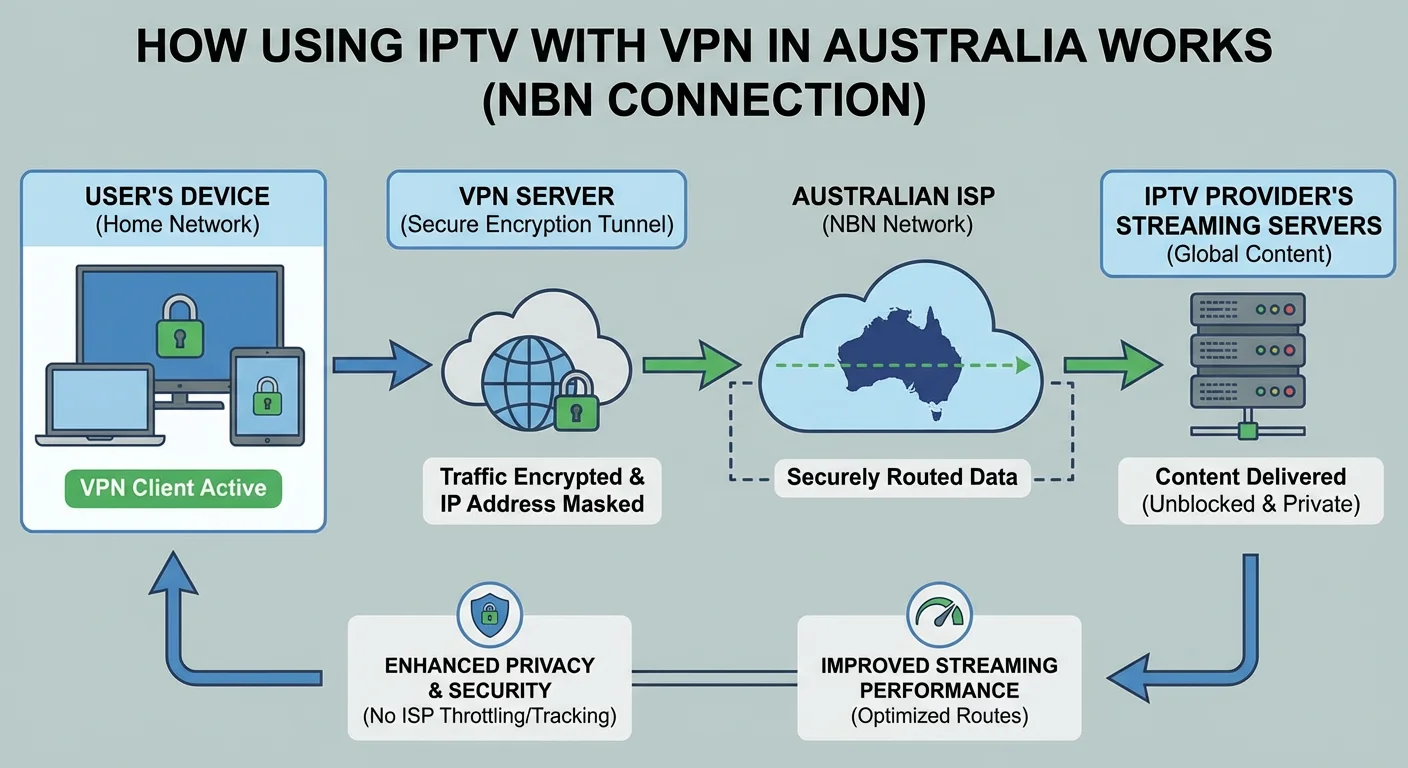
When you use IPTV with a VPN, you first connect to a VPN server before opening your IPTV app. The VPN encrypts your traffic and changes your visible IP address, which can improve privacy and help bypass certain geo-restrictions. However, this added layer typically introduces some latency, which may affect streaming quality depending on your NBN connection type and the VPN server’s location.
The basic flow looks like this: your device connects to a VPN server (often in Australia or a nearby country), and then your IPTV app’s traffic routes through that encrypted tunnel before reaching the IPTV provider’s servers. Your ISP sees encrypted VPN traffic rather than the specific streaming data.
What IPTV typically includes:
- Live TV channels (free-to-air and international)
- Sports broadcasts and pay-per-view events
- Movies and TV series libraries
- On-demand content and catch-up TV
Compatible devices:
- Smart TVs (Samsung, LG, Sony with native apps or sideloaded)
- Android TV and Google TV devices
- Amazon Firestick and Fire TV
- Mobile phones and tablets (iOS and Android)
- Windows and Mac computers
- Set-top boxes and streaming devices
A note on IPTV services: Licensed services like Stan, Kayo, and Foxtel Now operate legally with proper broadcasting rights. Grey-market IPTV services—often subscription-based with suspiciously cheap pricing—frequently stream content without proper licensing. Using a VPN doesn’t change the legal status of the content you’re accessing.
Is it legal and safe to use IPTV with a VPN in Australia?
VPN use is completely legal in Australia—there are no laws prohibiting their use for privacy or security purposes. However, using a VPN does not make illegal streaming legal. If the IPTV service you’re accessing doesn’t hold proper broadcasting rights for Australia, you may still be infringing copyright law, regardless of whether your traffic is encrypted.
The distinction matters because some users assume a VPN provides complete legal protection. It doesn’t. What a VPN does is encrypt your connection and mask your IP address, making it harder for your ISP to see exactly what you’re streaming. But copyright holders and authorities have other methods to identify and act against unlicensed services.
Licensed IPTV vs Grey/Illegal IPTV
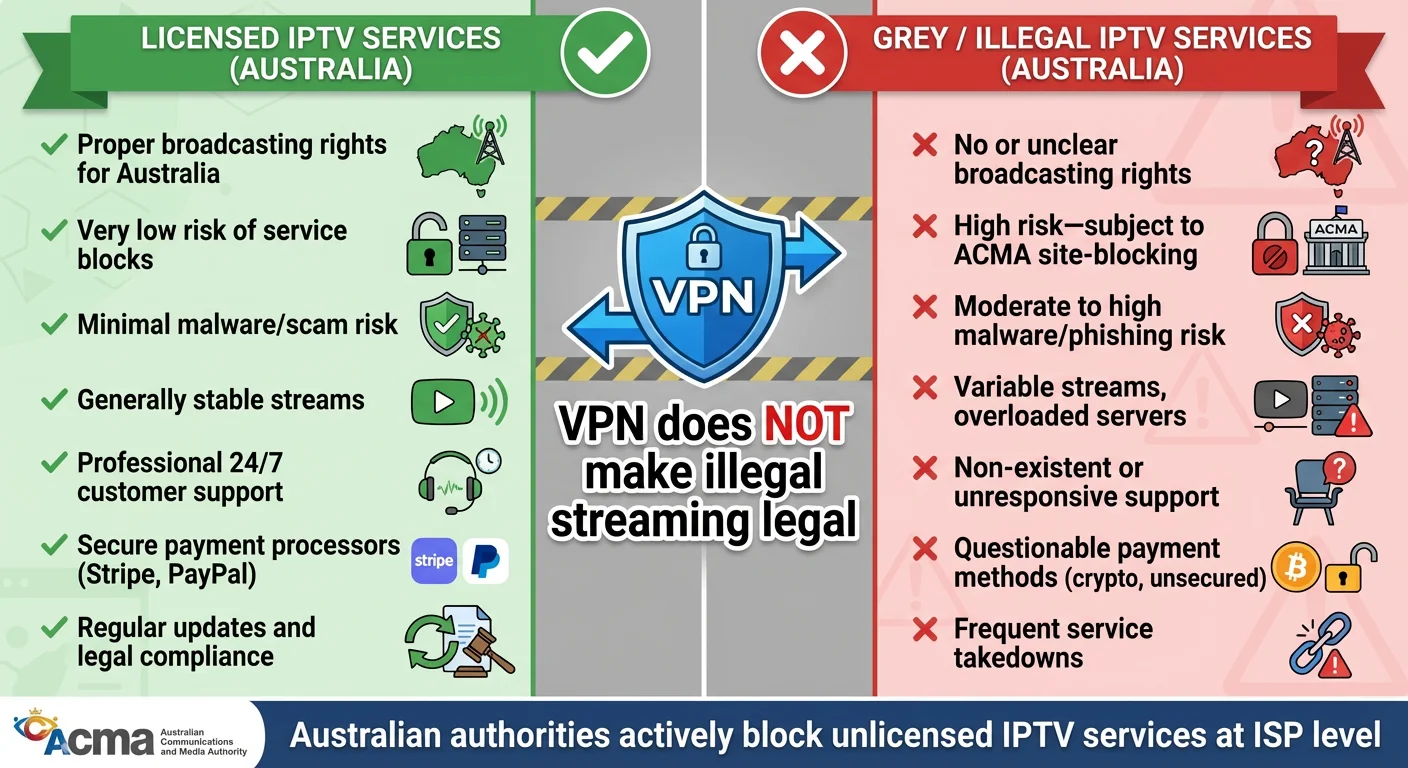
| Factor | Licensed IPTV | Grey/Illegal IPTV |
|---|---|---|
| Broadcasting rights | Properly licensed for Australia | Usually none or unclear |
| Risk of service blocks | Very low | High—subject to ACMA site-blocking |
| Malware/scam risk | Minimal | Moderate to high |
| Stream reliability | Generally stable | Variable, servers often overloaded |
| Customer support | Professional support channels | Often non-existent or slow |
| Payment security | Secure, established platforms | Often dodgy payment processors |
Australia’s Communications and Media Authority (ACMA) has actively pursued site-blocking orders against services that facilitate access to unlicensed content. These blocks affect ISP-level access, and while a VPN can sometimes bypass them, doing so to access pirated content compounds the legal risk rather than eliminating it.
Realistic user scenario: Sarah in Brisbane reads about an IPTV service offering Premier League matches for $10/month—far below legitimate pricing. She considers using a VPN to access it after her ISP blocked the site. While the VPN would technically work, she’d still be accessing unlicensed content, and the service could disappear overnight with no recourse for her subscription fee.
What problems do Australians face when using IPTV with a VPN?
Common issues include buffering from added VPN latency, slower speeds when connecting to distant servers, IPTV apps blocking known VPN IP addresses, compatibility problems with Smart TV apps, and DNS conflicts that cause streams to fail. These problems often compound during NBN peak hours when network congestion is already affecting speeds.
Understanding why these issues occur helps you troubleshoot them effectively.
Typical problems and causes:
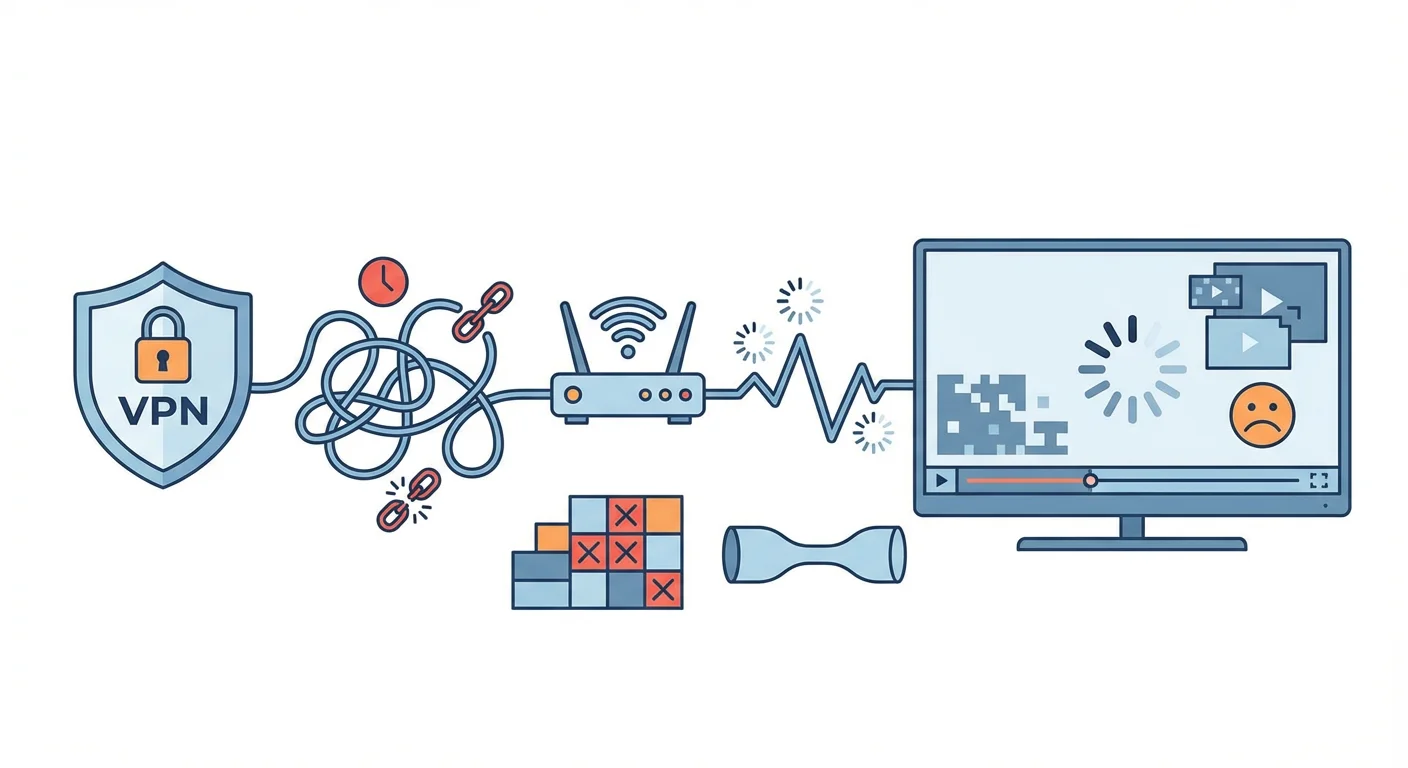
- Evening buffering: NBN congestion between 7-11pm reduces available bandwidth. Adding VPN encryption overhead can push a marginal connection below the threshold needed for smooth HD streaming.
- VPN IP blocking: Some IPTV providers (both licensed and unlicensed) actively block IP ranges associated with commercial VPN services to enforce geo-restrictions or prevent abuse.
- Smart TV limitations: Many Smart TV VPN apps are underpowered compared to their desktop versions, lacking features like protocol switching or split tunnelling that could improve performance.
- DNS leaks and conflicts: If your VPN’s DNS settings conflict with your router or ISP configuration, streams may fail to load or default to your real location.
- Multi-device bandwidth saturation: A household running VPN connections on multiple devices—phones, tablets, TV—can saturate even a decent NBN connection, especially on FTTN or HFC during peak times.
Practical fixes that don’t require spending more money:
- Switch VPN servers—try Australian servers first, then nearby Asian or US West Coast options
- Change VPN protocols (WireGuard typically offers better speeds than OpenVPN)
- Lower stream quality from 4K to 1080p or 720p temporarily
- Use a wired ethernet connection instead of Wi-Fi for your primary streaming device
- Update your IPTV app and VPN app to current versions
- Restart your router and clear app caches
Realistic user scenario: Michael in Melbourne has NBN FTTC with decent daytime speeds. His Android TV runs an IPTV app smoothly until he enables his VPN, then buffering starts.
The issue? His VPN was defaulting to a Singapore server. Switching to a Sydney server reduced latency enough to restore smooth playback.
How should Australians choose the right VPN and IPTV setup in 2026?
Prioritise VPNs with strong privacy policies, reliable speeds to Australian or nearby servers, and good device compatibility for your streaming setup. For IPTV, focus on services that are transparent about their content sources and have reasonable stability—suspiciously cheap prices often signal unlicensed content and unreliable servers.
Choosing well means balancing several factors based on your specific situation.

Key decision factors for VPNs:
- Speed and consistency: Look for VPNs with servers in Sydney and Melbourne. Test during evening peak hours, not just midday when everything runs fast.
- Server locations: If you need to access content geo-locked to other regions, ensure the VPN has servers there. For privacy-only use, Australian servers minimize latency.
- Device support: Check whether the VPN offers native apps for your devices. Router-level installation provides whole-home coverage but requires more technical setup.
- Privacy credentials: Look for independently audited no-logs policies, a kill switch (cuts internet if VPN drops), and DNS leak protection.
- Ease of setup: Some VPNs offer one-click connection; others require manual configuration. Match complexity to your comfort level.
Setup comparison by user type:
| Factor | Casual User | Multi-device Household | Privacy-focused User |
|---|---|---|---|
| Budget priority | Medium | Medium-High | Low (willing to pay for quality) |
| Reliability needs | Medium | High | High |
| Ease of setup | High priority | Medium | Low priority |
| Device support | 1-2 devices | 5+ devices, router option | All devices |
| Privacy features | Basic | Standard | Advanced (audited, open-source) |
Realistic user scenario: The Nguyen family in Sydney has three kids streaming on tablets, parents watching on the living room TV, and occasional laptop use. They need a VPN that supports simultaneous connections (at least 6) or router installation, plus enough bandwidth headroom for multiple HD streams during evening hours on their NBN HFC connection.
How to set up IPTV with a VPN step by step
Setting up IPTV with a VPN involves installing your VPN app, connecting to an appropriate server, then launching your IPTV application. Results vary significantly depending on your NBN connection type, router configuration, and the specific IPTV provider—expect some trial and error to find the optimal server and settings for your situation.
Step-by-step process:
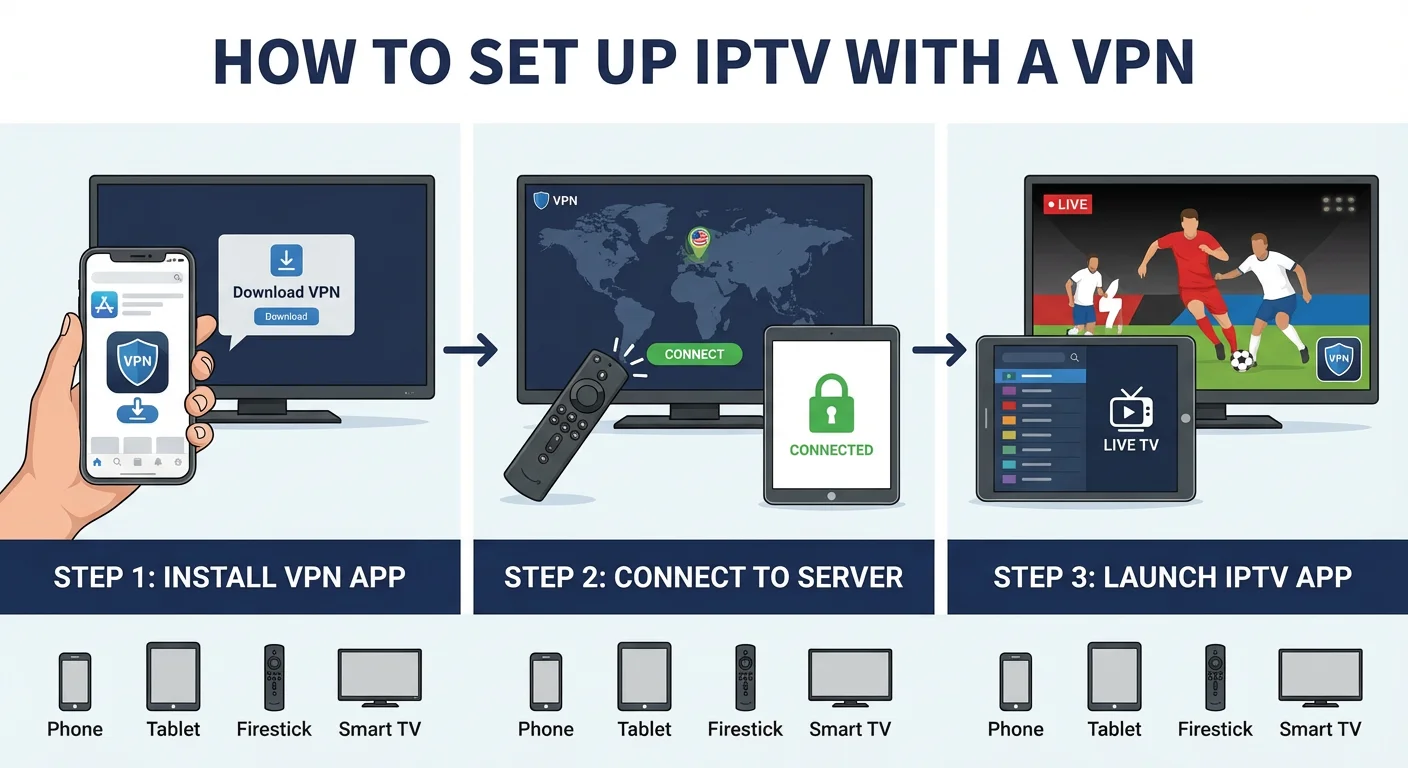
- Choose and subscribe to a reputable VPN Select a VPN with good Australian server coverage and a track record for streaming. Most offer monthly or annual plans. Avoid free VPNs—they typically have severe speed limitations and questionable privacy practices.
- Install the VPN app on your streaming device Download the official app from your device’s app store (Google Play for Android TV, Amazon Appstore for Firestick, etc.). For Smart TVs without native VPN support, you may need to configure the VPN on your router instead.
- Connect to an appropriate server Start with an Australian server (Sydney or Melbourne) for the lowest latency. If you need to appear in another country for geo-restricted content, select a server there—but expect higher latency.
- Open your IPTV app and sign in Launch your IPTV application or media player (such as TiviMate, IPTV Smarters, or a provider’s native app). Load your playlist or log into your account as normal.
- Test and adjust Try several channels, including HD content. If you experience buffering, try a different VPN server, switch protocols (WireGuard often works better than OpenVPN for streaming), or temporarily reduce stream quality.
Tips for specific setups:
- Firestick users: Enable “Apps from Unknown Sources” if sideloading VPN apps not available on the Amazon Appstore
- Smart TV users: If no native VPN app exists, consider a VPN-configured router or connecting via a Firestick/Chromecast with VPN capability
- Mobile users: Enable the VPN’s kill switch to prevent accidental unprotected streaming if the connection drops
Expert overview: when does a VPN actually help IPTV users in Australia?
A VPN genuinely helps with privacy (hiding streaming activity from your ISP), bypassing some geo-blocks and site restrictions, and occasionally reducing throttling if your ISP deliberately slows certain traffic types. However, a VPN cannot fix fundamental issues like a weak NBN connection, poor Wi-Fi signal, underpowered devices, or overloaded IPTV servers—these require different solutions.
Understanding these limitations prevents frustration and wasted money.
VPN impact by use case:
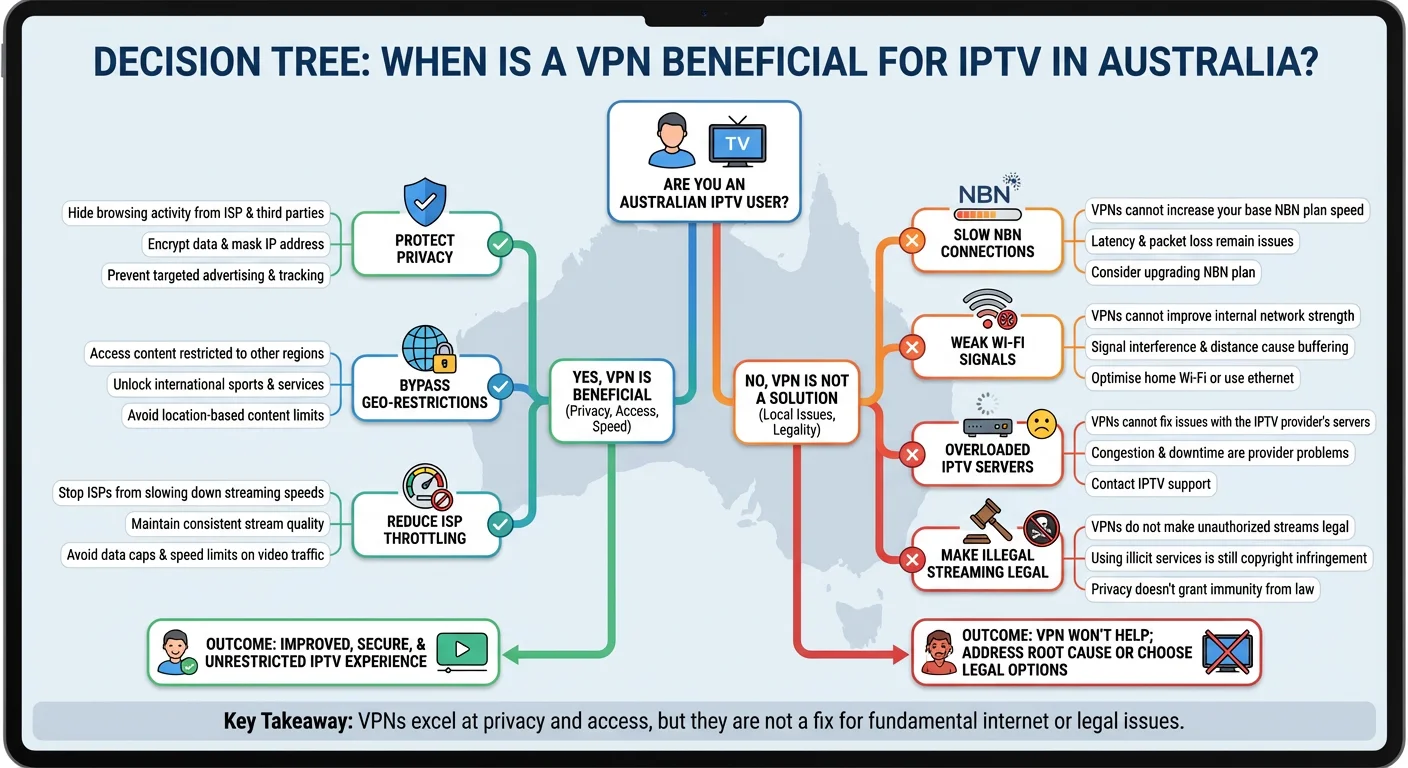
| Situation | Does a VPN help? | Explanation |
|---|---|---|
| Hiding streaming activity from ISP | Yes | VPN encrypts traffic so ISP sees only VPN connection, not content |
| Bypassing ISP site blocks | Usually yes | Connecting via VPN bypasses DNS-level blocks |
| Accessing geo-restricted content | Often yes | Changes visible IP to server’s location |
| Reducing ISP throttling | Sometimes | If ISP throttles specific traffic types, encryption can help |
| Fixing slow NBN connection | No | VPN adds overhead; cannot improve underlying line speed |
| Fixing weak Wi-Fi signal | No | VPN operates above the network layer; Wi-Fi issues persist |
| Improving overloaded IPTV servers | No | Server capacity is the IPTV provider’s problem |
| Making illegal streaming legal | No | Copyright infringement remains regardless of encryption |
| Preventing all identification | No | VPN providers may keep logs; payment trails exist |
When to skip the VPN:
If your only issue is buffering and your NBN connection is already marginal, adding a VPN will likely make things worse. Focus on improving your base connection first—wired ethernet, router placement, or upgrading your NBN plan.
When a VPN is worth the overhead:
If privacy matters to you, if your ISP has blocked access to a service you want to use, or if you’ve confirmed your ISP throttles streaming traffic during peak hours, a VPN addresses those specific problems effectively.
Frequently Asked Questions
Is using IPTV with VPN in Australia legal?
Yes, using a VPN is completely legal in Australia, and combining it with IPTV services is not inherently illegal. The legality depends entirely on the content you access. Licensed services like Stan, Kayo, or Foxtel remain legal whether you use a VPN or not.
Accessing unlicensed IPTV services that stream copyrighted content without proper rights remains a copyright infringement—the VPN doesn’t change that legal status, it only encrypts your connection.
How can I use IPTV with a VPN safely in Australia?
To use IPTV with a VPN safely, choose a reputable VPN with a verified no-logs policy and strong encryption. Stick to licensed IPTV services where possible. If using lesser-known services, research their legitimacy before subscribing.
Avoid entering payment details on suspicious sites. Enable your VPN’s kill switch to prevent accidental unprotected connections, and keep both your VPN and IPTV apps updated to patch security vulnerabilities.
Do I really need a VPN for IPTV in Australia?
Not necessarily. If you’re using licensed Australian streaming services and aren’t concerned about ISP visibility of your viewing habits, a VPN adds complexity without clear benefit.
A VPN becomes useful if you want privacy from your ISP, need to bypass site blocks, want to access geo-restricted content, or suspect your ISP throttles streaming traffic. Assess your specific situation rather than assuming everyone needs one.
Will a VPN stop buffering on my IPTV app?
Usually no—and it may make buffering worse. VPNs add encryption overhead and potentially extra network hops, which increases latency. If your buffering stems from a slow NBN connection, weak Wi-Fi, or overloaded IPTV servers, a VPN won’t help.
The exception: if your ISP actively throttles IPTV or streaming traffic, a VPN can prevent that specific type of throttling by hiding what type of traffic you’re sending.
What devices work best for IPTV and VPN in Australia?
Android TV devices and Amazon Firesticks offer the best balance of app availability, VPN compatibility, and streaming performance. They support most IPTV apps and have native VPN applications available.
Smart TVs are more limited—many lack VPN apps entirely, requiring router-level configuration. For households with multiple users, installing a VPN on your router covers all connected devices but requires more technical setup and a compatible router.
Can my ISP still see my IPTV traffic if I use a VPN?
No, when properly connected to a VPN, your ISP sees only encrypted traffic going to the VPN server’s IP address. They cannot see which websites or services you access, what content you stream, or the specifics of your IPTV usage.
However, they can see that you’re using a VPN and measure the volume of data you transfer. If your VPN connection drops without a kill switch enabled, your traffic briefly becomes visible.
Why does my IPTV app detect my VPN and block access?
Some IPTV providers—both licensed and unlicensed—block known VPN IP addresses to enforce geo-restrictions or prevent abuse. They maintain databases of IP ranges belonging to commercial VPN services.
Solutions include trying different VPN servers (some IPs may not be flagged), using a VPN with dedicated streaming servers or obfuscation features, or contacting your VPN provider for servers that work with your specific IPTV service.
Should I use a free VPN for IPTV streaming?
Free VPNs are generally unsuitable for IPTV streaming. They typically impose severe bandwidth limitations, have overcrowded servers causing slow speeds, may inject ads or track your activity, and often lack the server variety needed for reliable streaming.
The performance penalty usually makes IPTV unwatchable. If budget is a concern, look for paid VPNs with money-back guarantees to test performance before committing, rather than relying on free alternatives.
Conclusion
Using IPTV with a VPN in Australia makes practical sense in specific situations—when you value privacy from your ISP, need to work around certain site blocks, or have confirmed that throttling affects your streaming. It’s not a universal fix for buffering or slow connections, and it certainly doesn’t provide legal cover for accessing unlicensed content.
The best approach combines realistic expectations with informed choices: understand what a VPN can and cannot do, choose reputable services on both the VPN and IPTV side, and remember that Australian laws and ISP policies evolve—staying informed through official sources like ACMA remains your responsibility.
Make decisions based on your actual needs, not marketing hype.