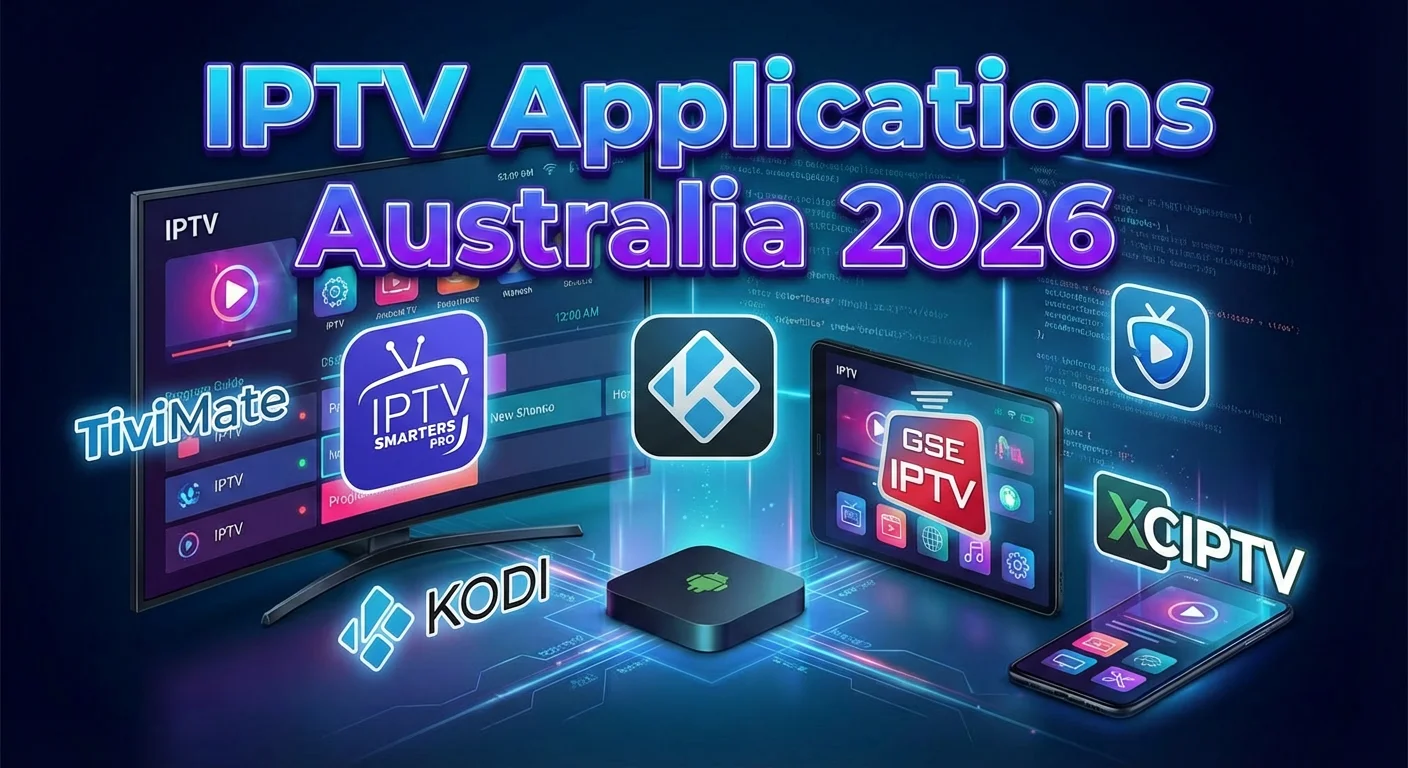
Introduction: Your Complete Guide to IPTV Applications Australia 2026
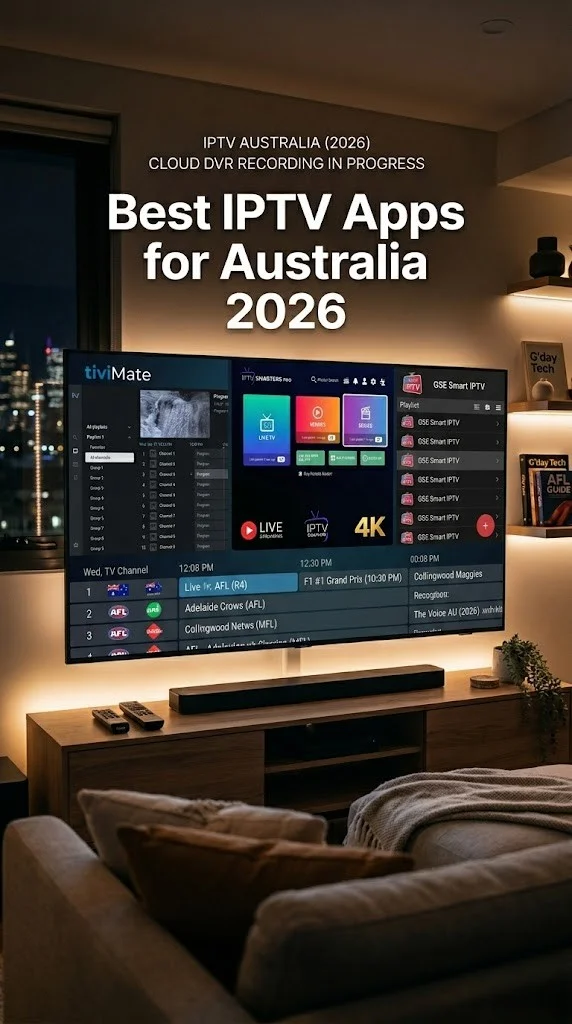
IPTV applications Australia 2026 has become a hot search topic as more Australians shift from traditional television to internet-based streaming. Whether you’re a cord-cutter looking for flexible viewing options or simply want to access content across multiple devices, understanding the IPTV app landscape is essential.
This comprehensive guide covers everything you need to know about IPTV player apps available to Australian users in 2026—from feature comparisons and device compatibility to legal considerations and performance optimisation tips.
What is an IPTV Application?
An IPTV (Internet Protocol Television) application is software that allows you to watch television content delivered over the internet rather than through traditional satellite, cable, or antenna signals. These apps act as players—they don’t provide content themselves but instead connect to IPTV services via playlist files (M3U) or Xtream Codes API credentials.
How IPTV Works in Australia in 2026
[IPTV Provider/Service] → [Internet/NBN Connection] → [IPTV Player App] → [Your Device]
The IPTV player app serves as the interface between you and your content source. Think of it like a web browser for television—the browser itself doesn’t create websites, it simply displays them. Similarly, IPTV apps display content from whatever service you connect them to.
Why Your Choice of IPTV App Matters
In 2026, the IPTV app landscape offers more features than ever:
- Electronic Program Guide (EPG) integration for channel scheduling
- Multi-playlist support for managing multiple subscriptions
- Catch-up TV functionality for watching missed programs
- Recording capabilities (DVR/PVR features)
- Multi-device synchronization
- 4K and HDR support for premium quality streaming
- Parental controls for family-safe viewing
This guide covers the leading IPTV player applications available to Australian users in 2026, comparing their features, compatibility, and helping you choose the right app for your needs—while keeping you informed about the legal landscape.
Understanding the Legal Landscape: Apps vs Content Sources
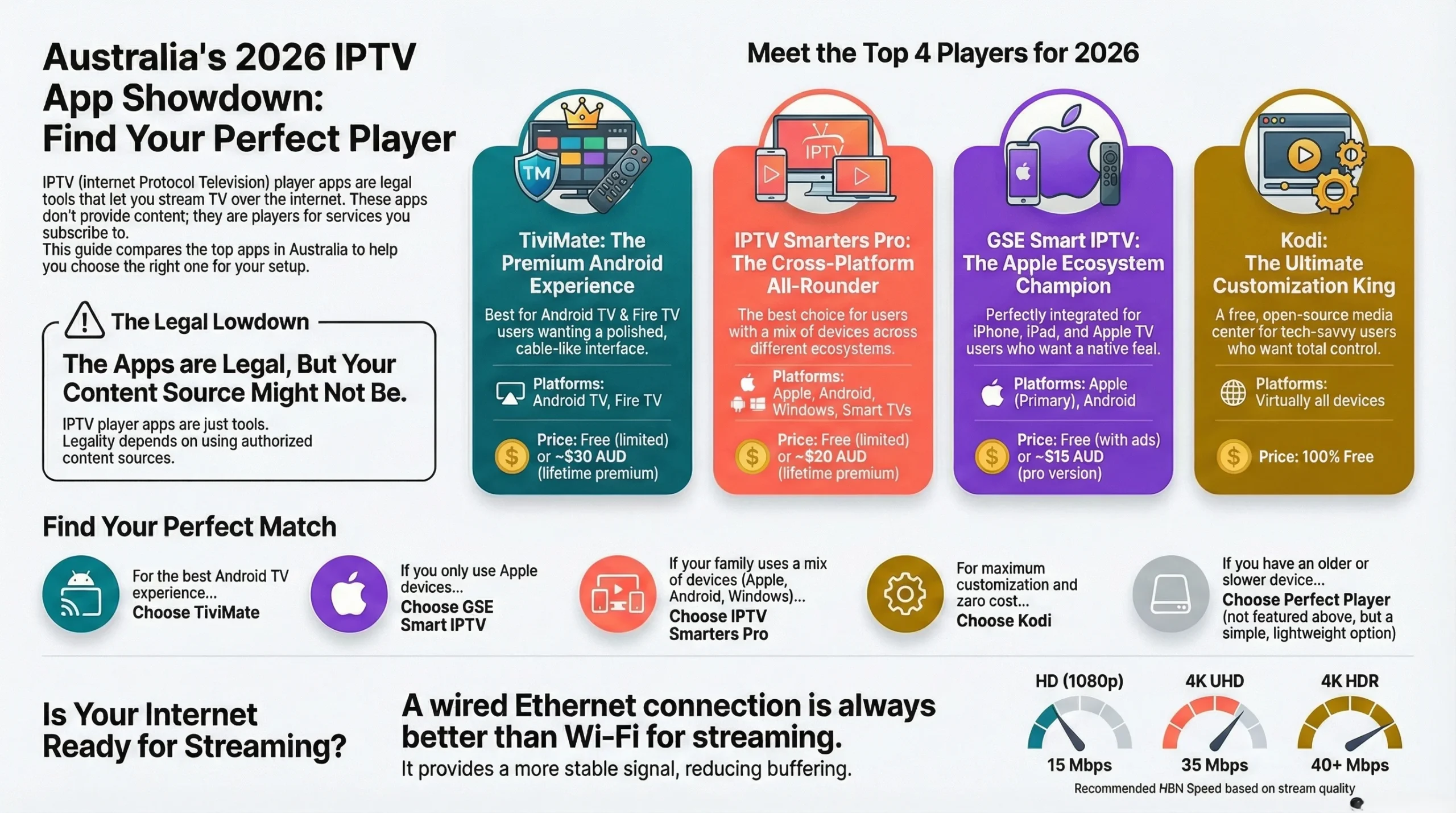
Important Distinction: IPTV player applications themselves are legal software tools. The legality depends entirely on what content sources you connect to these apps.
Legal Framework in Australia 2026
| Aspect | Legal Status | Notes |
|---|---|---|
| IPTV Player Apps | ✅ Legal | Software tools available in official app stores |
| Legitimate IPTV Services | ✅ Legal | Licensed providers with content rights |
| Personal Media Servers | ✅ Legal | Your own content via Plex, Emby, etc. |
| Free-to-Air Streams | ✅ Legal | ABC, SBS, and other FTA content |
| Unauthorised Services | ❌ Illegal | Services without proper licensing |
| Pirated Content Sources | ❌ Illegal | Streams that infringe copyright |
What Makes an IPTV Source Legal?
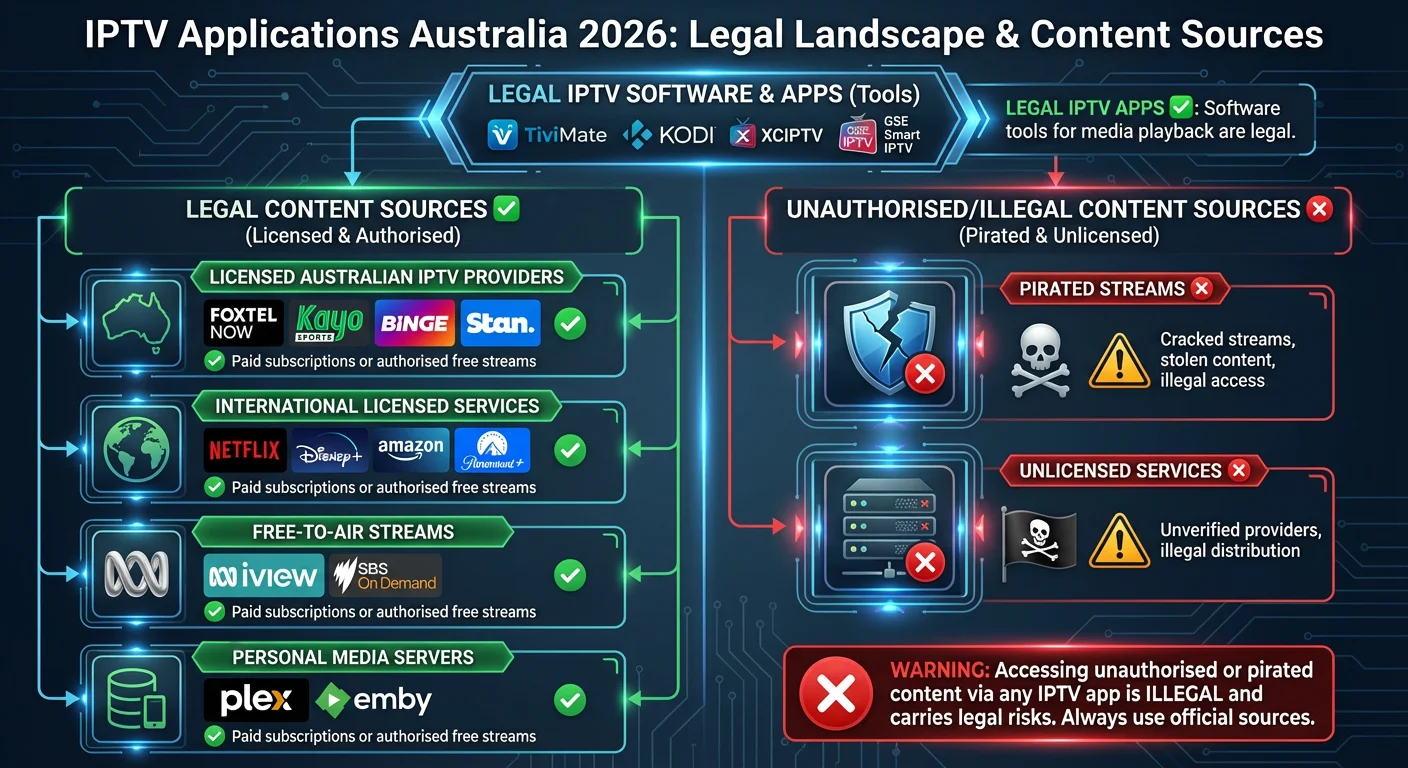
Legal IPTV sources include:
- Licensed Australian IPTV providers
- International services with proper content licensing
- Free-to-air broadcaster streams
- Your personal media library
- Services you’ve legitimately subscribed to
Illegal IPTV sources include:
- Services offering premium channels at suspiciously low prices
- “All channels” packages for minimal monthly fees
- Services that don’t disclose licensing information
- Resold or shared credentials from legitimate services
User Risk in Australia 2026
While Australian authorities primarily target providers and distributors rather than individual users, accessing unauthorised content:
- Violates the Copyright Act 1968
- May expose your network to malware
- Provides no consumer protection
- Supports criminal enterprises
- Can result in service interruptions and unreliability
This guide focuses on the apps themselves as legitimate tools. We strongly recommend using only authorised content sources.
Best IPTV Applications Australia 2026: Detailed Reviews
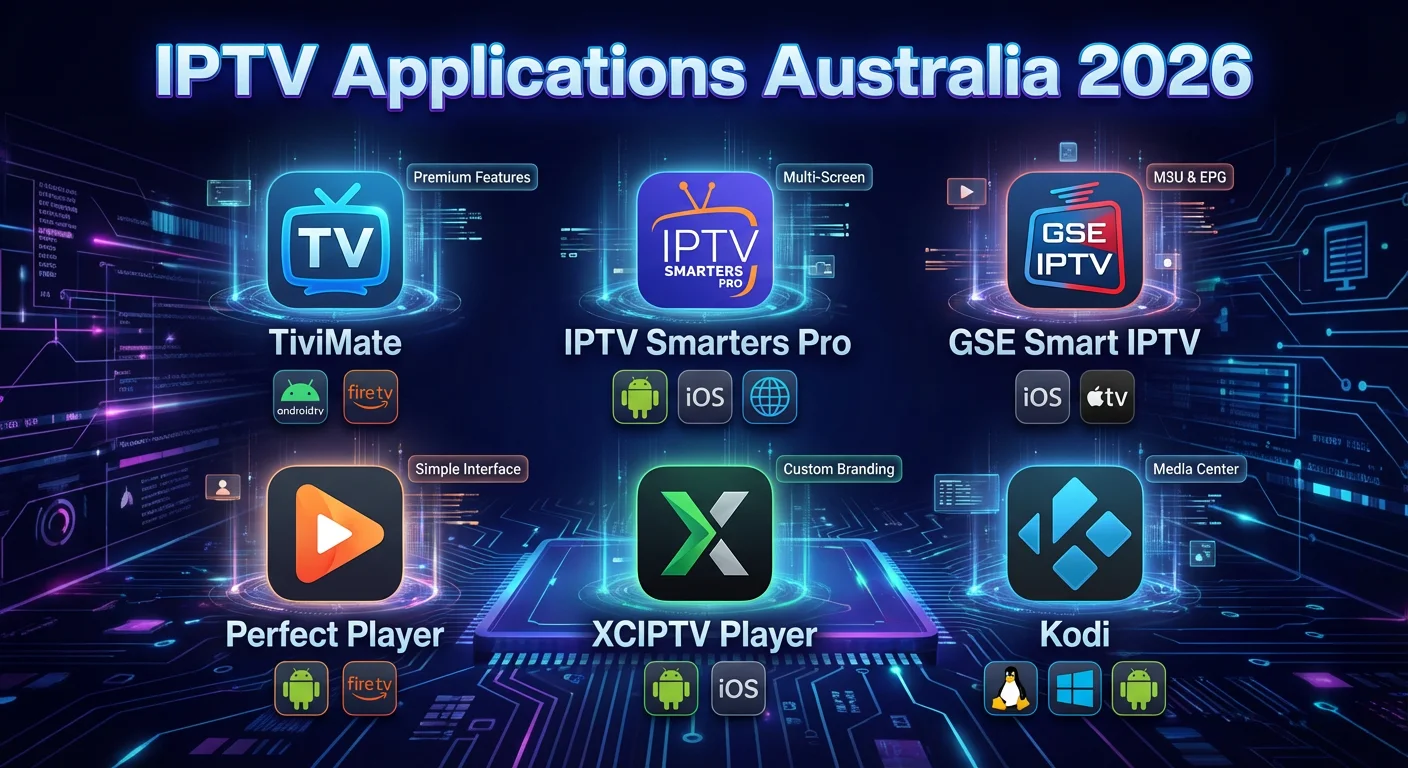
1. TiviMate — Premium IPTV Experience
Overview
TiviMate has established itself as the gold standard for IPTV player applications, offering a polished, feature-rich experience that rivals traditional cable TV interfaces. In 2026, TiviMate continues to lead with its intuitive design and powerful functionality.
Supported Platforms & Devices
| Platform | Availability | Notes |
|---|---|---|
| Android TV | ✅ Native | Optimised experience |
| Amazon Fire TV/Stick | ✅ Sideload | Excellent performance |
| NVIDIA Shield | ✅ Native | Premium performance |
| Google TV | ✅ Native | Full support |
| Chromecast with Google TV | ✅ Native | Compact solution |
| Android Mobile | ✅ Google Play | Tablet optimised |
| Windows | ❌ | Not available |
| iOS/Apple TV | ❌ | Not available |
Key Features (2026 Version)
- Modern EPG Interface: Grid-style program guide with 7-day scheduling
- Multi-Playlist Management: Support for unlimited IPTV subscriptions
- Catch-Up TV: Access programs from the past 7 days (provider dependent)
- Recording/DVR: Record live TV to local or network storage
- Favourites & Groups: Custom channel organisation
- Parental Controls: PIN-protected content restrictions
- Auto-Start: Launch directly into live TV on device boot
- Picture-in-Picture: Watch while browsing other channels
- External Player Support: VLC, MX Player integration
2026 Updates & New Features
| Feature | Description |
|---|---|
| 🆕 AI-Enhanced EPG | Improved automatic EPG matching accuracy |
| 🆕 HDR10+ Support | Enhanced dynamic HDR on compatible devices |
| 🆕 Voice Search | Native voice commands for channel search |
| 🆕 Cloud Sync | Synchronise settings across multiple devices |
| 🆕 Improved Codec Support | AV1 codec for efficient 4K streaming |
| 🆕 Buffer Optimisation | Adaptive buffering for Australian NBN conditions |
Pricing (2026)
| Version | Price | Features |
|---|---|---|
| Free | $0 | 1 playlist, 5 favourites, basic EPG |
| Premium (Annual) | ~$7.50 AUD | Unlimited playlists, all features |
| Premium (Lifetime) | ~$30 AUD | One-time purchase, all features |
Pros
✅ Best-in-class user interface
✅ Exceptional EPG integration
✅ Regular updates and active development
✅ Extensive customisation options
✅ Reliable catch-up and recording
✅ Excellent remote control navigation
✅ Low resource usage
Cons
❌ Not available on iOS or Apple TV
❌ Requires sideloading on Fire TV
❌ Premium required for full functionality
❌ No native Windows application
❌ Learning curve for advanced features
Best For: Android TV users seeking a premium, cable-like IPTV experience with extensive features and regular updates.
2. IPTV Smarters Pro — Cross-Platform Flexibility
Overview
IPTV Smarters Pro stands out for its cross-platform availability, making it the go-to choice for users with devices across multiple ecosystems. Its clean interface and straightforward setup process make it accessible to beginners while offering enough features for power users.
Supported Platforms & Devices
| Platform | Availability | Notes |
|---|---|---|
| Android TV | ✅ Google Play | Native support |
| Amazon Fire TV/Stick | ✅ Amazon Store | Official listing |
| iOS/iPhone/iPad | ✅ App Store | Full-featured |
| Apple TV | ✅ App Store | Native tvOS app |
| Android Mobile | ✅ Google Play | Phone & tablet |
| Windows | ✅ Official | Desktop application |
| macOS | ✅ Official | Desktop application |
| Smart TVs (LG/Samsung) | ✅ Native Apps | Direct installation |
Key Features (2026 Version)
- Xtream Codes API: Direct API login for compatible providers
- M3U Playlist Support: Standard playlist file compatibility
- Built-in Video Player: No external player required
- EPG Support: Electronic program guide integration
- Catch-Up: Time-shift TV functionality
- Multi-Screen: Watch multiple channels simultaneously
- Series Organisation: Automatic TV series categorisation
- VOD Library: Video-on-demand content browsing
- Parental Controls: Content restriction options
2026 Updates & New Features
| Feature | Description |
|---|---|
| 🆕 Unified Account System | Single login across all platforms |
| 🆕 4K/HDR Improvements | Better handling of high-resolution streams |
| 🆕 Redesigned UI | Modernised interface for 2026 |
| 🆕 Improved Stability | Reduced crashes and memory leaks |
| 🆕 Smart TV Expansion | New apps for Hisense and TCL |
| 🆕 Offline EPG Cache | Better program guide reliability |
Pricing (2026)
| Version | Price | Features |
|---|---|---|
| Free/Lite | $0 | Basic features, single playlist |
| Premium | ~$15-20 AUD | Lifetime, all features |
Pros
✅ Available on all major platforms including iOS ✅ Official Apple TV support ✅ User-friendly interface ✅ Direct Xtream Codes API support ✅ Official app store availability (no sideloading) ✅ Regular cross-platform updates ✅ Good multi-screen functionality
Cons
❌ Less polished than TiviMate on Android TV ❌ EPG not as reliable as competitors ❌ Occasional stability issues ❌ Limited customisation options ❌ Recording features less robust
Best For: Users with multiple device types (especially iOS/Apple TV users) who need one app across all their devices.
3. GSE Smart IPTV — iOS Excellence
Overview
GSE Smart IPTV has long been the preferred choice for Apple device users, offering a feature-rich IPTV experience optimised for iOS and tvOS. In 2026, it remains one of the most comprehensive options for iPhone, iPad, and Apple TV users.
Supported Platforms & Devices
| Platform | Availability | Notes |
|---|---|---|
| iOS/iPhone/iPad | ✅ App Store | Primary platform |
| Apple TV | ✅ App Store | Optimised tvOS app |
| macOS | ✅ App Store | Apple Silicon native |
| Android | ✅ Google Play | Full-featured |
| Amazon Fire TV | ✅ Sideload | Compatible |
| Windows | ❌ | Not available |
Key Features (2026 Version)
- Advanced Playlist Management: JSON, M3U, and Xtream support
- Chromecast Support: Cast to compatible displays
- AirPlay Integration: Native Apple streaming
- Built-in Players: Multiple player engine options
- EPG Support: Comprehensive program guide
- Parental Controls: PIN protection system
- Themes: Customisable interface appearance
- Cloud Playlist Sync: iCloud integration
- Picture-in-Picture: iOS/tvOS PiP support
- Subtitle Support: Multiple format compatibility
2026 Updates & New Features
| Feature | Description |
|---|---|
| 🆕 SharePlay Support | Watch together via FaceTime |
| 🆕 Siri Integration | Voice commands for channel control |
| 🆕 Focus Modes | Integration with iOS Focus |
| 🆕 Apple Silicon Optimisation | Native M-series chip performance |
| 🆕 Spatial Audio | Dolby Atmos support for Apple TV |
| 🆕 Enhanced Privacy | On-device processing features |
Pricing (2026)
| Version | Price | Features |
|---|---|---|
| Free | $0 | Basic functionality with ads |
| Unlock All | ~$5-8 AUD | Remove ads, unlock features |
| GSE Pro | ~$10-15 AUD | Premium version, advanced features |
Pros
✅ Best native iOS/Apple TV experience ✅ Excellent Apple ecosystem integration ✅ iCloud synchronisation ✅ Regular App Store updates ✅ No sideloading required ✅ Clean, Apple-design-friendly interface ✅ Strong subtitle support
Cons
❌ Less feature-rich than TiviMate ❌ EPG implementation not as polished ❌ Some features require separate purchases ❌ Android version not as refined ❌ Limited recording capabilities
Best For: Apple ecosystem users seeking native, App Store-approved IPTV functionality with seamless integration.
4. Perfect Player IPTV — Lightweight Simplicity
Overview
Perfect Player takes a minimalist approach to IPTV, offering a lightweight, no-frills experience that’s ideal for users who value simplicity and performance over extensive features. It’s particularly popular on lower-powered devices where resource efficiency matters.
Supported Platforms & Devices
| Platform | Availability | Notes |
|---|---|---|
| Android TV | ✅ Google Play | Optimised |
| Android Mobile | ✅ Google Play | Phone/tablet |
| Amazon Fire TV/Stick | ✅ Sideload | Excellent on older devices |
| Windows | ✅ Official | Desktop version |
| iOS/Apple TV | ❌ | Not available |
| Smart TVs | ❌ | Android TV version only |
Key Features (2026 Version)
- Lightweight Design: Minimal resource usage
- Fast Channel Switching: Quick zapping between channels
- EPG Support: Basic program guide integration
- M3U Playlist: Standard playlist compatibility
- UDP Streaming: Protocol support for advanced users
- External Players: VLC, MX Player support
- Customisable Interface: Adjust layout and appearance
- Channel Groups: Basic organisation features
2026 Updates & New Features
| Feature | Description |
|---|---|
| 🆕 Material You Design | Updated Android interface |
| 🆕 Improved Stability | Better stream handling |
| 🆕 64-bit Support | Native ARM64 build |
| 🆕 Enhanced EPG | Better XML EPG parsing |
Pricing (2026)
| Version | Price | Features |
|---|---|---|
| Free | $0 | Fully functional, ad-supported |
| Ad-Free | ~$3-5 AUD | Remove advertisements |
Pros
✅ Extremely lightweight and fast ✅ Works well on older/budget devices ✅ Simple, intuitive interface ✅ Very fast channel switching ✅ Free with minimal ads ✅ Stable and reliable ✅ Low learning curve
Cons
❌ Limited advanced features ❌ Basic EPG implementation ❌ No catch-up TV support ❌ No recording/DVR features ❌ Minimal customisation ❌ Not available on iOS
Best For: Users with older devices, those who prefer simplicity, or anyone who wants fast, reliable IPTV without extra features.
5. XCIPTV Player — Modern Interface
Overview
XCIPTV Player offers a modern, visually appealing interface that balances features with usability. It’s gained popularity for its attractive design and solid performance on Android-based platforms.
Supported Platforms & Devices
| Platform | Availability | Notes |
|---|---|---|
| Android TV | ✅ Google Play | Primary platform |
| Android Mobile | ✅ Google Play | Full support |
| Amazon Fire TV/Stick | ✅ Sideload | Good performance |
| NVIDIA Shield | ✅ Native | Optimised |
| iOS/Apple TV | ❌ | Not available |
| Windows | ❌ | Not available |
Key Features (2026 Version)
- Modern UI: Netflix-style visual presentation
- Xtream Codes API: Direct provider login
- M3U Support: Playlist file compatibility
- EPG Integration: Visual program guide
- Catch-Up TV: Time-shift functionality
- Multi-Playlist: Multiple provider support
- Search Function: Cross-category content search
- Favourites: Custom channel lists
- Auto-Update: Playlist refresh options
2026 Updates & New Features
| Feature | Description |
|---|---|
| 🆕 Redesigned Home Screen | Content-focused layout |
| 🆕 Continue Watching | Resume feature for VOD |
| 🆕 Improved Search | Faster, more accurate results |
| 🆕 HDR Support | Dynamic range content support |
| 🆕 Better Fire TV Performance | Optimised for Amazon devices |
Pricing (2026)
| Version | Price | Features |
|---|---|---|
| Free | $0 | Full features, ad-supported |
| Premium | ~$10-15 AUD | Ad-free experience |
Pros
✅ Attractive, modern interface ✅ Good balance of features and simplicity ✅ Solid Xtream Codes support ✅ Regular updates ✅ Good VOD presentation ✅ Reasonable price point
Cons
❌ Not available on iOS/Apple platforms ❌ Less feature-rich than TiviMate ❌ Occasional interface lag ❌ Recording features limited ❌ Smaller user community
Best For: Android TV users who prioritise visual design and want a Netflix-like interface for their IPTV content.
6. Kodi — The Customisation King
Overview
Kodi is an open-source media centre that, while not exclusively an IPTV player, offers extensive IPTV functionality through add-ons. It’s the most customisable option available, suitable for users who want complete control over their media experience.
Supported Platforms & Devices
| Platform | Availability | Notes |
|---|---|---|
| Android TV | ✅ Google Play | Full support |
| Amazon Fire TV/Stick | ✅ Sideload | Popular platform |
| iOS/iPad | ⚠️ Sideload/AltStore | Requires workarounds |
| Apple TV | ⚠️ Sideload | Complex installation |
| Windows | ✅ Official | Native application |
| macOS | ✅ Official | Native application |
| Linux | ✅ Official | Native application |
| Raspberry Pi | ✅ LibreELEC/OSMC | Dedicated builds |
| Xbox | ✅ Microsoft Store | Console support |
Key IPTV Add-ons (2026)
| Add-on | Purpose | Features |
|---|---|---|
| PVR IPTV Simple Client | Basic M3U playback | EPG, channel logos |
| TVOne | Xtream Codes support | Full API integration |
| Catch-Up TV & More | International catch-up | Legal FTA content |
| PVR Stalker Client | Stalker portal support | MAG emulation |
Key Features (2026 Version — Kodi 21 “Omega”)
- Complete Customisation: Skins, add-ons, scripts
- PVR/DVR Integration: Recording capabilities
- Multi-Source Library: Combine local and streaming media
- Add-on Repository: Thousands of extensions
- Cross-Platform: Same experience everywhere
- Subtitle Add-ons: Automatic subtitle downloading
- Media Management: Library organisation tools
- Hardware Acceleration: GPU decoding support
2026 Updates (Kodi 21 “Omega”)
| Feature | Description |
|---|---|
| 🆕 AV1 Codec Support | Modern efficient compression |
| 🆕 FFmpeg 6.0 | Updated video processing |
| 🆕 Improved Add-on Manager | Better extension handling |
| 🆕 Enhanced Streaming | Better HTTP streaming |
| 🆕 Database Updates | Improved media library |
| 🆕 Python 3.12 | Add-on compatibility updates |
Pricing
| Version | Price |
|---|---|
| All Versions | Free (Open Source) |
Pros
✅ Completely free and open source
✅ Most customisable option available
✅ Available on virtually every platform
✅ Combines IPTV with local media
✅ Active development community
✅ No ads or premium tiers
✅ Extensive add-on ecosystem
✅ Full DVR/PVR capabilities
Cons
❌ Steep learning curve
❌ Requires add-on installation for IPTV
❌ Complex initial setup
❌ Can be overwhelming for beginners
❌ iOS/Apple TV installation difficult
❌ Some add-ons can be unstable
❌ Performance varies by device
Best For: Tech-savvy users who want maximum customisation, those combining IPTV with a larger media library, or users on platforms like Raspberry Pi and Linux.
IPTV Applications Australia 2026: Complete Comparison Table
| App | Platforms | Key Features | Best Feature | Biggest Limitation | Price | 2026 Highlight |
|---|---|---|---|---|---|---|
| TiviMate | Android TV, Fire TV, Mobile | EPG, Recording, Multi-playlist, Catch-up | Premium UI/UX | No iOS support | Free–$30 | AI EPG matching |
| IPTV Smarters Pro | Android, iOS, Apple TV, Windows, Smart TV | Cross-platform, Xtream API, Multi-screen | Platform coverage | Less polished UI | Free–$20 | Unified accounts |
| GSE Smart IPTV | iOS, Apple TV, macOS, Android | Apple integration, Chromecast, AirPlay | iOS/Apple excellence | Limited recording | Free–$15 | SharePlay support |
| Perfect Player | Android TV, Fire TV, Windows | Lightweight, Fast zapping | Speed & simplicity | Basic features | Free–$5 | Material You design |
| XCIPTV | Android TV, Fire TV | Modern UI, VOD focus | Visual design | No iOS | Free–$15 | Redesigned home |
| Kodi | All platforms | Full customisation, Add-ons, DVR | Flexibility | Complexity | Free | AV1 codec support |
Quick Recommendation Guide for IPTV Applications Australia 2026
| Your Priority | Recommended App |
|---|---|
| Best overall Android experience | TiviMate |
| iOS/Apple TV user | GSE Smart IPTV or IPTV Smarters Pro |
| Multiple device ecosystems | IPTV Smarters Pro |
| Older/budget devices | Perfect Player |
| Maximum customisation | Kodi |
| Modern visual interface | XCIPTV |
| Free with full features | Kodi or Perfect Player |
| Recording/DVR priority | TiviMate or Kodi |
Device Compatibility Guide 2026
Smart TV Platforms
| TV Brand | Native Apps Available | Alternative Options |
|---|---|---|
| Samsung (Tizen) | IPTV Smarters Pro | External streaming device |
| LG (webOS) | IPTV Smarters Pro, SS IPTV | External streaming device |
| Sony (Google TV) | TiviMate, XCIPTV, Kodi, All Android apps | Full compatibility |
| TCL (Google TV/Roku) | Android apps on Google TV models | Roku: Limited options |
| Hisense (VIDAA/Google TV) | Google TV: Full support; VIDAA: Limited | External device for VIDAA |
| Philips (Android TV) | Full Android TV app support | — |
Streaming Devices
| Device | App Compatibility | Performance | Notes |
|---|---|---|---|
| Apple TV 4K (2024) | GSE, IPTV Smarters | Excellent | Premium iOS apps |
| Chromecast with Google TV | TiviMate, XCIPTV, All Android | Very Good | Affordable option |
| Amazon Fire TV Stick 4K Max | All Android apps (sideload some) | Very Good | Great value |
| Amazon Fire TV Cube | All Android apps | Excellent | Hands-free control |
| NVIDIA Shield TV Pro | All Android apps | Best | Premium performance |
| Roku | Limited IPTV options | Good | Restricted app ecosystem |
| Xbox Series X/S | Kodi | Good | Gaming + media combo |
Mobile Devices
| Platform | Recommended Apps | Notes |
|---|---|---|
| iPhone/iPad | GSE Smart IPTV, IPTV Smarters Pro | App Store approved |
| Android Phone/Tablet | TiviMate, IPTV Smarters, All options | Full compatibility |
Sideloading Requirements
Some apps require sideloading (installing outside official app stores) on certain devices:
| Device | Apps Requiring Sideload | Difficulty |
|---|---|---|
| Amazon Fire TV | TiviMate, Perfect Player, XCIPTV | Easy |
| Apple TV | Kodi | Difficult |
| iOS | Kodi | Moderate (AltStore) |
Sideloading is legal in Australia and simply means installing apps from sources other than the device’s default app store. Tools like Downloader (Fire TV) or AltStore (iOS) facilitate this process.
Tips for Smooth IPTV Streaming in Australia 2026
Internet Speed Requirements
| Stream Quality | Minimum Speed | Recommended Speed |
|---|---|---|
| SD (480p) | 3 Mbps | 5 Mbps |
| HD (720p) | 5 Mbps | 10 Mbps |
| Full HD (1080p) | 10 Mbps | 15 Mbps |
| 4K UHD | 25 Mbps | 35 Mbps |
| 4K HDR | 30 Mbps | 40+ Mbps |
NBN Optimisation for IPTV
1. Choose the Right NBN Tier
| Household | Recommended Plan | Typical Evening Speed |
|---|---|---|
| Single user | NBN 50 | 40-47 Mbps |
| Couple | NBN 50-100 | 40-90 Mbps |
| Family (3-4) | NBN 100 | 80-95 Mbps |
| Heavy users | NBN 250+ | 200+ Mbps |
2. Wired vs Wireless Connection
| Connection | IPTV Suitability | Recommendation |
|---|---|---|
| Ethernet (Cat6) | ✅ Excellent | Always prefer for main device |
| WiFi 6E (6GHz) | ✅ Very Good | Best wireless option 2026 |
| WiFi 6 (5GHz) | ✅ Good | Solid wireless choice |
| WiFi 5 (5GHz) | ⚠️ Acceptable | May buffer in peak times |
| WiFi (2.4GHz) | ❌ Poor | Avoid for IPTV |
3. Router Optimisation Tips
- Enable QoS: Prioritise streaming traffic
- Use 5GHz/6GHz bands: Less interference than 2.4GHz
- Update firmware: Latest performance and security
- Position centrally: Minimise signal obstruction
- Consider mesh: For larger Australian homes
4. In-App Buffer Settings
Most IPTV apps allow buffer configuration:
| Setting | Conservative | Balanced | Aggressive |
|---|---|---|---|
| Buffer Size | 3-5 seconds | 5-10 seconds | 10-30 seconds |
| Best For | Stable connections | Most users | Unstable connections |
| Trade-off | Quick start | Balance | Longer initial load |
Troubleshooting Common Issues
| Issue | Likely Cause | Solution |
|---|---|---|
| Constant buffering | Insufficient bandwidth | Test speed, upgrade plan, use ethernet |
| Channel won’t load | Stream URL issue | Check provider status, try alternative channel |
| No EPG data | EPG source problem | Verify EPG URL, refresh guide |
| App crashes | Memory/compatibility | Clear cache, update app, restart device |
| Poor video quality | Auto-quality enabled | Manually set quality in app |
| Audio sync issues | Decoder problem | Switch to external player (VLC/MX) |
Australian Peak Time Considerations
IPTV performance can vary during evening peak hours (7-11 PM AEDT). Tips for peak-time viewing:
- Increase buffer size in app settings
- Lower stream quality temporarily
- Use ethernet instead of WiFi
- Consider NBN evening speed when choosing plans (providers must advertise typical evening speeds)
Legal IPTV Content Sources for Australia 2026
While this guide focuses on player apps, here are legitimate content sources you can connect:
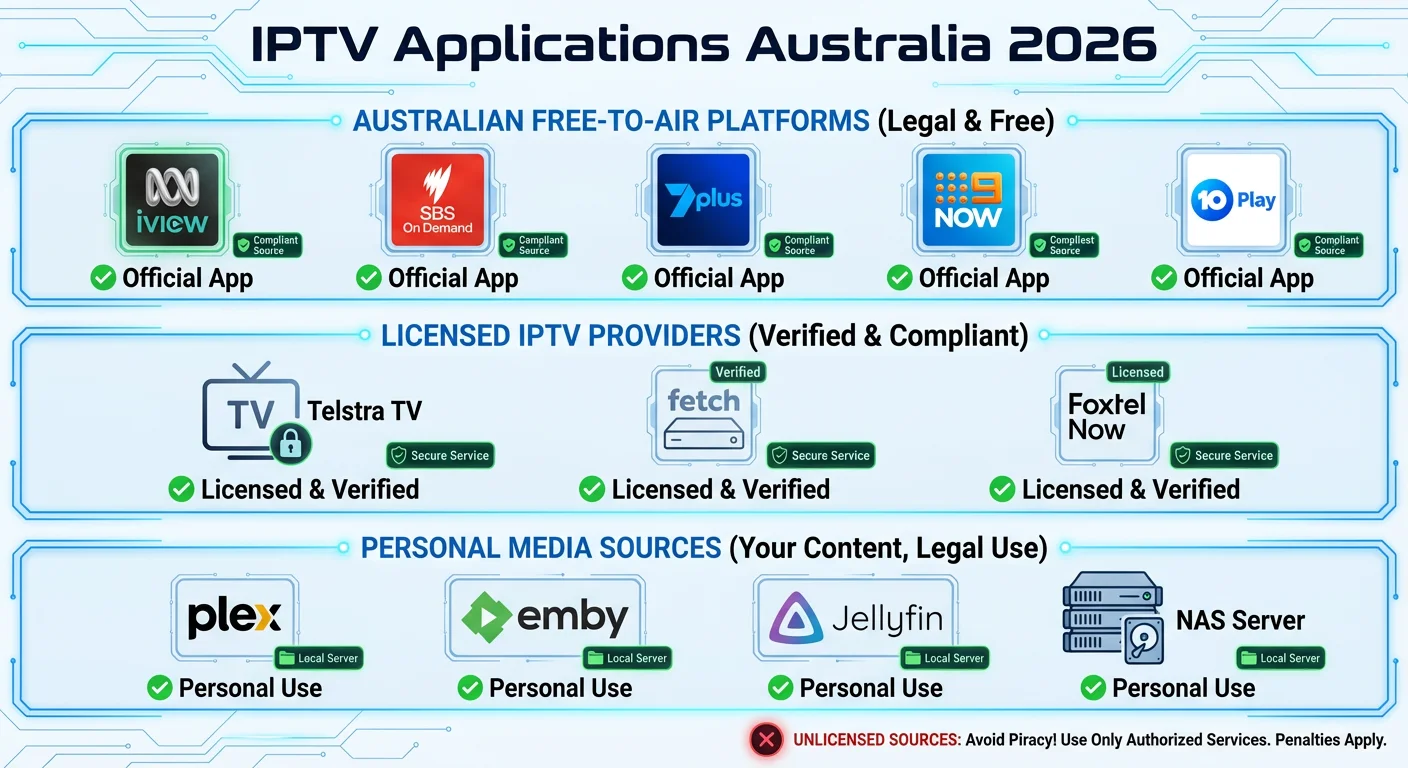
Australian Free-to-Air
Many FTA networks offer IPTV-compatible streams:
| Source | Content | Access |
|---|---|---|
| ABC iview | ABC channels | Web/app streams |
| SBS On Demand | SBS content | Web/app streams |
| 7plus | Seven Network | Live streams available |
| 9Now | Nine Network | Live streams available |
| 10 Play | Ten Network | Live streams available |
Licensed IPTV Providers
Look for providers that:
- Clearly state their content licensing
- Operate from Australia or have Australian business presence
- Offer reasonable pricing (not “too good to be true”)
- Provide official customer support
- Accept standard payment methods
Personal Media
IPTV apps can also access:
- Plex servers with your own media
- Emby servers for personal libraries
- Jellyfin (open-source alternative)
- Local network streams from NAS devices
Frequently Asked Questions: IPTV Applications Australia 2026
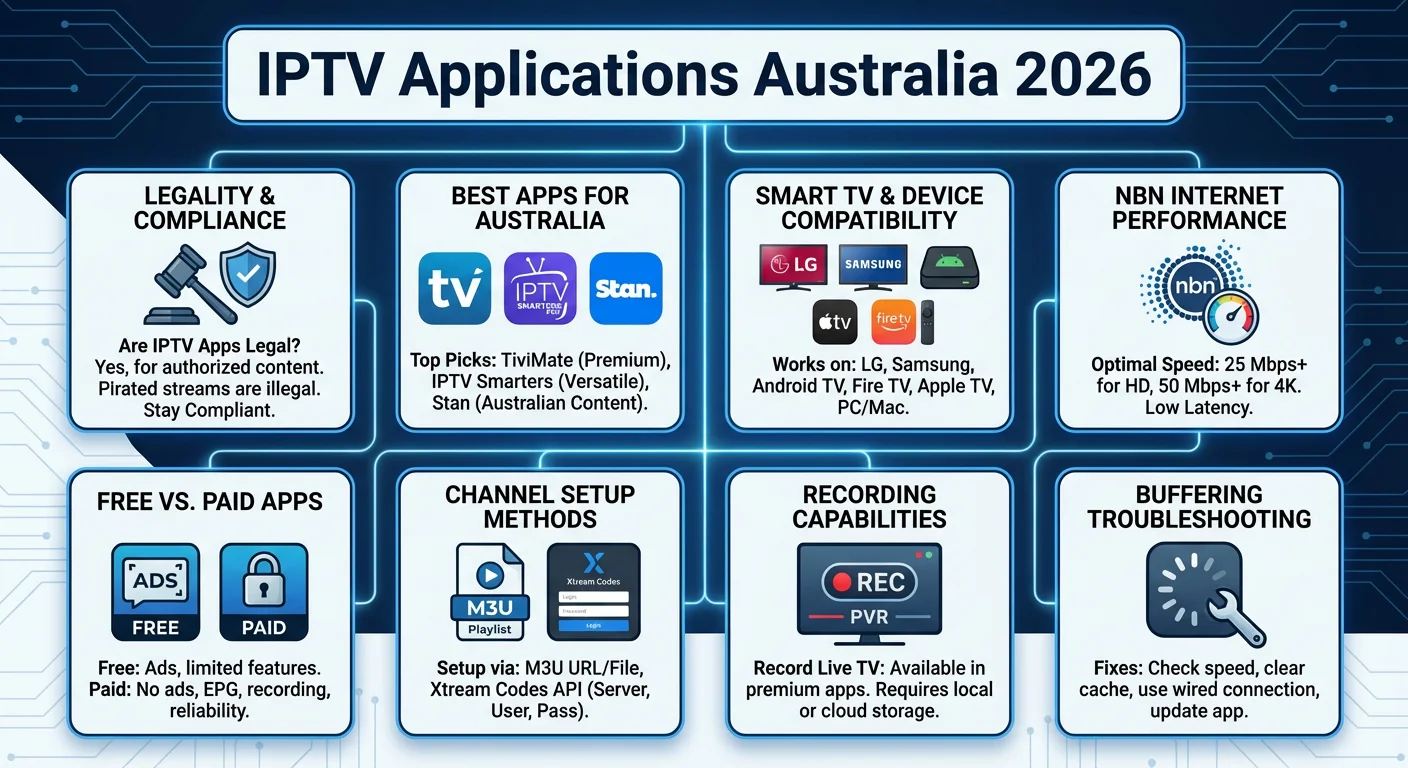
1. Are IPTV player apps legal in Australia in 2026?
Yes, IPTV player applications are completely legal in Australia. These apps are legitimate software tools available in official app stores like Google Play and the Apple App Store. The apps themselves don’t contain any content—they simply play streams from sources you provide.
The legality depends entirely on what content sources you connect to. Using these apps with licensed providers, free-to-air streams, or your personal media library is perfectly legal. Only connecting to unauthorised sources distributing copyrighted content without permission is illegal.
2. What is the best IPTV app for Australian users in 2026?
The best app depends on your devices and needs:
- TiviMate is widely considered the best overall for Android TV and Fire TV users, offering premium features, excellent EPG integration, and regular updates.
- IPTV Smarters Pro is best for users with multiple device types, especially those with both Apple and Android devices.
- GSE Smart IPTV is the top choice for dedicated Apple ecosystem users (iPhone, iPad, Apple TV).
- Kodi is best for tech-savvy users who want maximum customisation and free, open-source software.
For most Australian users with Android TV or Fire TV Stick, TiviMate Premium offers the best experience in 2026.
3. Can I use IPTV apps on my Samsung or LG Smart TV?
Partially. While some apps like IPTV Smarters Pro have native versions for Samsung (Tizen) and LG (webOS) smart TVs, most premium apps like TiviMate and Kodi are not available natively on these platforms. Your options are:
- Check if IPTV Smarters or SS IPTV is available in your TV’s app store
- Use a streaming device (Chromecast with Google TV, Fire TV Stick, Apple TV) connected to your TV—this gives you access to all apps
- Use screen mirroring from a phone or tablet
A $50-100 streaming device often provides a better IPTV experience than built-in smart TV apps.
4. Do IPTV apps work with Australian NBN in 2026?
Yes, IPTV works well on most Australian NBN connections. For smooth streaming:
- NBN 50 (50 Mbps) is sufficient for most households with HD streaming
- NBN 100 is recommended for families or 4K content
- Wired ethernet connection is always preferred over WiFi
- Evening peak times (7-11 PM) may affect performance on congested connections
The key factor is your actual connection speed, not just your plan tier. Run speed tests during your typical viewing times to verify performance. If you experience consistent buffering, contact your ISP about typical evening speeds or consider upgrading your plan.
5. What’s the difference between free and paid IPTV apps?
Free versions typically include:
- Basic functionality
- Limited playlists (often just 1)
- Advertisements
- Restricted features (limited favourites, no recording)
Paid/Premium versions offer:
- Unlimited playlist support
- No advertisements
- Full feature access (recording, catch-up TV)
- Advanced EPG options
- Priority support and updates
For casual users with a single IPTV subscription, free versions may suffice. Power users managing multiple sources or wanting recording features should invest in premium versions. Prices typically range from $5-30 AUD for lifetime access—a worthwhile investment for improved experience.
6. How do I add channels to my IPTV app?
IPTV apps require you to input connection details from your IPTV provider. There are two main methods:
Method 1: M3U Playlist URL
- Obtain your M3U URL from your provider
- In your IPTV app, navigate to “Add Playlist” or similar
- Enter the M3U URL
- Save and refresh channels
Method 2: Xtream Codes API
- Get your login credentials from your provider (Server URL, Username, Password)
- Select “Xtream Codes” or “API” login option
- Enter your credentials
- Connect and load channels
Your IPTV provider should supply these details. The app itself doesn’t include any channels—it only plays what your provider offers.
7. Can I record live TV with IPTV apps in Australia?
Yes, several apps support recording:
| App | Recording Capability |
|---|---|
| TiviMate Premium | ✅ Full DVR to local/network storage |
| Kodi (with PVR add-ons) | ✅ Comprehensive recording |
| IPTV Smarters Pro | ⚠️ Limited |
| GSE Smart IPTV | ⚠️ Limited |
| Perfect Player | ❌ Not supported |
Important notes:
- Recording requires sufficient storage space
- Some providers disable recording capability
- Catch-up TV (replaying past programs) is often a better alternative when available
- Recording copyrighted content for purposes beyond personal time-shifting may have legal implications
8. Why do some channels buffer while others don’t?
Buffering on specific channels usually indicates issues with that particular stream rather than your app or internet:
Provider-side causes:
- Overloaded server for popular channels
- Geographic distance to stream source
- Lower quality source stream
User-side solutions:
- Try alternative stream if your provider offers multiple options
- Increase buffer size in app settings
- Use external player (VLC often handles problematic streams better)
- Report to your provider for them to investigate
If ALL channels buffer, the issue is likely your internet connection or device—see the troubleshooting section above.
Conclusion: Choosing the Right IPTV Application in Australia 2026
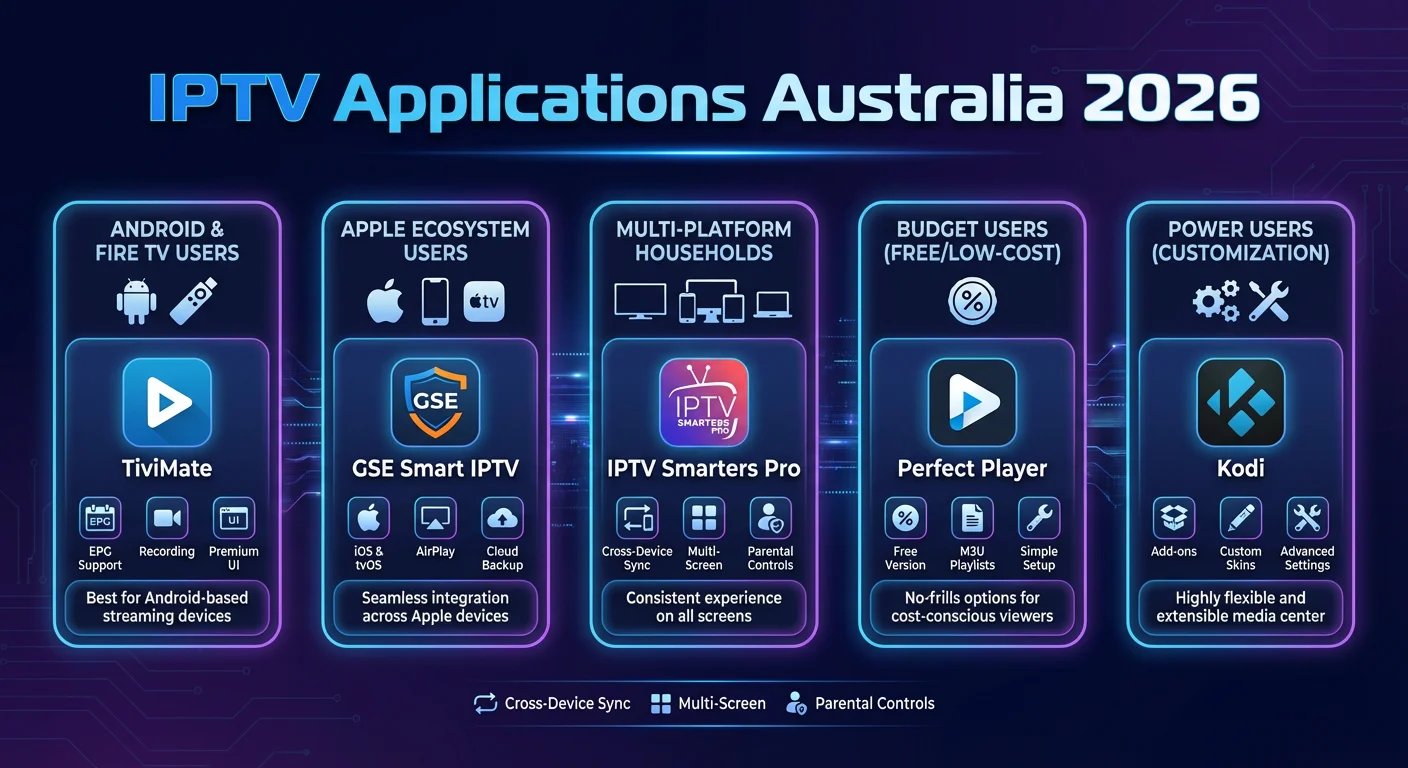
The IPTV applications Australia 2026 landscape offers excellent choices across all devices and platforms. Whether you’re a casual viewer or a power user, there’s an app that fits your needs. Here’s a final summary of key recommendations:
For Android TV / Fire TV Users
TiviMate remains the gold standard, offering the most polished experience with comprehensive features including EPG integration, recording, and catch-up TV. The premium version ($30 AUD lifetime) is exceptional value for serious IPTV users.
For Apple Ecosystem Users
GSE Smart IPTV provides the best native iOS and Apple TV experience with full App Store support and Apple feature integration including SharePlay and Siri in 2026. IPTV Smarters Pro is a strong alternative if you also have Android devices.
For Multi-Platform Households
IPTV Smarters Pro offers the broadest device compatibility, working across iOS, Android, Apple TV, Fire TV, and Windows. Its unified account system in 2026 makes it ideal for families with diverse devices.
For Budget-Conscious Users
Perfect Player delivers reliable, no-frills IPTV viewing for free (with minimal ads), while Kodi offers unlimited customisation at no cost for those willing to invest time in setup.
For Maximum Flexibility
Kodi provides unmatched customisation and works on virtually every platform. It’s ideal for tech-savvy users who want to combine IPTV with their broader media library.
Final Reminders
- Apps are tools: IPTV player applications are legal software. Your responsibility is to use them with legitimate content sources.
- Prioritise legal sources: Support content creators by using licensed IPTV providers, free-to-air streams, and authorised services.
- Optimise your setup: Invest in proper networking (ethernet where possible) and appropriate NBN speeds for the best experience.
- Start simple: Begin with free versions to test compatibility before purchasing premium features.
- Stay updated: IPTV apps receive regular updates—keep your apps current for best performance and security.
Whether you’re using IPTV to access free-to-air content on multiple devices, connect to a legitimate international service, or manage your personal media library, the apps covered in this guide provide excellent options for Australian users in 2026.
Last Updated: January 2026
Disclaimer: This guide covers IPTV player applications as software tools. The legality of IPTV usage depends entirely on the content sources accessed. Always use authorised content sources and comply with Australian copyright law. Prices and features are approximate and subject to change—verify with app developers for current information.
Related Articles: <!– Internal Link Placeholders –>
- How to Set Up TiviMate on Fire TV Stick
- Best Streaming Devices for IPTV in Australia
- NBN Speed Guide for Streaming
- Kodi Setup Guide for Beginners
- Legal IPTV Services in Australia
- IPTV Troubleshooting Guide