
Setting IPTV has become a common topic in Australian households as more viewers look for alternatives to traditional broadcast television. In 2026, the process involves more than downloading an app and entering credentials—it requires understanding your home network, choosing compatible hardware, and knowing what to realistically expect from streaming over Australian internet infrastructure.
This guide addresses what setting IPTV actually involves from a technical standpoint, provides step-by-step installation guidance, explains key settings that affect performance, and covers the honest limitations that affect users in different parts of the country.
Whether you live in metropolitan Sydney with fibre-to-the-premises or regional Queensland relying on fixed wireless, your experience will vary significantly. The goal here is education, not promotion—helping you understand how to set up IPTV properly and whether it suits your situation.
Table of Contents
1. What Does Setting IPTV Involve in 2026?
2. How to Set Up IPTV Step by Step in Australia (2026)
3. Understanding IPTV Settings That Affect Performance
4. Is Setting IPTV Legal and Safe in Australia?
5. What Problems Do Australians Face When Setting IPTV in 2026?
6. How Should Australians Prepare Before Setting IPTV in 2026?
7. Expert View: When Does Setting IPTV Work Well—And When Doesn’t It?
8. Frequently Asked Questions
9. Conclusion
1. What Does Setting IPTV Involve in 2026?
Setting IPTV in 2026 refers to the process of configuring a device and application to receive television content delivered over internet protocol rather than traditional broadcast signals. Unlike antenna-based or satellite television, IPTV streams content through your home internet connection, which creates both opportunities and dependencies.
The Core Components
A functional IPTV setup requires four elements working together. First, you need a compatible device such as a dedicated streaming box, smart television, smartphone, tablet, or computer. Second, you require an IPTV application capable of interpreting and playing IPTV streams. Third, you need access credentials or playlist information, typically in M3U or Xtream Codes format. Fourth, and critically for Australian users, you need a stable internet connection with sufficient bandwidth and low latency.
What the Setup Process Looks Like
The typical configuration process involves installing a player application on your chosen device, then entering server details, login credentials, or importing a playlist file. Most applications follow a similar pattern: you navigate to settings, locate the service configuration section, input the required information, and then access available content through the application interface. The next section walks through this process in detail.
In 2026, many IPTV applications have streamlined this process compared to earlier years. However, users still need to understand basic networking concepts, recognise when problems stem from their local network versus the content source, and troubleshoot common issues like buffering, authentication failures, and codec incompatibilities.
2. How to Set Up IPTV Step by Step in Australia (2026)
Setting up IPTV involves selecting a compatible device, installing a player application from an official app store, entering your service configuration details, adjusting playback settings for your connection, and testing performance. The entire process typically takes 15–30 minutes for users with their configuration information ready and a stable internet connection.
- Choose a Compatible Device
Select hardware that meets minimum requirements for streaming. Dedicated streaming devices with Android TV, Google TV, or similar operating systems typically offer the best compatibility and performance. Smart televisions manufactured after 2022 with modern operating systems work adequately for most users. Ensure your device has at least 2GB RAM and supports common video codecs including H.265 (HEVC).
Key consideration: Devices connected via ethernet consistently outperform those relying on WiFi. If your chosen device lacks an ethernet port, consider a USB-to-ethernet adapter for improved stability.
- Install an IPTV Player Application
Download an IPTV player from your device’s official app store—Google Play Store for Android devices, Apple App Store for iOS, or the built-in store for smart TVs. Using official app stores ensures the application has passed security reviews and reduces malware risk. Search for “IPTV player” and choose an application with strong ratings, recent updates, and a substantial user base.
What to look for: Support for both M3U playlists and Xtream Codes API, EPG (electronic programme guide) integration, and adjustable playback settings. Avoid applications requesting unnecessary permissions like access to contacts or location data.
- Enter Your Configuration Details
Open the installed application and navigate to the settings or setup section. Depending on your service format, you will enter either:
- M3U Playlist URL: A web address pointing to your playlist file. Paste the complete URL including “http://” or “https://” into the designated field.
- Xtream Codes credentials: Typically three fields—server URL, username, and password. Enter each exactly as provided, paying attention to capitalisation and special characters.
After entering details, save the configuration. The application will attempt to connect and retrieve the channel list or playlist. This may take 30 seconds to several minutes depending on the size of the playlist and your connection speed.
- Configure Playback Settings
Before testing content, adjust key settings to match your device capabilities and internet connection. Navigate to the player or playback settings section and configure:
- Video decoder: Set to “Hardware” for most modern devices. This uses your device’s dedicated video processing chip rather than software, reducing buffering and improving efficiency.
- Buffer size: Start with a medium setting (around 2–3 seconds). Increase if you experience frequent buffering; decrease if you notice long delays when changing channels.
- EPG timezone: Set to your Australian timezone (AEST, AEDT, ACST, ACDT, AWST, or AWDT depending on location and time of year) for accurate programme guide times.
The following section explains these settings in greater detail.
- Test Your Setup
Select a channel or stream to verify everything works correctly. During testing, observe:
- Load time: How quickly does the stream begin playing? Under 10 seconds is acceptable; over 30 seconds suggests configuration or connection issues.
- Playback stability: Watch for at least 2–3 minutes. Note any buffering, freezing, or quality drops.
- Audio sync: Ensure audio matches video. Lip movements should align with speech.
Test during both off-peak (daytime) and peak hours (7pm–10pm) to understand how your setup performs under different network conditions.
- Optimise Based on Results
If testing reveals issues, make targeted adjustments:
- Frequent buffering: Increase buffer size, switch to ethernet if using WiFi, or lower stream quality if the option exists.
- Slow channel switching: Decrease buffer size slightly, or check if your device supports hardware decoding for faster processing.
- Audio out of sync: Enable audio sync correction in settings, or try switching between hardware and software decoding.
- Pixelation or artefacts: Often indicates insufficient bandwidth. Test your internet speed and compare against requirements outlined in Section 6.
Document which settings work best for your specific setup—you may need to reconfigure if you change devices or if your internet service changes.
3. Understanding IPTV Settings That Affect Performance
IPTV applications include numerous settings that directly impact viewing experience. Understanding what each setting does—and why it matters—helps you troubleshoot problems and optimise performance for Australian network conditions.
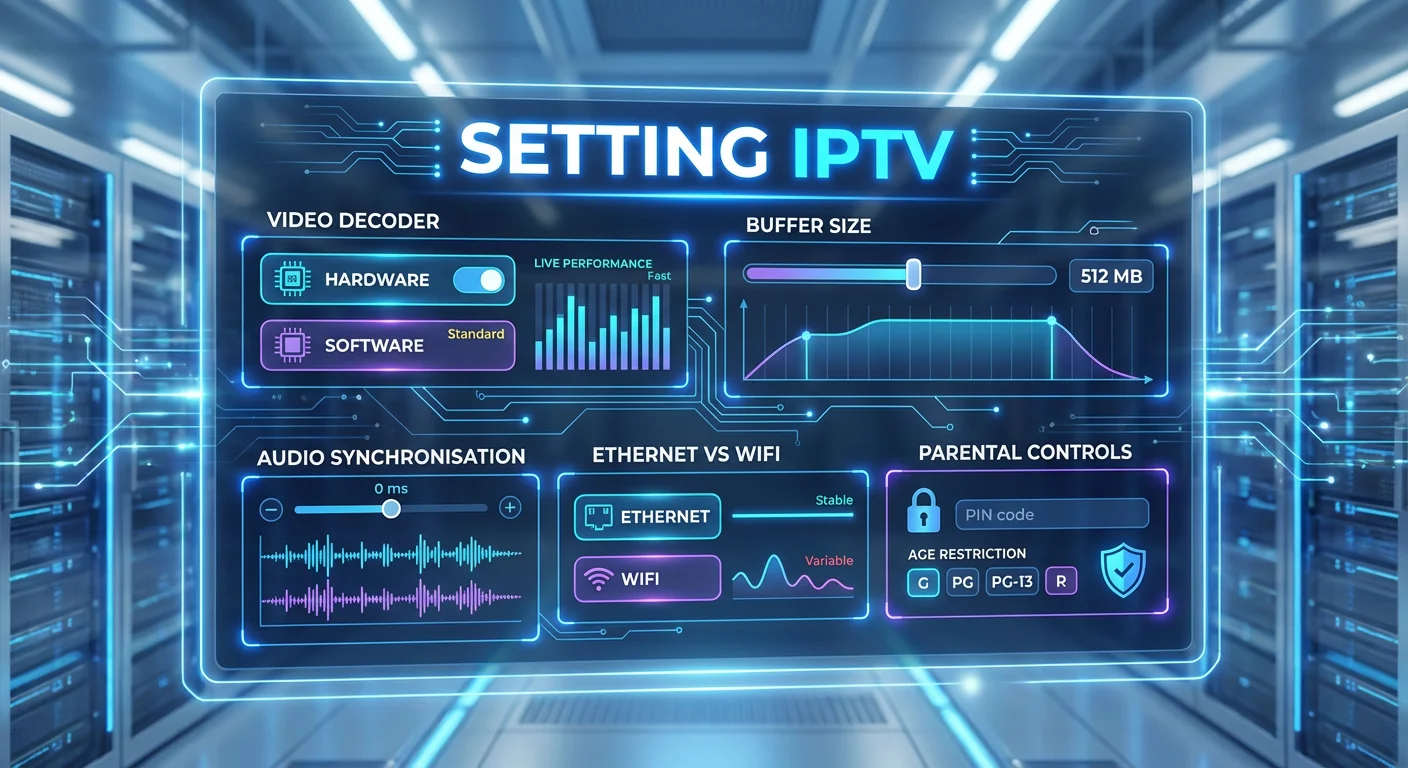
Video Decoder: Hardware vs Software
What it does: The video decoder converts compressed video data into images displayed on your screen. Hardware decoding uses your device’s dedicated video processing chip; software decoding uses the main processor (CPU).
Why it matters: Hardware decoding is significantly more efficient. It reduces power consumption, generates less heat, and provides smoother playback—particularly for high-definition and 4K content. Software decoding works as a fallback but may cause stuttering on less powerful devices or with demanding streams.
Recommendation: Use hardware decoding unless you experience specific compatibility issues with certain streams. If a stream fails to play or shows visual glitches, temporarily switching to software decoding can help identify whether the problem is codec-related.
Buffer Size and Why It Matters
What it does: Buffer size determines how much video data your device downloads and stores before beginning playback, and maintains during viewing. A larger buffer means more data is pre-loaded; a smaller buffer means playback begins faster with less stored data.
Why it matters for Australian users: Australian internet connections—particularly NBN services during peak hours—can experience fluctuating speeds. A larger buffer provides a cushion against momentary speed drops, preventing buffering interruptions. However, larger buffers also mean longer initial load times and delays when switching channels.
Recommendation: Start with 2–3 seconds for stable connections (FTTP, quality HFC). Increase to 5–8 seconds for less reliable connections (FTTN, fixed wireless). Satellite NBN users may need 10+ seconds. Adjust based on your actual experience—if you buffer frequently, increase; if channel switching feels sluggish, decrease.
Audio Synchronisation
What it does: Audio sync settings adjust the timing relationship between audio and video playback. Most applications allow positive or negative adjustments measured in milliseconds.
Why it matters: Audio-video desynchronisation—where speech does not match lip movements—significantly degrades viewing experience. This can occur due to processing differences between audio and video decoders, inconsistencies in the original stream, or device-specific quirks.
Recommendation: If audio appears ahead of video (you hear words before lips move), apply a positive delay. If audio lags behind, apply a negative delay. Make adjustments in small increments (50–100ms) until synchronisation appears correct. Note that sync issues may vary between channels or content sources.
Network Connection: Ethernet vs WiFi
What it does: This setting is not in the application itself but in how you connect your device. Ethernet uses a physical cable; WiFi transmits data wirelessly.
Why it matters significantly: Ethernet connections provide consistent, low-latency data transfer unaffected by interference, distance from router, or competing wireless devices. WiFi speeds fluctuate based on distance, obstacles, interference from neighbouring networks, and the number of connected devices. For streaming, consistency matters more than peak speed.
Recommendation: Use ethernet whenever physically possible. If running cables is impractical, position your streaming device as close to your router as feasible, use the 5GHz WiFi band (faster but shorter range), and minimise interference sources. Powerline adapters offer a middle-ground solution for Australian homes where routing ethernet cables is difficult.
Parental Controls
What it does: Parental control settings restrict access to certain content categories, typically requiring a PIN to access blocked channels or programmes.
Why it matters: IPTV content is not subject to the same broadcasting standards as Australian free-to-air television. Content classification may be inconsistent, absent, or follow different international standards. Parental controls provide a layer of protection for households with children.
Recommendation: If children have access to the device, enable parental controls during initial setup. Set a PIN that children cannot easily guess. Review available content categories and block those inappropriate for your household. Remember that parental controls are not foolproof—supervision remains important.
4. Is Setting IPTV Legal and Safe in Australia?
This question requires a nuanced answer because IPTV technology itself is neutral—the legality depends entirely on how it is used and what content is accessed.
The Legal Landscape
IPTV as a delivery method is entirely legal. Major Australian broadcasters and legitimate streaming services use IPTV technology to deliver content. Configuring a device to access licensed services you have paid for, free-to-air catch-up content, or legitimately distributed media involves no legal issues.
Where legal concerns arise is when IPTV is used to access copyrighted content without authorisation. Australian copyright law, administered by the Australian Communications and Media Authority and enforced through federal courts, prohibits accessing content through services that do not hold proper distribution rights. This includes services offering live sports, premium channels, or movies they are not licensed to distribute in Australia.
Safety Considerations
Beyond legality, security matters. Illegitimate IPTV services often operate with minimal security standards. Users have reported issues including malware embedded in applications, payment information being compromised, and personal data being sold. Additionally, some IPTV applications require extensive device permissions that expose users to privacy risks.
For Australian users in 2026, the recommendation is clear: understand that using IPTV to access licensed content through proper channels is legal and generally safe, while accessing unauthorised content carries both legal risk and practical security concerns. Australian regulations continue to evolve, so users should verify current rules through official government resources.
5. What Problems Do Australians Face When Setting IPTV in 2026?
Australian users encounter specific challenges when setting IPTV that differ from experiences in other countries. Understanding these problems in advance helps set realistic expectations and informs the setup approach covered in Section 2.
Internet Infrastructure Variability
Australia’s National Broadband Network delivers vastly different experiences depending on your connection type. Users on fibre-to-the-premises connections in inner Melbourne typically see consistent speeds suitable for multiple simultaneous HD streams. Meanwhile, those on fibre-to-the-node in outer suburbs may experience evening congestion that causes buffering. Fixed wireless users in regional areas often lack the bandwidth for reliable HD streaming, and satellite NBN users face latency issues that affect live content.
Geographic Distance
Australia’s physical distance from content servers located overseas introduces latency. Even with fast local connections, the round-trip time to servers in Europe or North America adds delay. This particularly affects live content where even small delays become noticeable, especially during sports events when you might hear neighbours react before your stream catches up.
Device Compatibility Issues
Not all IPTV applications perform equally across devices. Australian users report that applications running smoothly on Android TV boxes may struggle on older smart televisions. Codec support varies between devices, meaning some content plays flawlessly on one device while showing audio sync issues or failing to play entirely on another. The hardware decoder setting discussed in Section 3 often resolves these issues.
Real Australian Scenarios
Scenario 1: David in Geelong has FTTP NBN delivering 100Mbps. Following the setup steps with hardware decoding enabled and a 2-second buffer, his IPTV works reliably for live sports in HD, with occasional buffering during peak State of Origin broadcasts when his entire street seems to be streaming.
Scenario 2: Mei in Toowoomba uses fixed wireless NBN averaging 25Mbps with drops to 8Mbps in evenings. After increasing her buffer to 6 seconds as recommended for variable connections, she can stream standard definition content reliably but HD still stutters after 7pm. She has adjusted expectations and watches time-shifted content during off-peak hours.
Scenario 3: Tom in inner Perth has cable internet with 250Mbps speeds but an older router positioned far from his living room. Despite fast internet, his IPTV buffered constantly until he ran an ethernet cable directly to his streaming device—a change that immediately resolved all playback issues.
6. How Should Australians Prepare Before Setting IPTV in 2026?
Proper preparation dramatically improves IPTV reliability. Taking these steps before attempting the setup process in Section 2 saves frustration.
Assess Your Internet Connection
Run speed tests at different times of day, particularly between 7pm and 10pm when network congestion peaks. Test from the device and location where you plan to watch, not just from your phone near the router. You need at least 10Mbps for reliable SD streaming, 25Mbps for HD, and 50Mbps or more for 4K content. Equally important is consistency—a connection that fluctuates between 50Mbps and 5Mbps will perform worse than a steady 20Mbps.
Optimise Your Home Network
Ethernet connections outperform WiFi for streaming in almost every scenario. If running cables is impractical, consider powerline adapters as an alternative. Position your router centrally, away from interference sources like microwaves and cordless phones. Ensure your router firmware is updated. If using WiFi, connect to the 5GHz band for better speeds when close to the router, understanding that the 2.4GHz band reaches further but offers slower speeds.
Choose Appropriate Hardware
Dedicated streaming devices typically outperform built-in smart TV applications. Look for devices with at least 2GB RAM, modern processors, and support for common video codecs including H.264, H.265 (HEVC), and VP9. Ensure the device runs a recent operating system version that continues to receive application updates.
Gather Your Configuration Information
Before beginning setup, have your configuration details readily available. This includes either your M3U playlist URL or your Xtream Codes credentials (server address, username, password). Verify this information is correct and current. Having everything prepared makes the setup process in Section 2 significantly smoother.
7. Expert View: When Does Setting IPTV Work Well—And When Doesn’t It?
After years of hands-on experience configuring IPTV across dozens of Australian households, certain patterns become clear.
IPTV Works Well When:
You have a stable FTTP or high-quality HFC connection delivering consistent speeds above 25Mbps. Your streaming device connects via ethernet or sits within five metres of a modern dual-band router with clear line of sight. You access legitimate services with local content delivery networks and Australian servers. Your expectations align with reality—understanding that internet-delivered content occasionally buffers even under ideal conditions. You have taken time to configure settings properly, particularly buffer size and decoder options as outlined in Section 3.
IPTV Struggles When:
Your connection type is FTTN with a long copper lead-in degrading speeds. You rely on satellite NBN where latency affects live content. Your household has multiple people streaming simultaneously without adequate total bandwidth. You use older devices with limited processing power or outdated codec support. Your router is old, poorly positioned, or overwhelmed by too many connected devices. You skip the setup optimisation steps and use default settings that do not match your specific conditions.
The Honest Assessment
For many Australian households in 2026, IPTV represents a viable way to access content—when configured properly using the steps and settings guidance in this article. It is not a magic solution that works perfectly everywhere. Users in well-connected metropolitan areas with quality hardware will have a substantially different experience than regional users on constrained connections. The technology continues to improve, but it cannot overcome fundamental infrastructure limitations.
8. Frequently Asked Questions
What internet speed do I need for IPTV in Australia?
For standard definition content, plan for at least 10Mbps of consistent bandwidth. HD streaming requires 25Mbps minimum, while 4K demands 50Mbps or more. Crucially, these figures assume dedicated bandwidth—if others in your household are using the internet simultaneously, you need proportionally more total capacity. Consistency matters as much as peak speed.
Can I use IPTV on my existing smart TV?
Many modern smart TVs support IPTV applications, but performance varies significantly. TVs manufactured after 2022 with Android TV, Google TV, or webOS operating systems generally offer better compatibility. Older smart TVs often have limited app availability and insufficient processing power for smooth playback. Testing with a free application before committing to any setup helps determine whether your TV handles IPTV adequately.
Why does my IPTV buffer during peak hours?
Evening buffering typically results from network congestion—either within your home network, at your ISP’s exchange, or on the broader NBN infrastructure. Between 7pm and 10pm, Australian internet usage spikes dramatically. Even connections that test well during the day may struggle during these peak periods. The issue compounds if multiple household members stream simultaneously. Increasing buffer size (see Section 3) can help compensate for speed fluctuations.
Is a VPN necessary for IPTV in Australia?
For accessing legitimate, licensed content, a VPN is generally unnecessary and may actually reduce performance by adding latency. VPNs route your traffic through remote servers, which can slow connections. However, VPNs have legitimate uses including privacy protection on public networks. Whether you need one depends on your specific situation and concerns rather than IPTV itself.
What is the difference between M3U and Xtream Codes?
M3U is a playlist format—essentially a text file containing links to media streams. Xtream Codes is a more comprehensive system that includes server information, login credentials, and often additional features like electronic programme guides. Both achieve similar results through different methods. Most modern IPTV applications support both formats, so your choice depends on what information your content source provides. The setup steps in Section 2 cover both methods.
Will IPTV work on NBN satellite connections?
NBN Sky Muster and Sky Muster Plus satellite services can technically stream IPTV content, but latency issues affect the experience. Satellite connections involve signals travelling to space and back, introducing delays of 600 milliseconds or more. While this does not prevent streaming, it affects live content where real-time viewing matters. Pre-recorded content streams more acceptably than live broadcasts. A larger buffer setting (10+ seconds) helps but cannot eliminate latency.
How do I know if my IPTV application is safe?
Applications available through official app stores like Google Play or Apple’s App Store undergo security review processes. Applications requiring sideloading—manual installation from outside official stores—carry higher risk. Check application permissions before installing; legitimate IPTV players need network access and storage permissions but should not require access to contacts, messages, or location data. Section 2 recommends using official app stores for this reason.
Can I record IPTV streams?
Recording capability depends on your application and the content source. Some IPTV applications include built-in recording features, while others do not support it at all. From a legal perspective, recording content for personal time-shifting may fall under fair dealing provisions in Australia, but distributing recordings or circumventing copy protection raises legal issues. Consult current Australian copyright guidance for definitive answers.
9. Conclusion
Setting IPTV in 2026 Australia is achievable for most households willing to follow a structured approach. The six-step setup process covered in this guide—choosing appropriate hardware, installing a reputable application, entering configuration details, adjusting playback settings, testing thoroughly, and optimising based on results—provides a clear path from preparation to working system.
Success depends less on technical expertise and more on honestly assessing your internet connection, understanding how settings like buffer size and decoder choice affect performance, and maintaining realistic expectations. Users who skip preparation or use default settings typically struggle more than those who take time to configure properly.
For those with suitable infrastructure—stable NBN, quality hardware, and ethernet connectivity—IPTV offers a flexible way to access content. For those in areas with constrained connectivity, the experience may prove frustrating regardless of setup efforts. Knowing which category you fall into before starting saves considerable time and disappointment. Use the preparation checklist in Section 6 to assess your readiness before beginning.
Author

Our Fact Checking Process
We prioritize accuracy and integrity in our content. Here's how we maintain high standards:
- Expert Review: All articles are reviewed by subject matter experts.
- Source Validation: Information is backed by credible, up-to-date sources.
- Transparency: We clearly cite references and disclose potential conflicts.
Our Review Board
Our content is carefully reviewed by experienced professionals to ensure accuracy and relevance.
- Qualified Experts: Each article is assessed by specialists with field-specific knowledge.
- Up-to-date Insights: We incorporate the latest research, trends, and standards.
- Commitment to Quality: Reviewers ensure clarity, correctness, and completeness.
Look for the expert-reviewed label to read content you can trust.