
Introduction
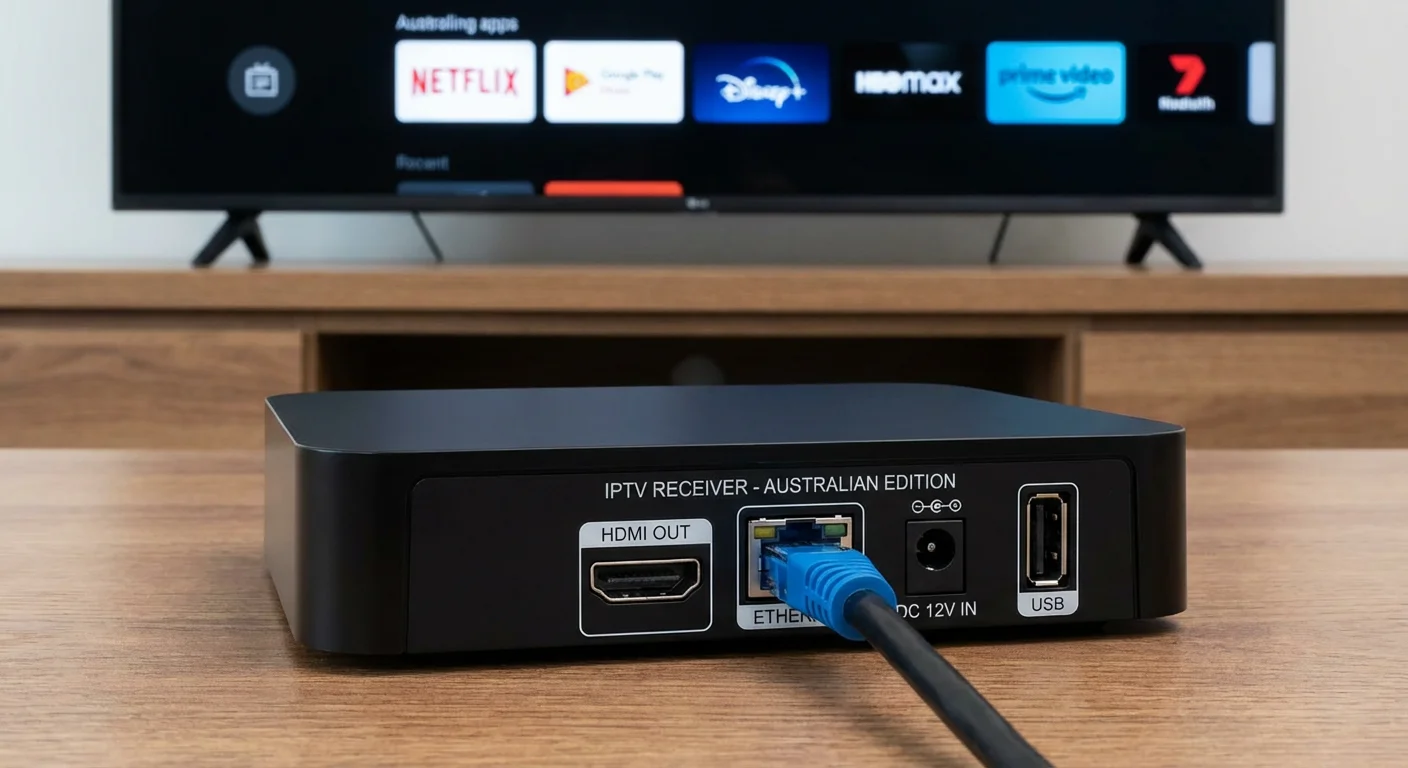
An IPTV box is a small device that connects to your television and receives streaming content over your internet connection rather than through traditional broadcast signals. In Australian households, these devices have become increasingly common as more viewers move away from free-to-air aerials and Foxtel cables toward internet-based entertainment.
However, there is significant confusion about what these boxes actually do. Many Australians purchase an IPTV set-top box expecting it to unlock free content or replace streaming subscriptions entirely. The reality is more nuanced. This guide explains the genuine capabilities and limitations of IPTV hardware, addresses the legal questions that matter for Australian viewers, and helps you determine whether a dedicated streaming box makes sense for your situation—or whether your existing smart TV already handles everything you need.
Table of Contents
- What is an IPTV box and how does it work?
- Is an IPTV box legal and safe to use in Australia?
- What problems do Australians face with IPTV boxes?
- How should Australians choose an IPTV box setup in 2026?
- Expert view: when does an IPTV box help, and when is it unnecessary?
- Frequently Asked Questions
- Conclusion
1. What Is an IPTV Box and How Does It Work?
An IPTV box is essentially a small computer designed specifically to receive and decode video streams delivered over your internet connection. Unlike a traditional set-top box that receives broadcast signals through an antenna or cable, an IPTV set-top box relies entirely on your home network to fetch content from remote servers.
The Basic Hardware Inside
Most IPTV devices sold in Australia run on Android operating systems (often marketed as an Android TV box IPTV solution). Inside, you will find a processor, RAM, storage for apps, and ports for connecting to your television (usually HDMI) and your network (Ethernet or Wi-Fi). The processor matters more than many sellers admit—cheaper boxes use underpowered chips that struggle with high-definition streams, causing buffering even when your internet is fast enough.
How the Streaming Process Works
When you select something to watch, the box sends a request through your router to a content server somewhere on the internet. That server sends video data back in small packets, which your box reassembles and displays on screen. The quality depends on three factors: your internet speed, the server’s capacity, and your box’s ability to decode the video format being used.
This is fundamentally different from traditional television. Your old antenna received broadcast signals that were already complete—your TV just displayed them. With IPTV, your device actively downloads content in real time, which is why internet quality matters so much.
What an IPTV Box Does Not Do
An important misconception: the box itself does not contain any content. It is not a hard drive full of movies. It cannot magically access subscription services you have not paid for (at least not legally). The hardware simply provides a platform for running apps—the same apps you might already have on a smart TV. The value of dedicated hardware lies in processing power, interface design, and remote control usability—not in unlocking content that is otherwise unavailable.
2. Is an IPTV Box Legal and Safe to Use in Australia?
The hardware itself is completely legal. Purchasing and owning a TV box or streaming box in Australia breaks no laws. These are general-purpose computing devices, similar to a laptop or tablet, and you can buy them freely from retailers or online marketplaces.
Where Legal Problems Begin
The legality question shifts when we discuss how the box is used. If you install legitimate apps—Stan, Binge, Kayo, ABC iview, SBS On Demand—and access your own paid subscriptions, everything is straightforward and legal. The problem arises when devices come pre-loaded with apps or services designed to access pirated content.
Some sellers advertise boxes with “thousands of channels” or “lifetime access to all sports.” These typically connect to illegal IPTV services that rebroadcast licensed content without authorisation. Using these services exposes you to legal risk, although enforcement in Australia has historically focused on service providers rather than individual viewers.
Safety Considerations
Beyond legality, security matters. Cheap Android boxes from unknown manufacturers often run outdated software that never receives security updates. They may come with pre-installed apps of questionable origin. If you connect such a device to your home network, you potentially expose other devices—laptops, phones, smart home equipment—to vulnerabilities.
Reputable devices from established brands receive regular software updates and run certified versions of Android TV. This matters especially in households where banking apps, work documents, or children’s devices share the same network.
The Australian Regulatory Landscape in 2026
Australian authorities have increased attention on illegal streaming services. The Federal Court has granted blocking injunctions against numerous pirate IPTV services, requiring internet providers to block access. While this does not make your box illegal, it means the “free” services promised by some sellers may stop working without warning as enforcement continues.
3. What Problems Do Australians Face with IPTV Boxes?
Understanding common issues helps set realistic expectations before purchase. These problems affect users across the country, regardless of which brand or model they choose.
NBN and Internet Limitations
Australia’s internet infrastructure varies dramatically by location. If you are on an NBN Fixed Wireless or Satellite connection, your bandwidth and latency may cause buffering even with a high-quality IPTV box. Evening congestion on FTTN (fibre to the node) connections affects streaming quality during peak viewing hours—exactly when most people want to watch.
The box cannot fix internet problems. A faster processor will not help if your connection only delivers 15 Mbps during prime time. Before purchasing any streaming device, run speed tests during the evening hours to understand what your connection actually provides.
Remote Control and Interface Frustrations
This is where many households encounter daily annoyance. Cheaper IPTV boxes often include poorly designed remotes with small buttons and no backlighting. For elderly users or anyone watching in a dimmed room, navigating these interfaces becomes genuinely difficult.
The interface itself may feel sluggish on lower-powered devices. Apps take too long to open, scrolling through content stutters, and the overall experience feels frustrating compared to using apps on a phone or computer. This particularly affects family setups where multiple household members with varying technical comfort need to operate the device.
App Compatibility and Updates
Not all Android boxes can run all apps. Devices without official Android TV certification may not have access to Google Play Store, forcing users to “sideload” apps manually. Stan, in particular, has historically blocked uncertified devices. Kayo and Binge also restrict access on some hardware.
When streaming services update their apps, older boxes may lose compatibility entirely. A device working perfectly today might not run Netflix properly in twelve months if it cannot update to newer app versions.
HDMI-CEC and TV Compatibility
HDMI-CEC allows your TV remote to control connected devices. In theory, you should be able to control your IPTV box with your existing TV remote. In practice, compatibility varies wildly. Samsung calls this feature Anynet+, LG calls it SimpLink, and not all boxes implement the standard correctly. This creates scenarios where you need two remotes—one for volume and TV power, another for the streaming box.
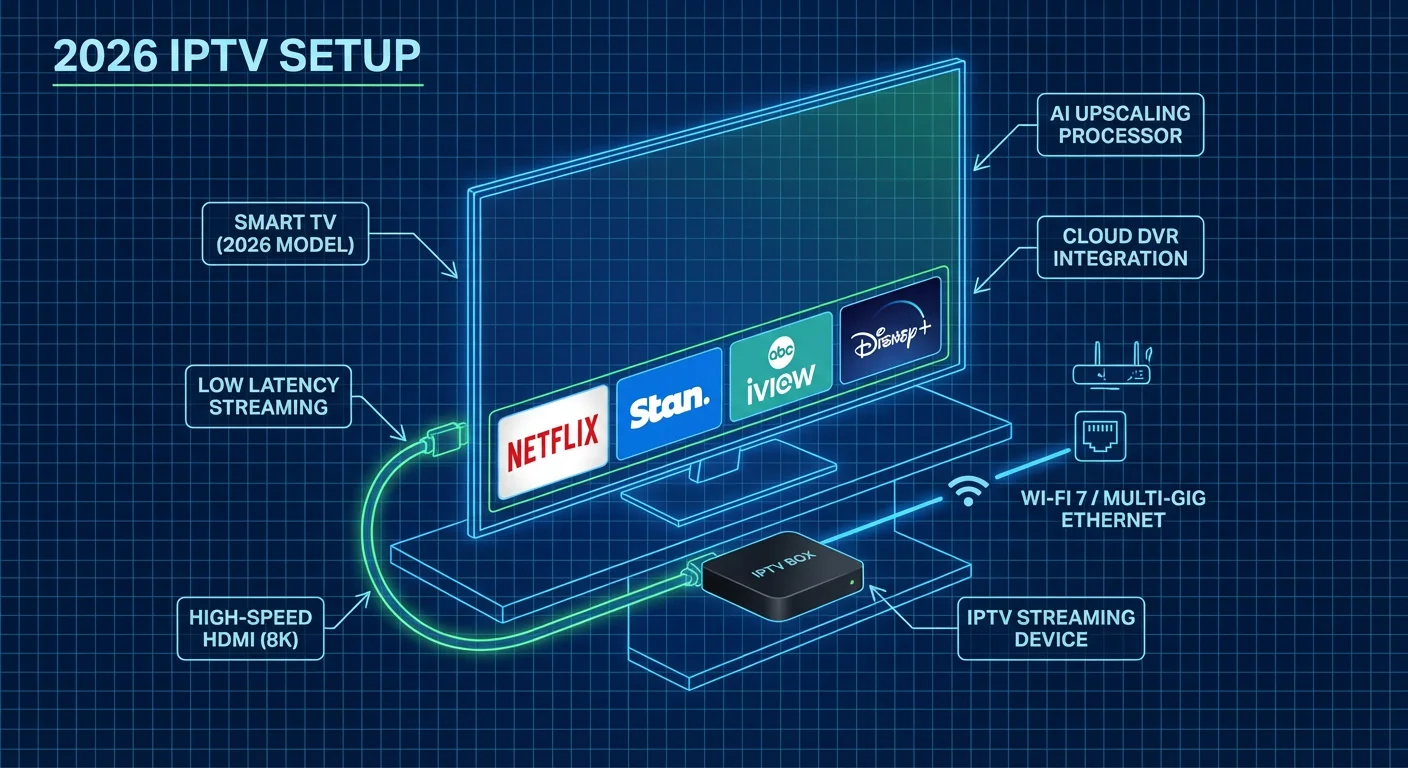
4. How Should Australians Choose an IPTV Box Setup in 2026?
The right choice depends heavily on your existing equipment, household needs, and what you actually want to watch. There is no universally “best” option—only what works for your situation.
Step 1: Assess Your Current Television
If you purchased a television from a major brand (Samsung, LG, Sony, Hisense, TCL) in the last four years, it almost certainly has a capable smart TV platform built in. Check whether it already runs the apps you need—most Australian streaming services work on Tizen (Samsung), webOS (LG), and Google TV/Android TV platforms.
Only consider an external streaming box if your TV’s built-in system is genuinely inadequate: apps crash frequently, the interface is too slow to use comfortably, or key services are unavailable. Adding another device introduces another remote, another point of failure, and another item consuming power.
Step 2: Understand Your Viewing Habits
If you primarily watch Australian catch-up services (ABC iview, SBS On Demand, 7plus, 9Now, 10 Play), virtually any smart TV or basic streaming device handles these. You do not need a powerful IPTV box.
If you subscribe to multiple paid services (Netflix, Stan, Disney+, Binge, Paramount+) and switch between them frequently, a dedicated device with a unified interface might improve your experience. If you want to run more demanding applications like Plex for local media libraries or game streaming services, processing power becomes more relevant.
Step 3: Consider Who Will Use It
Households with elderly parents or grandparents need simplicity above all else. A complex Android box with dozens of apps creates confusion. In these situations, a simple plug-and-play solution—or just using the TV’s built-in apps—often works better than adding sophisticated hardware that becomes intimidating to operate.
For families with children, parental controls become important. Official Android TV devices and major brand streaming boxes offer robust content restrictions. Cheap unbranded boxes often lack these features entirely.
Step 4: Budget Realistically
In the Australian market in 2026, expect to spend at least $80–120 for a device that performs adequately and receives software support. Devices under $50 typically use outdated processors, lack proper certification, and create more frustration than value. Higher-end options ($150–250) offer faster interfaces, better remote controls, and features like voice search that genuinely improve daily use.
5. Expert View: When Does an IPTV Box Help, and When Is It Unnecessary?
After setting up IPTV hardware across different household types—from apartments with NBN FTTP to rural properties on satellite internet—certain patterns emerge about when dedicated hardware genuinely improves the viewing experience.
Scenarios Where a Dedicated Box Makes Sense
- Your television is more than five years old and runs a slow, outdated smart platform that no longer receives app updates.
- You need to run specific applications unavailable on your TV platform, such as certain sports streaming apps or international services.
- You maintain a local media library (movies, photos, music) and want better file format support than your TV provides.
- You use VPN services and need a device that supports proper VPN configuration at the app level.
Scenarios Where Your Smart TV Already Suffices
- You watch mainly Netflix, Stan, Disney+, and Australian catch-up apps—all of which work well on modern smart TVs.
- Your TV interface responds quickly and apps open without significant delay.
- You want the simplest possible setup—one remote, no additional devices.
- Household members are not technically confident and would struggle with an additional device.
The Honest Assessment
For most Australian households with a television purchased after 2021, an external IPTV box or streaming box provides marginal improvement at best. The built-in smart platforms on current televisions handle mainstream streaming services competently. The money often spent on a mid-range streaming device might be better put toward a faster internet plan—which would improve streaming performance on every device in the household.
Where dedicated hardware shines is in households with specific needs: older televisions worth keeping, unusual app requirements, or users who value premium interfaces and voice control features. Purchasing an IPTV box hoping it will somehow unlock free content or dramatically improve picture quality leads only to disappointment.
Frequently Asked Questions
Can an IPTV box replace my Foxtel subscription?
Not directly. An IPTV box is hardware that runs apps—it does not include any subscriptions. To watch Foxtel content, you would still need to pay for Foxtel (either through their set-top box or the Foxtel Go/Binge apps). Some people use IPTV boxes to subscribe to alternative services like Kayo for sports, but this still requires paying for those services individually.
What internet speed do I need for an IPTV box in Australia?
For reliable HD streaming, you need a consistent 15 Mbps or faster. For 4K content, aim for 25 Mbps minimum. However, the key word is “consistent”—many Australian connections slow during evening hours. Test your speed between 7pm and 10pm to understand your actual available bandwidth during peak viewing times. Also consider that other devices in your household share this bandwidth.
Why does my IPTV box buffer even though my internet is fast?
Several factors beyond raw speed cause buffering. Wi-Fi interference from neighbouring networks affects performance—try moving the box closer to your router or using an Ethernet cable. Cheap boxes with weak processors struggle to decode video fast enough. The streaming service’s servers might be overloaded during popular events. If only one app buffers while others work fine, the problem likely sits with that specific service, not your equipment.
Is it worth buying an IPTV box if I already have a Chromecast or Telstra TV?
Generally no, unless you have specific requirements those devices cannot meet. Chromecast with Google TV and Telstra TV both run Android TV and support all major Australian streaming apps. An additional IPTV box would largely duplicate functionality you already have. The main reasons to add different hardware would be for better processing power, access to apps not available on your current device, or preference for a different remote and interface.
How do I know if an Android TV box is legitimate or might cause problems?
Look for official Android TV certification, which allows access to the Google Play Store with its full range of apps. Check that the device receives regular software updates—manufacturer websites usually list update history. Be wary of boxes sold with “thousands of channels” pre-installed or “lifetime subscriptions”—these typically involve pirated content. Purchasing from established Australian retailers with return policies protects you better than buying from marketplace sellers with no local support.
Can I use an IPTV box with an older non-smart TV?
Yes, this is actually one of the best use cases for IPTV hardware. If your television has an HDMI port (most TVs from the past 15 years do), you can connect a streaming box and effectively add smart TV capabilities. The box handles all the processing and app functionality—your TV simply displays the output. This can extend the useful life of an older television significantly without requiring a full replacement.
Will an IPTV box improve my picture quality compared to my smart TV’s apps?
Unlikely. Picture quality depends on the source content, your internet speed, and your TV’s display panel—not which device runs the app. A movie streamed from Netflix looks the same whether the app runs on your TV or an external box, assuming both devices support the same resolution. Where you might see differences is in playback smoothness or audio format support, but not in fundamental image quality.
Do I need a separate IPTV box for each television in my house?
Yes, if you want smart streaming functionality on multiple TVs, each needs its own device or built-in smart platform. Unlike a Foxtel IQ that can sometimes send content to multiple rooms, an IPTV box connects to one television only. For households with several TVs, this can make the built-in smart TV platforms more economical—you avoid purchasing multiple external devices.
Conclusion
An IPTV box is a tool—useful in specific circumstances but unnecessary for many Australian households. Before purchasing, honestly assess whether your current smart TV already meets your needs, verify that your internet connection can support reliable streaming, and consider who in your household will actually operate the device.
For homes with older televisions, specific app requirements, or users who value a premium streaming interface, a quality IPTV set-top box or Android TV box can genuinely improve the viewing experience. For everyone else, the money may serve better purposes—perhaps a streaming subscription you have been considering, or an NBN plan upgrade that benefits every device in the house.
The best technology purchase is one that solves a real problem. Make sure you understand what problem you are trying to solve before adding another box beneath your television.
Primary Keyword: iptv box
Secondary Keywords Used: iptv set-top box, android tv box iptv, streaming box, tv box
Target Location: Australia
Target Year: 2026
Word Count: ~2,800 words
Structure: Snippet-first E-E-A-T compliant
Article prepared following 2026 SEO best practices with Australian market focus.
