
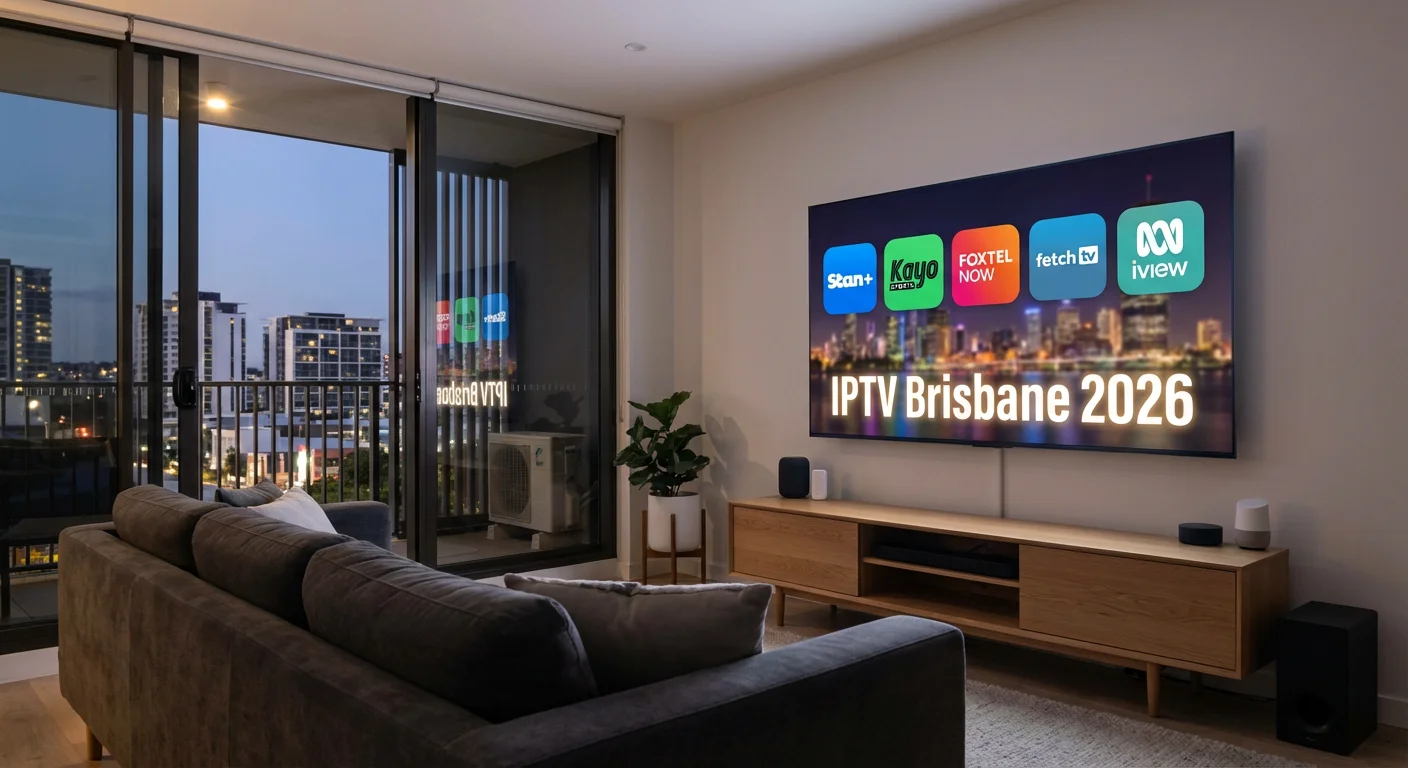
Introduction: Finding the Right IPTV Solution in Brisbane
If you’re a Brisbane or Queensland resident researching Best IPTV Options in Brisbane (2026), you’re not alone. Internet Protocol Television has quietly become one of the most practical alternatives to traditional pay TV across Australia, and Brisbane households are adopting it faster than almost any other major city.
This guide is written specifically for Brisbane users who want a clear, honest picture of what IPTV actually is, which licensed platforms are available in Queensland, what your internet connection needs to handle it, and how to get set up without confusion.
Whether you’re comparing IPTV with your current Foxtel subscription, exploring sports streaming for the NRL and AFL season, or simply looking to reduce your monthly entertainment spend, this resource covers the full picture — from NBN speed requirements to device compatibility and everything in between.
What Is IPTV and How Does It Work in Brisbane?
Internet Protocol Television (IPTV) refers to television content delivered over an internet connection rather than through a traditional antenna, satellite dish, or cable line. Instead of receiving a broadcast signal, your device requests and streams content directly from a provider’s servers in real time.
For Brisbane residents, this distinction matters practically. Because content travels over your existing NBN or 5G connection, the quality and reliability of your IPTV experience is directly tied to your internet plan speed and network stability — not the strength of a rooftop aerial or the position of a satellite dish.
IPTV broadly covers three types of content delivery:
Live IPTV streams channels in real time, mirroring the experience of traditional broadcast or cable TV. Sports events, news, and scheduled programming fall into this category.
Video on Demand (VOD) lets users browse a content library and watch titles at any time — similar to Netflix or Stan.
Time-shifted TV enables catch-up viewing of programs that have already aired, a feature now standard across most major Australian platforms.
Most modern streaming platforms in Australia offer a hybrid of all three, which is why the line between “IPTV” and “streaming service” has become increasingly blurred.
Is IPTV Legal in Brisbane and Australia?
Yes — provided you use licensed, regulated services. Legal IPTV platforms hold broadcasting licences issued or recognised under Australian law and pay royalties to content owners and rights holders. All platforms covered in this guide operate within that framework.
It is worth understanding that not all IPTV services available online are legal. Some services — often sold through unofficial channels, offering thousands of channels at unusually low prices — distribute content without proper licences. These services are not covered in this guide and carry real legal and technical risks for users in Australia, including account termination, unreliable streams, and potential copyright liability under the Copyright Act 1968 (Cth).
The Australian Communications and Media Authority (ACMA) actively enforces site-blocking orders against unlicensed streaming services, and its scope has expanded significantly in recent years.
The straightforward rule: if a service is available through an official app store, has a verifiable Australian business presence, and charges prices comparable to mainstream streaming competitors, it is almost certainly operating legally.
Licensed IPTV and Streaming Platforms Available in Brisbane (2026)
The following platforms are licensed, legitimate, and actively used by Brisbane and Queensland households. Each has distinct strengths suited to different viewing preferences.
Stan+ — Best for Australian Content and Drama
Monthly cost: From $14.99 AUD Free trial: 7 days 4K support: Yes (HDR on supported devices) Simultaneous streams: Up to 4
Stan is Australia’s leading locally-owned subscription streaming service, and Stan+ expands the base offering with access to Paramount+ content, live sports (including some tennis and rugby), and an extensive library of Australian films and original productions.
For Brisbane viewers who prioritise Australian drama, local films, and internationally produced prestige TV, Stan+ is among the strongest value options in the market. The platform supports a wide range of devices including smart TVs, smartphones, tablets, Apple TV, Android TV, and web browsers.
Streaming quality on NBN 25 and above is generally stable for 1080p. Full 4K HDR performance is available on NBN 50+ plans with compatible devices.
Strengths for Brisbane users: Strong Australian content focus, reliable performance on mid-tier NBN plans, competitive pricing.
Limitations: International catalogue is narrower than some global competitors; live sports coverage is more limited than dedicated sports platforms.
Kayo Sports — Best for NRL, AFL, Cricket, and Live Sports
Monthly cost: From $12.99 AUD Free trial: 14 days 4K support: Yes (select events) Simultaneous streams: Up to 3
Kayo Sports is Australia’s dedicated sports streaming platform and the most relevant IPTV option for Brisbane households that revolve around sport. It holds broadcast rights to NRL, AFL, cricket (including Test and BBL), tennis (including Australian Open), Supercars, Formula 1, rugby union, football (A-League and international), and more.
For a city as sports-focused as Brisbane — home to the Broncos, Lions, Roar, and Heat — Kayo’s coverage is difficult to match. The platform’s SplitView feature allows watching up to four sports simultaneously on a single screen, which is particularly useful during busy rounds when multiple matches overlap.
Live streaming infrastructure handles high-demand events well. The interface includes real-time statistics, instant replay, and the ability to jump to key moments in live matches — features specifically useful for sports fans rather than passive viewers.
Strengths for Brisbane users: Comprehensive domestic and international sports rights, purpose-built sports interface, affordable entry pricing.
Limitations: General entertainment content is minimal — this is a sports-first platform. Households with mixed viewing interests may need a second service.
Foxtel Now — Best for Live Channels and Premium Bundles
Monthly cost: $29.99–$89.99 AUD depending on package Free trial: 10 days 4K support: Yes (premium tiers) Simultaneous streams: Varies by package
Foxtel Now is the internet-delivered version of Foxtel’s pay TV service, offering over 200 channels across entertainment, sport, news, movies, and lifestyle. For households accustomed to traditional channel-based television — where content runs on a schedule rather than being selected on demand — Foxtel Now most closely replicates that experience within an internet-delivered framework.
The platform includes live news (Sky News, Fox News), premium drama, Fox Sports, and Binge access in higher-tier bundles. Cloud-based recording (Foxtel Go Record) enables time-shifting within set storage limits.
Foxtel Now performs best on NBN 100 and above plans for premium 4K content. Performance on NBN 50 plans is adequate for most standard content but may degrade during peak evening hours on multi-device households.
Strengths for Brisbane users: Most comprehensive live channel lineup of any legal Australian IPTV service, time-shifting and recording capabilities, bundling options.
Limitations: Most expensive option in this comparison; package structure can be complex; value proposition depends heavily on how many bundled channels you actually use.
Fetch TV — Best Budget Option and Hybrid Broadcast Solution
Monthly cost: From $9.99 AUD (free tier available) Free trial: Free access tier available 4K support: Limited (primarily 1080p) Simultaneous streams: Depends on setup
Fetch TV occupies a distinct position in the Brisbane streaming market as a hybrid platform that combines internet-delivered content with free-to-air broadcast integration. It is particularly appealing to households transitioning away from traditional television who want a familiar interface without a sharp learning curve.
The platform provides access to major streaming apps (Netflix, Disney+, Stan, and others can be added), a live electronic program guide, and catch-up TV from major Australian broadcasters — all from a single interface. The included set-top box means setup is straightforward for users less comfortable with smart TV app navigation.
At $9.99 per month (or free with some NBN provider bundles), Fetch TV is the most affordable paid option in this guide.
Strengths for Brisbane users: Lowest cost of any paid option, intuitive hybrid interface, compatible with existing free-to-air channels, often bundled with NBN plans.
Limitations: 4K content is limited compared to other platforms; relies on dedicated hardware (set-top box) rather than being purely app-based; content library is narrower.
ABC iview+ — Best Free Option and Public Broadcasting
Monthly cost: Free (optional premium tier at $10.99 AUD) Free trial: Permanent free tier 4K support: Select content Simultaneous streams: Not publicly specified
ABC iview is Australia’s public broadcasting streaming platform and requires no subscription for core access. It provides on-demand access to ABC’s full content library including Australian drama, documentaries, news, children’s programming, and current affairs.
The optional iview+ subscription ($10.99 per month) adds early access to upcoming programming and exclusive content not available on the free tier.
For Brisbane households primarily interested in news, current affairs, quality Australian documentaries, and children’s content, ABC iview covers a great deal of ground at no cost. The platform supports over 20 device types and has unusually broad compatibility including many older smart TV models.
Strengths for Brisbane users: Completely free core access, strong journalism and documentary content, exceptional device compatibility, publicly funded and accountable.
Limitations: Entertainment catalogue is narrower than commercial competitors; limited sports coverage; no international content.
Comparison Table: Licensed IPTV Platforms for Brisbane (2026)
| Platform | Monthly Cost | 4K Support | Free Trial | Best For |
|---|---|---|---|---|
| Stan+ | From $14.99 | Yes (HDR) | 7 days | Australian drama & movies |
| Kayo Sports | From $12.99 | Select events | 14 days | NRL, AFL, live sports |
| Foxtel Now | $29.99–$89.99 | Premium tiers | 10 days | Live channels & bundles |
| Fetch TV | From $9.99 | Limited | Free tier | Budget & hybrid broadcast |
| ABC iview+ | Free–$10.99 | Select content | Permanent free | News, docs, public content |
How to Choose the Right IPTV Solution in Brisbane
Selecting the most suitable platform depends on four practical considerations specific to your household.
1. Your Internet Speed (NBN and 5G)
Your NBN plan speed is the single most important technical factor in IPTV performance. Here’s how different tiers perform in practice:
NBN 12 (Basic): Suitable for single-device HD streaming at 720p to 1080p. Multiple simultaneous streams on this tier will cause buffering. If you are on NBN 12, a single-user household can stream comfortably, but families will encounter limitations.
NBN 25 (Basic II): Adequate for consistent 1080p streaming on one or two devices. 4K streaming is possible for some content but not reliably. This tier works well for Stan+ and Kayo at standard quality settings.
NBN 50 (Standard): The practical sweet spot for most Brisbane households. Reliable 1080p across multiple devices, and 4K streaming for single-device use. All platforms in this guide perform well at NBN 50.
NBN 100 and above (Fast/Superfast): Full 4K HDR streaming on multiple devices simultaneously. Recommended for Foxtel Now premium tiers and households with four or more regular viewers.
5G home internet and mobile: Brisbane’s 5G coverage (Telstra, Optus, and TPG/Vodafone networks) now reaches the majority of metropolitan areas. 5G home broadband can support IPTV streaming effectively, though speeds and consistency vary by location and time of day.
You can check your NBN connection type and available plans at nbnco.com.au.
2. Your Content Priorities
The right platform is determined almost entirely by what you actually want to watch:
- Sports-first household: Kayo Sports is purpose-built for this. For sports plus general entertainment, Kayo and Stan+ together remain under $30 combined.
- Australian content preference: Stan+ leads for local drama and film.
- News and current affairs: ABC iview covers this comprehensively at no cost.
- Traditional channel-based TV: Foxtel Now most closely replicates this experience.
- Budget is the primary constraint: Fetch TV or ABC iview are the logical starting points.
3. Device Compatibility
All platforms in this guide support the major streaming ecosystems, but it is worth verifying compatibility before subscribing:
- Smart TVs: Samsung, LG, Sony, and Hisense smart TVs from 2018 onwards generally support all major Australian platforms via native apps or the device’s app store.
- Streaming sticks and boxes: Amazon Fire TV, Google Chromecast with Google TV, Apple TV, and Nvidia Shield TV all support the major Australian IPTV apps.
- Mobile: iOS and Android apps are available for all platforms listed.
- Gaming consoles: PlayStation 4/5 and Xbox Series support Stan+, Kayo, and Foxtel Now.
- Web browser: All platforms support streaming via Chrome, Firefox, Safari, or Edge on desktop computers.
If you use an older smart TV model, ABC iview has the broadest legacy device compatibility. Fetch TV’s set-top box approach sidesteps compatibility concerns entirely.
4. Household Usage Patterns
Consider how many people will stream simultaneously and on what devices. A solo viewer on NBN 25 has very different requirements to a four-person household with teenagers, a sports fan, and children’s viewing happening at the same time.
Most platforms allow between two and four simultaneous streams depending on the subscription tier. Foxtel Now and Stan+ have the most flexibility for large households.
Setting Up IPTV in Brisbane: Step-by-Step
Getting started with any of the above platforms follows a broadly similar process.
Step 1 — Check your internet speed. Visit speedtest.net or fast.com and run a test during an evening hour when your household is typically online. This gives you a realistic picture of your available bandwidth.
Step 2 — Select a platform. Use the comparison table and content priorities above to identify the service (or services) that best match your household’s needs.
Step 3 — Sign up via the official website. Register directly through the provider’s Australian website. This ensures you are on the correct regional pricing and have access to Australian customer support.
Step 4 — Download the official app. Install the platform’s app through your device’s official app store — Google Play, Apple App Store, or your smart TV’s app store. Avoid third-party sources.
Step 5 — Configure your network. Where possible, connect your streaming device to your router via Ethernet cable rather than WiFi. If using WiFi, connect to the 5GHz band (usually labelled as your network name followed by “5G” or “5GHz”) rather than the 2.4GHz band for better throughput.
Step 6 — Set your streaming quality. In the app settings, manually set your preferred streaming quality rather than leaving it on “Auto,” especially if your connection is at the lower end for your chosen quality tier. This prevents unexpected quality drops.
Step 7 — Enable router QoS if available. Quality of Service (QoS) settings in your router’s admin panel can prioritise streaming traffic over other household internet activity. This is particularly useful in busy households.
Common IPTV Troubleshooting for Brisbane Households
Buffering or interrupted streams: Run a speed test to confirm your connection is performing as expected. If speeds are lower than your plan advertises, contact your NBN provider. If speeds are adequate, try switching from WiFi to a wired Ethernet connection, or reduce your streaming quality setting by one tier.
Poor video quality or pixelation: Confirm that your selected quality setting is appropriate for your connection speed. On NBN 25, selecting 4K will cause pixelation — set it to 1080p instead. Also check that your HDMI cable supports the resolution you are targeting (HDMI 2.0 is required for 4K at 60fps).
Audio sync issues: Restart the application and, if the problem persists, restart your streaming device and router. Clearing the app’s cache through your device settings often resolves recurring sync problems.
App crashes or freezing: Ensure the app is updated to the latest version. Free up storage on your device if it is near capacity. On Android TV devices, clearing the app cache (Settings → Apps → [App name] → Clear Cache) resolves most stability issues.
Login or account issues: Verify your subscription is active by logging into the provider’s website directly. Check whether the provider has posted a system status notice — most maintain a status page or post updates via their social media channels.
Frequently Asked Questions About IPTV in Brisbane
Is IPTV legal in Brisbane and Australia?
Yes, when using licensed services. The platforms covered in this guide — Stan+, Kayo Sports, Foxtel Now, Fetch TV, and ABC iview — are all licensed to distribute content in Australia. IPTV itself is simply a delivery method (internet rather than broadcast signal) and is entirely legal. Unlicensed services that distribute content without proper rights are a separate matter and carry legal risk.
What internet speed do I need for IPTV in Brisbane?
A minimum of 12 Mbps supports single-device HD streaming. For consistent 1080p, 25 Mbps is recommended. For 4K streaming on a single device, NBN 50 or above is advisable. Households streaming on multiple devices simultaneously should target NBN 100 or higher.
Does IPTV work with NBN and 5G in Brisbane?
Yes. All platforms in this guide are designed to work over NBN connections. 5G home broadband from Telstra, Optus, and TPG/Vodafone is also compatible, though performance varies by location. Brisbane’s 5G metropolitan coverage has expanded considerably and supports reliable streaming for most users.
What devices support IPTV in Australia?
Smart TVs (Samsung, LG, Sony, Hisense), streaming devices (Amazon Fire TV, Apple TV, Chromecast with Google TV, Nvidia Shield), smartphones and tablets (iOS and Android), gaming consoles (PlayStation 4/5, Xbox), and web browsers on desktop computers all support the major Australian platforms. ABC iview has the broadest device compatibility of any platform reviewed
Which IPTV platform is best for watching NRL and AFL in Brisbane?
Kayo Sports holds the most comprehensive rights to both NRL and AFL in Australia. It also includes live and on-demand coverage of cricket, tennis, rugby union, Supercars, and Formula 1. For sports-focused households, it is the most cost-effective option.
Can I watch free-to-air channels through IPTV?
Yes. Stan+ offers 7 days, Kayo Sports 14 days, and Foxtel Now 10 days — all without charge for the trial period. ABC iview has a permanent free tier. Fetch TV also includes a free access level. Trial availability and terms can change, so verify directly with the provider before signing up.
Conclusion: Choosing the Right IPTV Path for Brisbane Households
The IPTV landscape available to Brisbane residents in 2026 is more capable, more affordable, and more varied than it has ever been. Licensed, regulated platforms now cover virtually every category of viewer — from the sports-obsessed household that lives around NRL and AFL fixtures, to the budget-conscious viewer who just wants reliable news and Australian content at no cost, to the premium subscriber who wants the full channel lineup and recording capability of a traditional pay TV service delivered over broadband.
The most important step is matching the platform to your actual viewing habits rather than choosing on brand recognition alone. A household that watches sport every evening and very little else will find far better value in Kayo than in a comprehensive but expensive Foxtel bundle. Conversely, a family with diverse tastes — children’s content, drama, sport, and news — may find that combining two mid-tier services covers more ground at lower cost than a single premium option.
Brisbane’s NBN coverage and expanding 5G availability mean that the technical barriers to quality IPTV have largely been resolved for most metropolitan and inner-suburban residents. The remaining decisions are about content, price, and personal preference — which this guide is designed to help you navigate clearly.
For further research, the official websites of each platform listed above provide up-to-date pricing, trial terms, and compatibility information. The ACMA website at acma.gov.au provides additional context on Australian broadcasting regulation and licensing.
This guide covers licensed IPTV and streaming platforms operating in Australia as of 2026. Pricing, trial availability, and features are subject to change — verify current details directly with each provider.
