
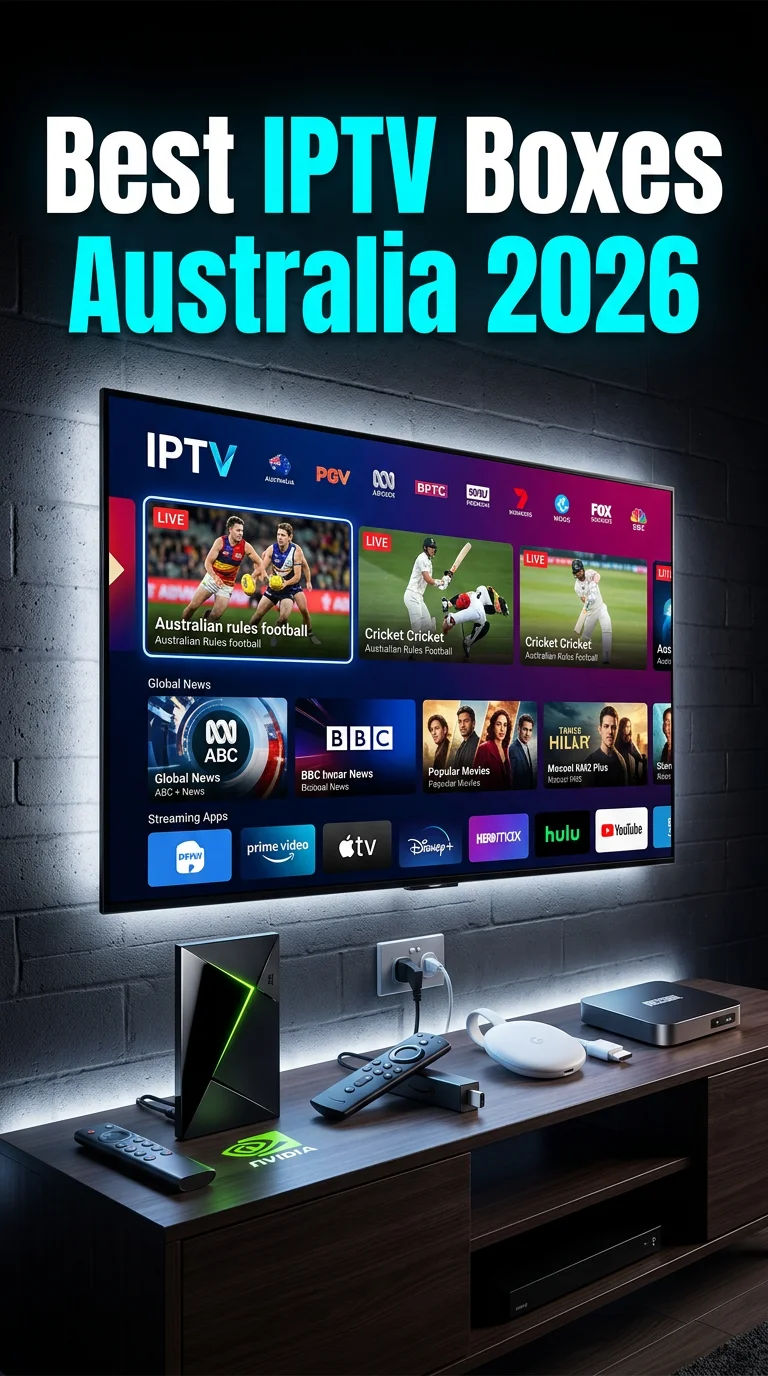
At a Glance: Six Popular Streaming Devices for Australian IPTV
Choosing a streaming device for IPTV in Australia involves more than picking the highest-rated option.
NBN connection type, the apps you use, and whether you need 4K or multi-room streaming all influence which hardware will serve you best.
This guide compares six widely available devices across the Australian market — covering hardware specifications, performance on different NBN tiers, compatibility with local streaming platforms, and practical trade-offs to be aware of before purchasing.
If you’re new to IPTV and want a broader overview before diving into hardware, the beginner’s guide to IPTV in Australia is a useful starting point.
Quick Comparison: Streaming Devices for IPTV in Australia
| Brand | Model | Price (AUD) | 4K Support | RAM / Storage | Best Suited For |
|---|---|---|---|---|---|
| NVIDIA | Shield TV Pro | $399–$449 | Yes (4K HDR) | 3 GB / 16 GB | High-performance / multi-stream |
| Xiaomi | Mi Box S | $89–$129 | Yes (4K HDR) | 2 GB / 8 GB | Budget / light use |
| Chromecast with Google TV | $99–$119 | Yes (4K HDR) | 2 GB / 8 GB | Google ecosystem users | |
| Amazon | Fire TV Stick 4K Max | $79–$99 | Yes (4K HDR) | 2 GB / 8 GB | Amazon Prime subscribers |
| Mecool | KM2 Plus | $119–$159 | Yes (4K HDR) | 4 GB / 64 GB | Tech-confident users |
| Formula | Z11 Pro Max | $299–$349 | Yes (4K HDR) | 4 GB / 32 GB | Dedicated IPTV setups |
Prices are approximate Australian retail figures as of 2026 and may vary by retailer.
NVIDIA Shield TV Pro
The Shield TV Pro sits at the top of the Android TV market for devices based on performance. It runs a Tegra X1+ processor and 3 GB of RAM—noticeably more headroom than most competing devices, which translates to smooth multitasking and faster app loading.
Key specs:
- Processor: NVIDIA Tegra X1+
- RAM: 3 GB | Storage: 16 GB (expandable via USB)
- Connectivity: Ethernet (Gigabit), Wi-Fi 802.11ac, Bluetooth 5.0
- HDR formats: HDR10, Dolby Vision, HLG
Performance on Australian NBN: The Shield handles variable NBN speeds well.
On FTTC and HFC connections where bandwidth can fluctuate, the device’s adaptive buffer management keeps streams stable. It’s particularly capable for simultaneous 4K streams on NBN 100+ plans.
On NBN 50 plans, single 4K streams present no issues. Multi-stream scenarios can work, but performance will depend more on your plan’s available bandwidth than on the device itself.
Australian streaming app compatibility: all major Australian catch-up platforms (9Now, 7Plus, ABC iView, and SBS On Demand) perform well.
Licensed subscription services, including Stan, Binge, and Kayo Sports, all have dedicated Android TV apps that work flawlessly.
Considerations:
- Higher price point than any other device in this comparison
- Physical size is larger than stick-style devices — relevant if space behind a TV is limited
- The AI upscaling feature can improve lower-resolution content, though results vary
Best for: Users on NBN 100+ plans, those wanting a long-term device investment, or anyone running multiple simultaneous streams in the same household.
Xiaomi Mi Box S
The Mi Box S is one of the most popular Android TV devices for entry-level users available in Australia.
It runs a clean implementation of Android TV, receives regular updates from Google, and handles standard streaming tasks without issue.
Key specs:
- Processor: Amlogic S905X-H
- RAM: 2 GB | Storage: 8 GB (no expansion port on base model)
- Connectivity: Wi-Fi 802.11ac (no built-in Ethernet — adapter available separately)
- HDR formats: HDR10
Performance on Australian NBN: On NBN 50 plans, the Mi Box S handles HD and single-stream 4K content reliably.
On NBN 25 or lower-tier connections, HD streaming is stable, but 4K may stutter during periods of peak network congestion.
Storage is a practical limitation.
With only 8 GB available, installing several apps alongside a streaming service will leave limited room for cached content.
Users who rely on a large number of apps may find this constraining after several months.
Australian streaming app compatibility: All major Australian platforms are available through the Google Play Store on this device. Performance is solid in Stan and 9Now.
Kayo Sports functions correctly, though simultaneous multi-view features may be less smooth than on higher-spec devices.
Considerations:
- No built-in Ethernet port — a USB-to-Ethernet adapter is required for wired connectivity
- Storage fills up quickly with multiple apps installed
- Occasional Bluetooth remote connectivity drops reported by some users
Best for: Users on NBN 50 plans, those setting up a secondary TV, or anyone new to streaming devices who wants a low-risk entry point.
Google Chromecast with Google TV (4K)
The Chromecast with Google TV represents Google’s own streaming device hardware, running a version of Google TV (which is built on Android TV).
It differs from the Mi Box in that it’s a dongle rather than a box, and it places heavy emphasis on content aggregation across services.
Key specs:
- Processor: Amlogic S905D3G
- RAM: 2 GB | Storage: 8 GB
- Connectivity: Wi-Fi 802.11ac (no Ethernet without adapter)
- HDR formats: HDR10, HDR10+, Dolby Vision, HLG
Performance on Australian NBN: 4K streaming is reliable on NBN 50 and above. The Google TV interface loads quickly, and the content recommendation engine pulls together suggestions from across installed apps — which is useful if you subscribe to multiple Australian streaming platforms simultaneously.
Mobile casting via the Google Home app works well for sharing content from a phone or tablet to a TV, which is a feature the other devices in this comparison don’t prioritise.
Australian streaming app compatibility: Strong across all major platforms. 9Now, 7Plus, ABC iView, SBS On Demand, Stan, and Binge all have optimised apps. Disney+ and Amazon Prime Video also perform well.
Considerations:
- A Google account is required for initial setup and ongoing functionality
- No Ethernet port built in (USB-C to Ethernet adapter required)
- The remote lacks number buttons, which matters when using apps that expect numeric input (such as some IPTV players)
- Relies entirely on the Google Play Store — sideloading apps is possible but requires developer mode
Best for: Users already in the Google ecosystem, households using multiple streaming subscriptions who want a unified content interface, or anyone who regularly casts from mobile devices.
Amazon Fire TV Stick 4K Max
The Fire TV Stick 4K Max is Amazon’s current top-tier streaming stick. It runs Fire OS—Amazon’s fork of Android—and is heavily optimised for Amazon Prime Video.
For non-Amazon content, performance is generally solid, with some variability across third-party apps.
Key specs:
- Processor: MediaTek MT8696T
- RAM: 2 GB | Storage: 8 GB
- Connectivity: Wi-Fi 6 (802.11ax), Bluetooth 5.0 (no Ethernet without adapter)
- HDR formats: HDR10, HDR10+, Dolby Vision, HLG
Performance on Australian NBN: Wi-Fi 6 support is a genuine advantage on this device — in environments with a Wi-Fi 6 router, it shows more consistent stream performance compared to Wi-Fi 5 devices, particularly in homes where multiple devices compete for bandwidth.
Prime Video 4K streaming is seamless. Third-party app performance varies — Australian platforms like 10Play and 9Now work well, though some apps show minor UI differences compared to their Android TV counterparts.
Australian streaming app compatibility: Most major Australian apps are available in the Amazon Appstore. Some apps (including certain IPTV players) are not in the Appstore and require sideloading, which is straightforward on Fire OS but adds a setup step. See our IPTV on Fire TV Stick guide for the full process.
Considerations:
- The Fire OS interface promotes Amazon content prominently — this cannot be fully disabled
- Occasional ads appear on the home screen
- Some Australian streaming apps are absent from the Store and need to be sideloaded
- Limited customisation compared to standard Android TV
Best for: Amazon Prime Video subscribers, users who want Wi-Fi 6 connectivity at a budget price, or households already using Amazon Echo or Alexa devices.
Mecool KM2 Plus
The KM2 Plus is a mid-range Android TV box that sits in a different category to the stick-style devices above.
It runs full Android TV (certified by Google), includes an Ethernet port, and ships with substantially more storage than most comparably priced options.
Key specs:
- Processor: Amlogic S905X4
- RAM: 4 GB | Storage: 64 GB
- Connectivity: Gigabit Ethernet, Wi-Fi 802.11ac, Bluetooth 5.0
- HDR formats: HDR10, HDR10+, Dolby Vision, HLG
Performance on Australian NBN: Gigabit Ethernet support makes this device well-suited to wired NBN setups, and the combination of 4 GB RAM and 64 GB storage eliminates two common pain points of budget devices (slowness under load and storage constraints).
High-bitrate 4K content plays without issue on this hardware.
The active cooling system prevents thermal throttling during extended viewing sessions.
Australian streaming app compatibility: As a Google-certified Android TV device, the full Google Play Store is available — all major Australian platforms install and run correctly. The larger storage means multiple apps can coexist without space management becoming a chore.
Considerations:
- Less mainstream brand recognition than NVIDIA, Google, or Amazon — warranty support in Australia is more limited
- Community-based support is available but requires more technical confidence than for major-brand devices
- Some software quirks in the stock ROM are occasionally reported, though most resolve with updates
Best for: Users who want wired Ethernet, more storage, and Android TV without paying Shield TV Pro prices — particularly those on NBN connections where a physical cable connection is practical.
Formuler Z11 Pro Max
The Formuler Z11 Pro Max is designed specifically for IPTV use rather than general Android streaming.
Its custom myTVOnline5 interface is built around IPTV playlist management, EPG integration, and timeshift recording — features that general-purpose devices leave to third-party apps.
Key specs:
- Processor: Quad-core ARM Cortex-A55
- RAM: 4 GB | Storage: 32 GB
- Connectivity: Gigabit Ethernet, Wi-Fi 802.11ac/n dual-band, Bluetooth 4.1
- HDR formats: HDR10, HDR10+, Dolby Vision
Performance on Australian NBN: The device handles multiple simultaneous IPTV streams without issue.
Its dedicated IPTV software manages EPG data efficiently, and the built-in PVR (personal video recorder) functionality allows scheduling and recording—features that require third-party add-ons for general-purpose devices.
Channel-switching speed within the myTVOnline5 interface is quick. EPG loading is responsive.
Australian streaming app compatibility: The Z11 Pro Max runs Android, so standard Australian streaming apps can be installed. However, the device is optimised for IPTV workflows—users wanting primarily catch-up TV or subscription VOD may find a general Android TV device better suited to those use cases.
Considerations:
- Higher price than equivalent-spec Android TV boxes
- The specialised IPTV interface has a steeper learning curve for users unfamiliar with IPTV concepts
- Mainstream Australian streaming app support, while functional, is not as polished as on certified Android TV devices
- Primarily useful to users with an established IPTV subscription and playlist setup
Best for: Users who already have an IPTV subscription and want hardware designed around that workflow — particularly those who want EPG, time-shifting, and recording features built in rather than added via third-party apps.
For a more profound look at IPTV-focused hardware options, the IPTV box guide for Australia covers additional devices and configuration considerations.
NBN Speed and Streaming Device Performance
Device hardware is only one part of the picture — your NBN connection type and speed tier directly affect what streaming quality is achievable regardless of which device you use.
NBN 25 (25 Mbps down / 5 Mbps up)
At this tier, standard HD streaming is reliable on all devices in this comparison. Single-stream 4K is possible under favourable conditions but can stutter during peak network congestion periods (typically 7–10 p.m. in residential areas).
Running multiple streams simultaneously is impractical at this tier.
Device recommendation: Any device in this comparison will function; the Mi Box S or Fire TV Stick are cost-appropriate choices.
NBN 50 (50 Mbps down / 20 Mbps up)
This is a robust tier that supports both single-stream 4K and reliable HD streaming across multiple devices. Peak-hour performance holds for most content types. Where differences between devices become noticeable is in how each handles brief bandwidth drops — higher-spec devices tend to recover faster and produce shorter buffering interruptions.
Device recommendation: Any device works well here. Consider Ethernet-capable options (Mecool KM2 Plus, NVIDIA Shield) if connection consistency is a priority.
NBN 100 and Above
At this tier, device performance differentiators become more meaningful. Multiple simultaneous 4K streams are achievable, and the processing capability of higher-end devices becomes relevant when running demanding workloads (large EPG downloads, multi-view sports features, and simultaneous recording).
Device recommendation: NVIDIA Shield TV Pro, Mecool KM2 Plus, or Formuler Z11 Pro Max for intensive use. Any device works for standard single-stream use at this speed tier.
The IPTV apps and streaming device comparison guide includes bandwidth usage figures for different content types, providing a detailed breakdown of how NBN speed tiers match IPTV streaming quality.
Australian Streaming Platform Compatibility by Device
| Platform | NVIDIA Shield | Mi Box S | Chromecast | Fire TV | Mecool KM2 Plus | Formuler Z11 |
|---|---|---|---|---|---|---|
| 9Now | ✅ | ✅ | ✅ | ✅ | ✅ | ✅ |
| 7Plus | ✅ | ✅ | ✅ | ✅ | ✅ | ✅ |
| ABC iView | ✅ | ✅ | ✅ | ✅ | ✅ | ✅ |
| SBS On Demand | ✅ | ✅ | ✅ | ✅ | ✅ | ✅ |
| Stan | ✅ | ✅ | ✅ | ✅ | ✅ | ⚠️ |
| Binge | ✅ | ✅ | ✅ | ✅ | ✅ | ⚠️ |
| Kayo Sports | ✅ | ✅ | ✅ | ✅ | ✅ | ⚠️ |
| Disney+ | ✅ | ✅ | ✅ | ✅ | ✅ | ⚠️ |
| Amazon Prime Video | ✅ | ✅ | ✅ | ✅ | ✅ | ⚠️ |
⚠️ = Functional but not the primary use case of this device; app availability may require sideloading.
Wired vs. Wireless: Which Is Relevant for IPTV?
Most streaming devices in this comparison connect via Wi-Fi by default. For occasional viewers or those on NBN 50+ with a strong Wi-Fi signal close to the router, wireless is usually sufficient.
However, for consistent performance — particularly on lower-tier NBN plans, in homes with many competing Wi-Fi devices, or during high-demand live sports events — a wired Ethernet connection provides measurably more stable streaming.
The NVIDIA Shield TV Pro and Mecool KM2 Plus both include built-in Ethernet. The other devices require a USB-to-Ethernet adapter, which adds cost but is a practical upgrade.
If you’re frequently experiencing buffering or dropouts, connecting via Ethernet is one of the most reliable fixes available regardless of which device you use. Our guide on fixing IPTV buffering in Australia covers connection-related causes and solutions in detail.
Practical Buying Guide: Matching Your Device to Your Setup
Rather than picking the highest-rated device, consider which factors are most relevant to your actual situation:
If your primary concern is budget: the Mi Box S and Fire TV Stick 4K Max are both capable of reliable HD and single-stream 4K streaming on NBN 50 plans.
The key trade-off is limited storage and no built-in Ethernet.
If you want maximum app flexibility, Android TV devices (Shield, Mi Box S, Mecool KM2 Plus) provide access to the full Google Play Store and are the easiest platforms for sideloading additional IPTV apps.
If you’re using Fire TV Stick for IPTV: Many IPTV player apps are not in the Amazon Appstore and need to be installed via sideloading. This is a straightforward process.
See our IPTV apps for Fire TV Stick guide for compatible players and installation steps.
If connection reliability matters more than cost, choosing a device with built-in Ethernet (Shield or Mecool KM2 Plus) removes one variable from the equation — particularly valuable in older homes where Wi-Fi coverage can be inconsistent.
If you want a dedicated IPTV setup, the Formuler Z11 Pro Max is purpose-built for such use. It is worth the price if you are at ease managing IPTV playlists and want built-in recording and EPG features.
An Android TV device with TiviMate or IPTV Smarters installed provides a comparable outcome at a lower cost for general streaming plus occasional IPTV.
If longevity is a priority, devices from manufacturers with clear software update commitments (Google, NVIDIA, and Amazon) tend to receive security patches for longer. The Shield TV Pro in particular has a strong track record for long-term update support.
Legal and Safety Considerations
All six devices reviewed here are standard consumer hardware sold through mainstream Australian retailers. The hardware itself raises no legal issues.
The content sources and streaming services accessed through these devices, rather than the devices themselves, are the relevant legal considerations.
In Australia, accessing content through licensed services (Stan, Kayo Sports, Netflix, Binge, the free-to-air catch-up apps, and so on) is straightforward and legal.
Regardless of the device used, accessing copyrighted content through unlicensed IPTV services poses legal risks under Australian copyright law.
For a clear overview of how Australian law applies to IPTV streaming, the guide to IPTV legal status in Australia covers the regulatory framework in plain terms.
Frequently Asked Questions
What is the most capable streaming device for IPTV in Australia?
On raw performance, the NVIDIA Shield TV Pro leads this comparison. Its processing power, Gigabit Ethernet, and long software support record make it the most capable option.
However, for most single-stream use cases on NBN 50 plans, mid-range devices perform comparably — the Shield’s advantages become more apparent in multi-stream or high-bitrate scenarios.
Do I need a dedicated IPTV box, or will a general Android TV device work?
For most users, a general Android TV device with a compatible IPTV player app (such as TiviMate or IPTV Smarters Pro) provides a full-featured IPTV experience.
Dedicated IPTV devices like the Formuler Z11 Pro Max add built-in EPG management and recording capabilities, which are useful for heavy IPTV users but unnecessary for casual streaming.
Which device works best with Australian catch-up TV services?
All six devices in this comparison support major Australian free-to-air catch-up platforms (9Now, 7Plus, ABC iView, SBS On Demand) without issues.
Google-certified Android TV devices (Shield, Mi Box S, Mecool, and Chromecast) have the broadest compatibility across both free and paid Australian streaming platforms.
How much internet speed do I need for 4K streaming?
A stable 25 Mbps connection is sufficient for most single-stream 4K content. For multiple simultaneous streams, NBN 100 or above is recommended.
Connection stability matters as much as peak speed — a consistent 30 Mbps will outperform a variable 80 Mbps connection for live streaming.
Is Ethernet necessary, or is Wi-Fi reliable enough?
Wi-Fi is sufficient for most users on NBN 50 or above with a modern router. Ethernet provides measurably more consistent performance, particularly during peak hours, for live sports, or on NBN 25 plans.
If buffering is an issue on Wi-Fi, switching to Ethernet is one of the most effective fixes available.
Can I use these devices with multiple streaming services at once?
Yes — all devices in this comparison support installing multiple streaming apps. The practical limit is your internet plan’s bandwidth, not the device hardware.
Running two HD streams simultaneously requires roughly 20 Mbps; two 4K streams require 50 Mbps or more.
Which device is best for a Samsung or LG Smart TV that already has apps built in?
If your smart TV already has the streaming apps you need, you may not require a separate device at all.
External streaming boxes become useful when a smart TV’s app selection is limited (older models in particular), when you want a more responsive interface, or when you need to run IPTV player apps not available on the TV’s native platform.
Are these devices suitable for regional and rural Australia?
Yes, all devices in this comparison work on any NBN connection type, including FTTN, fixed wireless, and satellite. Performance on lower-speed NBN plans (25 Mbps and below) is the key variable — at these speeds, HD streaming is generally reliable while 4K is less consistent.
Fixed wireless NBN users in particular may benefit from an Ethernet connection to their router to reduce latency.
Conclusion
The right streaming device for IPTV in Australia depends primarily on three factors: your NBN speed tier, the streaming platforms you use, and whether you need special features like recording or built-in EPG management.
For most households on NBN 50 plans, mid-range options — the Mi Box S, Fire TV Stick 4K Max, or Chromecast with Google TV — provide reliable performance at an accessible price.
Users on faster connections who run multiple streams or who want built-in Ethernet will find the Mecool KM2 Plus or NVIDIA Shield TV Pro worth the additional cost.
The Formuler Z11 Pro Max fills a specific niche for dedicated IPTV setups where its specialist features justify the premium.
Whichever device you choose, a stable internet connection and a compatible IPTV app will have more impact on your day-to-day streaming experience than the device specification alone.
Author

Our Fact Checking Process
We prioritize accuracy and integrity in our content. Here's how we maintain high standards:
- Expert Review: All articles are reviewed by subject matter experts.
- Source Validation: Information is backed by credible, up-to-date sources.
- Transparency: We clearly cite references and disclose potential conflicts.
Our Review Board
Our content is carefully reviewed by experienced professionals to ensure accuracy and relevance.
- Qualified Experts: Each article is assessed by specialists with field-specific knowledge.
- Up-to-date Insights: We incorporate the latest research, trends, and standards.
- Commitment to Quality: Reviewers ensure clarity, correctness, and completeness.
Look for the expert-reviewed label to read content you can trust.