
Table of Contents
- Introduction: Why Free Trials Matter in 2026
- What Is IPTV and How Do Free Trials Work?
- Best Free Trials IPTV 2026: Services I’ve Actually Tested
- How to Evaluate an IPTV Trial: My 5-Point Checklist
- Legal Considerations for IPTV Services
- Device Compatibility and Setup Guide
- Avoiding IPTV Scams: Red Flags I’ve Learned to Spot
- ISP Restrictions and How to Handle Them
- Frequently Asked Questions
- Conclusion
Introduction: Why Free Trials Matter in 2026
Free trials IPTV 2026 options have become essential for cord-cutters navigating an increasingly fragmented streaming landscape. With subscription costs climbing and new services launching monthly, testing before committing isn’t just smart—it’s necessary. After five years of hands-on testing across dozens of IPTV and streaming services, I’ve learned that a free trial can save you hundreds of dollars annually by helping you find the right fit the first time.
The streaming market in 2026 looks dramatically different from even two years ago. We’re seeing consolidation among major players, the rise of FAST (Free Ad-Supported Streaming TV) channels, and improved infrastructure that finally delivers on IPTV’s promise of reliable, high-quality live television over internet connections. Whether you’re exploring a free IPTV access period from a major provider or comparing niche sports streaming services, understanding how to maximize trial periods has never been more valuable.
In this guide, I’ll share everything I’ve learned from testing IPTV services—the good, the bad, and the surprisingly common pitfalls that trip up first-time cord-cutters. Let’s dive in.
What Is IPTV and How Do Free Trials Work?
IPTV (Internet Protocol Television) delivers live TV and on-demand content through your internet connection rather than traditional cable or satellite infrastructure. Free trials from legitimate IPTV providers typically last 3–14 days, giving you full access to channel lineups, DVR features, and streaming quality so you can evaluate the service before your credit card is charged.
How IPTV Differs from Traditional Streaming
When I first started testing IPTV services back in 2021, I made the mistake many newcomers make: assuming IPTV was just another name for services like Netflix. It’s not. Here’s the key distinction I explain to everyone:
- Traditional streaming (Netflix, Disney+): On-demand libraries of movies and shows
- IPTV services (YouTube TV, Hulu + Live TV, fuboTV): Live television channels delivered over the internet, often with DVR and on-demand content
IPTV essentially replicates the cable TV experience without the cable box. You get local channels, cable networks, sports packages, and news—all streamed to your devices.
The Anatomy of a Legitimate Free Trial
Through my testing, I’ve identified what a trustworthy IPTV trial typically includes:
| Feature | What to Expect |
|---|---|
| Duration | 3–14 days (most commonly 7 days) |
| Access Level | Full feature access, not limited previews |
| Payment Required | Credit card usually needed, but not charged until trial ends |
| Cancellation | Easy online cancellation before trial expires |
| Content | Complete channel lineup available during trial |
Pro tip from experience: I always set a calendar reminder for two days before any trial ends. This gives me time to make a decision without the panic of a same-day deadline.
Best Free Trials IPTV 2026: Services I’ve Actually Tested
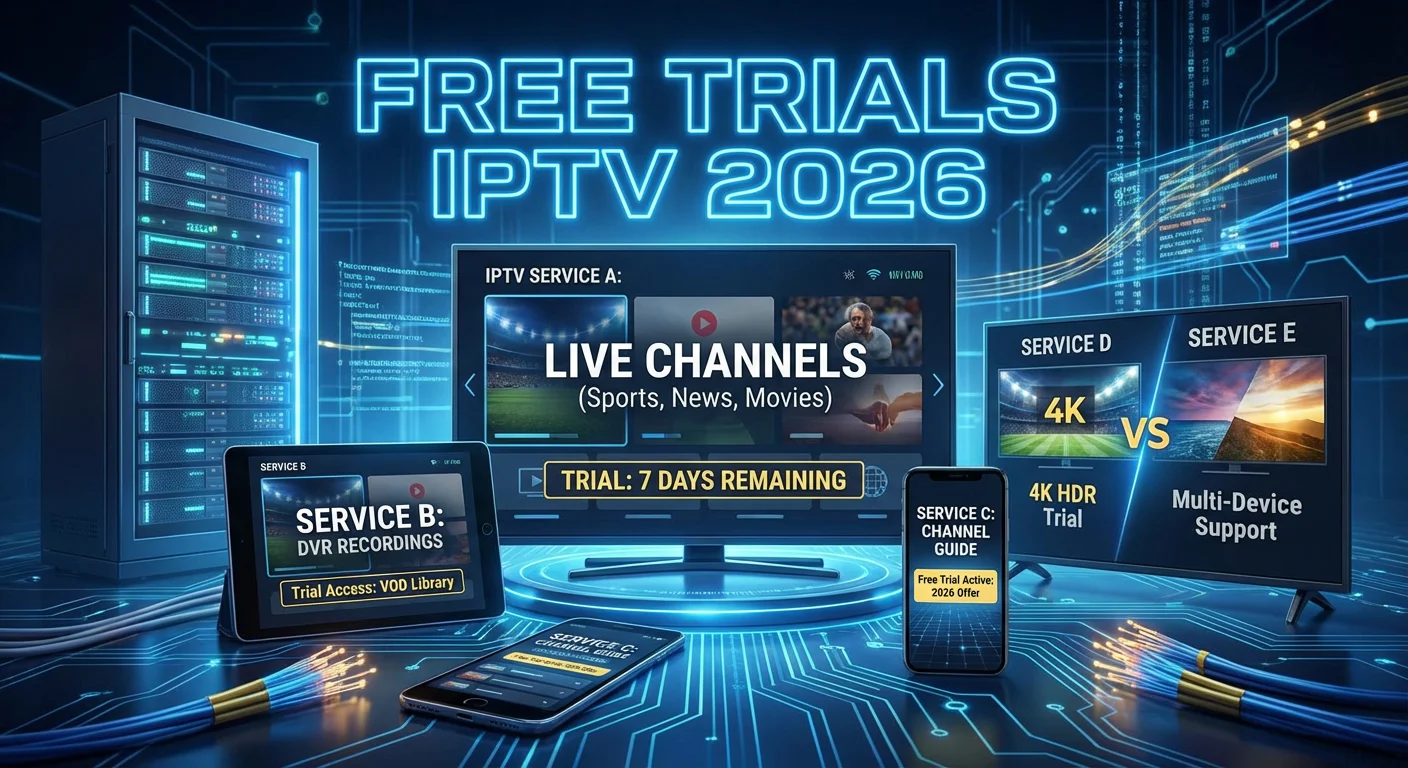
The most reliable free trials IPTV 2026 offers come from established providers like YouTube TV (14-day trial), Hulu + Live TV (3-day trial), fuboTV (7-day trial), and Sling TV (promotional trials vary). Each service has distinct strengths depending on your viewing priorities, and I’ve spent considerable time with all of them.
My Testing Methodology
Before I share specific recommendations, let me explain how I evaluate these services. I don’t just sign up and watch for a few hours. My process includes:
- Testing during peak hours (7–10 PM local time when networks are most congested)
- Checking multiple device types (smart TV, mobile, browser, streaming stick)
- Evaluating channel switching speed (a pet peeve of mine—some services take 5+ seconds)
- Testing DVR reliability (recording, playback, storage limits)
- Assessing customer support responsiveness (I intentionally contact support during every trial)
IPTV Service Comparison: My 2026 Rankings
Based on my most recent streaming trial 2026 testing cycles, here’s how the major legitimate providers stack up:
YouTube TV
Trial Length: 14 days (occasionally extended promotions)
This remains my top recommendation for most households. During my latest test in early 2026, I was impressed by the unlimited DVR storage and the addition of several regional sports networks that were missing in previous years. The interface is intuitive, and channel switching happens in under 2 seconds on a stable connection.
Best for: Sports fans, families needing multiple streams, users who want extensive DVR
Drawback I noticed: Premium add-ons like NFL Sunday Ticket significantly increase the monthly cost.
Hulu + Live TV
Trial Length: 3 days (shorter than competitors)
The shorter trial period is frustrating, but Hulu compensates by bundling their extensive on-demand library with live TV. When I tested this most recently, I appreciated having both live sports and Hulu Originals in one subscription. The Disney+ and ESPN+ bundle adds tremendous value.
Best for: Viewers who want live TV and a strong on-demand library in one package
Drawback I noticed: The interface can feel cluttered, and I found myself accidentally navigating to on-demand content when I wanted live TV.
fuboTV
Trial Length: 7 days
For sports-focused households, fuboTV deserves serious consideration. My testing revealed exceptional sports coverage, including international soccer leagues that other services don’t carry. The 4K streaming quality on supported events genuinely impressed me.
Best for: International sports fans, soccer enthusiasts, 4K quality seekers
Drawback I noticed: Channel lineup for entertainment programming is thinner than YouTube TV or Hulu.
Sling TV
Trial Length: Varies (promotional periods)
Sling’s à la carte approach appeals to budget-conscious cord-cutters. I’ve tested both Orange and Blue packages, and the flexibility is genuinely useful if you have specific channel needs. The free IPTV access promotional periods they offer periodically are worth watching for.
Best for: Budget-conscious viewers, those with specific channel needs
Drawback I noticed: No local broadcast channels in most markets (requires antenna).
How to Evaluate an IPTV Trial: My 5-Point Checklist
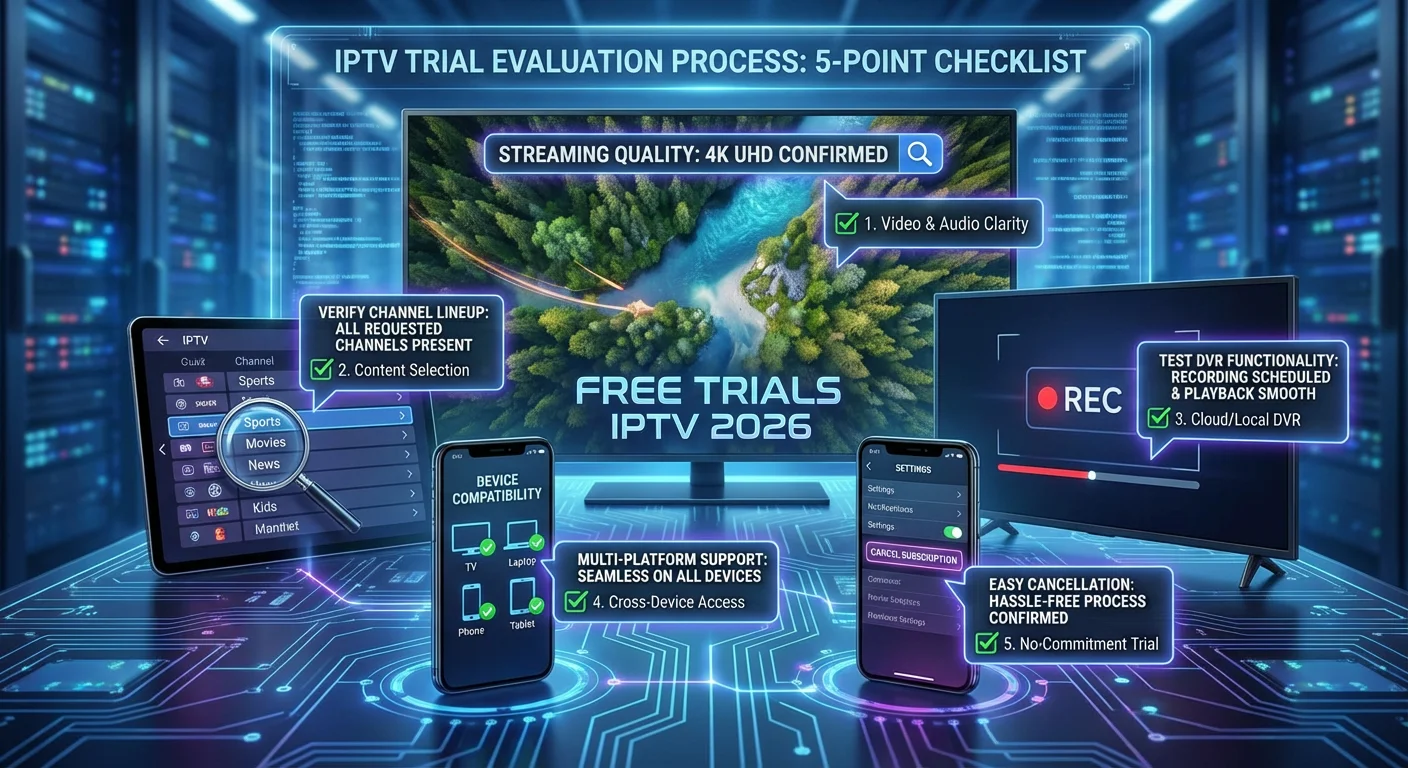
A successful IPTV trial evaluation requires systematic testing of streaming quality, channel availability, DVR functionality, device compatibility, and cancellation ease—not just casual viewing for a few evenings. After dozens of trials, I’ve developed a checklist that catches issues before they become expensive problems.
1. Streaming Quality Under Real Conditions
Don’t just test on Sunday morning when internet traffic is light. I specifically test during:
- Weekday evenings (7–10 PM): Peak viewing hours
- Major live events: Sports games, award shows, breaking news
- Simultaneous household usage: When others are gaming or video calling
During one memorable trial, a service performed beautifully until my daughter started her online gaming session. The buffering became unbearable. That’s the kind of real-world conflict you need to discover during a trial, not after you’ve committed.
2. Channel Lineup Verification
Don’t assume the advertised channel count tells the whole story. I always verify:
- Local channels: Are all major networks (ABC, CBS, NBC, FOX) available in your market?
- Regional sports: Is your local team’s RSN included, or is it an expensive add-on?
- Must-have channels: Make a list before starting the trial and check each one
I once signed up for a service advertising “150+ channels” only to discover my local PBS station wasn’t included. Check the fine print.
3. DVR Functionality Testing
Cloud DVR is a major selling point for IPTV services, but implementations vary wildly:
- Storage limits: Ranges from 50 hours to unlimited
- Recording conflicts: Can you record multiple shows simultaneously?
- Retention period: Some services delete recordings after 90 days
- Playback features: Fast-forward, rewind, commercial skip capabilities
I recommend recording at least 5–10 programs during any IPTV trial to stress-test the DVR system.
4. Device Compatibility Check
Test on every device you plan to use:
- Smart TVs (verify your specific brand and model)
- Streaming devices (Roku, Fire TV, Apple TV, Chromecast)
- Mobile devices (iOS and Android apps)
- Web browsers (for computer viewing)
- Gaming consoles (if applicable)
Some services have significantly better apps on certain platforms. fuboTV’s Apple TV app, for example, feels more polished than its Roku counterpart in my experience.
5. Cancellation Process Audit
This is crucial. Before your trial ends, locate the cancellation option:
- Can you cancel online, or does it require a phone call?
- Is the cancellation button buried in account settings?
- Do they offer retention deals when you attempt to cancel?
If cancellation is difficult to find during the trial, that’s a red flag about how the company operates.
Legal Considerations for IPTV Services
Legal IPTV services are licensed to distribute content from networks and studios, while illegal services stream pirated content without authorization. Using unlicensed IPTV services can expose you to legal risks ranging from service termination to potential civil or criminal liability depending on your jurisdiction.
Understanding the Legal Landscape
I want to be direct about something: this guide focuses exclusively on legitimate, licensed IPTV services. The distinction matters—not just ethically, but practically.
Legitimate IPTV services:
- Licensed by content creators and networks
- Available through official app stores
- Operated by established, verifiable companies
- Advertise openly through mainstream channels
Unlicensed IPTV services (to avoid):
- Offer suspiciously low prices for premium content
- Require payment through cryptocurrency or untraceable methods
- Operate through obscure websites with no physical address
- Promise access to premium channels at a fraction of legitimate costs
Regional Legal Variations
IPTV regulations vary significantly by country and region. Here’s what I’ve observed, though I strongly recommend verifying current laws through official government sources:
| Region | General Legal Status | Recommended Action |
|---|---|---|
| United States | Licensed services legal; unlicensed services may violate federal copyright law | Use only services from major app stores |
| United Kingdom | Ofcom regulates legitimate services; unlicensed streaming may violate Communications Act | Verify service licensing through official channels |
| European Union | Individual member state regulations apply; EU court rulings have addressed streaming legality | Research your specific country’s current laws |
| Canada | CRTC-licensed services are legal; unlicensed services operate in legal gray areas | Stick to recognized providers |
Important disclaimer: Laws change frequently, and enforcement varies. This table provides general guidance current as of my knowledge, but you should always consult official legal resources or a qualified attorney for advice specific to your situation.
My Recommendation
Throughout my five years of IPTV testing, I’ve exclusively used licensed services. Beyond the legal protection, legitimate services offer:
- Reliable customer support
- Consistent streaming quality
- Regular feature updates
- Financial security (your payment information is protected)
The slightly higher cost of legitimate streaming trial 2026 options is worth the peace of mind.
Device Compatibility and Setup Guide
Modern IPTV services support most streaming devices, smart TVs, mobile platforms, and web browsers, though app quality and feature availability vary significantly across platforms. Setting up a new IPTV trial typically takes 5–15 minutes depending on your device and internet configuration.
Supported Devices by Major Services (2026)
Based on my testing, here’s current device support across major providers:
| Device | YouTube TV | Hulu + Live TV | fuboTV | Sling TV |
|---|---|---|---|---|
| Roku | ✓ | ✓ | ✓ | ✓ |
| Amazon Fire TV | ✓ | ✓ | ✓ | ✓ |
| Apple TV | ✓ | ✓ | ✓ | ✓ |
| Google/Chromecast | ✓ | ✓ | ✓ | ✓ |
| Samsung Smart TV | ✓ | ✓ | ✓ | ✓ |
| LG Smart TV | ✓ | ✓ | ✓ | ✓ |
| iOS | ✓ | ✓ | ✓ | ✓ |
| Android | ✓ | ✓ | ✓ | ✓ |
| Web Browser | ✓ | ✓ | ✓ | ✓ |
| Xbox | ✓ | ✓ | ✓ | Limited |
| PlayStation | ✓ | ✓ | ✓ | ✓ |
My Setup Process (Step-by-Step)
After setting up countless IPTV trials, I’ve streamlined my process:
Step 1: Verify Internet Speed Before installing anything, I run a speed test. For reliable IPTV streaming, I recommend:
- Standard Definition: 3-5 Mbps minimum
- HD Streaming: 10-15 Mbps minimum
- 4K/UHD Streaming: 25+ Mbps minimum
- Multiple simultaneous streams: Add 10+ Mbps per additional stream
Step 2: Download the Official App Always download from official sources:
- Your device’s built-in app store
- The service’s official website (for web access)
- Never from third-party sites or file-sharing platforms
Step 3: Create Your Account During trial signup:
- Use a valid email address you check regularly
- Enable two-factor authentication if offered
- Review the billing date carefully
- Screenshot the trial terms for your records
Step 4: Configure Your Preferences Most services ask you to:
- Select your local market/zip code for local channels
- Choose favorite channels for quick access
- Set up DVR recording preferences
- Configure parental controls if needed
Step 5: Test Across Devices Don’t assume setup on one device means everything works. Log in on each device you plan to use and verify playback.
Troubleshooting Common Setup Issues
From my experience, these are the most frequent problems and solutions:
“App not available in your region”
- Verify your account location settings
- Check if the service operates in your country
- Contact customer support—sometimes it’s a temporary restriction
Poor streaming quality despite good internet
- Restart your router and streaming device
- Connect via ethernet instead of WiFi if possible
- Close other applications consuming bandwidth
- Check for app updates
Login loops or authentication failures
- Clear the app cache and data
- Uninstall and reinstall the app
- Try logging in via web browser first, then sync to devices
Avoiding IPTV Scams: Red Flags I’ve Learned to Spot
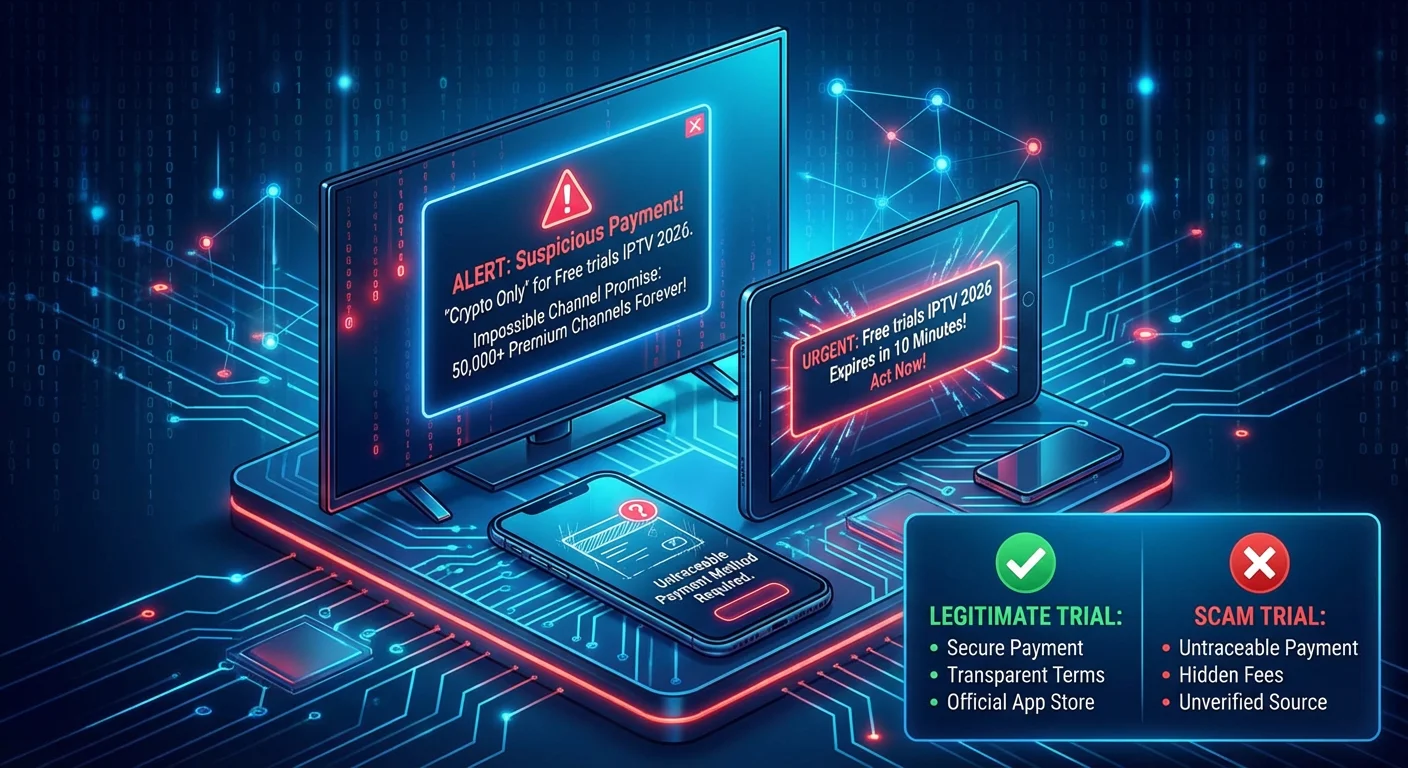
Illegitimate IPTV services often advertise impossibly low prices, require unusual payment methods, lack verifiable business information, and promise access to premium content that legitimate services can’t legally offer. Recognizing these warning signs protects both your money and your legal standing.
The Scam Landscape in 2026
I’ve seen the IPTV scam ecosystem evolve significantly over my years of testing. Scammers have become more sophisticated, and their pitches often mimic legitimate marketing. Here’s what I watch for:
Red Flag #1: Too-Good-To-Be-True Pricing
If a service offers thousands of channels—including premium networks and live sports—for a fraction of what legitimate services charge, that’s your first warning sign.
Reality check:
- YouTube TV costs approximately $70-80/month for live TV
- A scam service offering “10,000 channels for $15/month” cannot be legally licensed
When I encounter these offers, I immediately move on. The legal and security risks aren’t worth the savings.
Red Flag #2: Unusual Payment Requirements
Legitimate services accept:
- Major credit cards
- PayPal
- Gift cards purchased from authorized retailers
Scam services often require:
- Cryptocurrency only
- Direct bank transfers
- Payment apps that offer no buyer protection
- “Annual plans only” with no monthly option
Red Flag #3: No Verifiable Business Information
Before any IPTV trial, I research the company:
- Physical business address (not just a P.O. box)
- Customer service phone number that actually connects
- Presence in official app stores
- Reviews on established platforms (not just their own website)
If a service operates entirely through Telegram groups, Discord servers, or anonymous websites, that’s a major red flag.
Red Flag #4: Promises of Unlicensed Content
Be wary of services advertising:
- “All Pay-Per-View events free”
- “Every premium channel included”
- “Content from all countries without restrictions”
Licensed services have geographical restrictions because that’s how content licensing works. A service claiming to bypass all restrictions is almost certainly operating illegally.
Red Flag #5: Aggressive Urgency Tactics
Scammers often use high-pressure tactics:
- “Offer expires in 2 hours!”
- “Only 50 accounts remaining!”
- “Sign up now before we’re shut down!”
Legitimate services don’t operate this way. They want long-term subscribers, not panicked one-time purchases.
What to Do If You’ve Been Scammed
If you’ve already paid for a questionable service:
- Document everything: Save screenshots, payment confirmations, and communications
- Contact your payment provider: Request a chargeback if possible
- Change your passwords: If you used the same credentials elsewhere
- Monitor your accounts: Watch for unauthorized charges
- Report the scam: File complaints with consumer protection agencies in your jurisdiction
ISP Restrictions and How to Handle Them
Some Internet Service Providers throttle streaming traffic or impose data caps that affect IPTV viewing quality, though these practices vary significantly by provider and plan. Understanding your ISP’s policies before committing to an IPTV service can prevent frustrating viewing experiences.
Understanding Bandwidth Throttling
During my years of testing, I’ve experienced ISP throttling firsthand. The symptoms include:
- Streaming quality degrading during peak hours
- Buffering that doesn’t match your speed test results
- Consistent problems with streaming while other internet activities work fine
Net neutrality regulations vary by country and have changed over time. In the US, for example, the regulatory landscape has shifted multiple times, affecting what ISPs can and cannot do regarding traffic management.
Data Caps and IPTV
IPTV services consume significant data:
| Video Quality | Approximate Data Usage |
|---|---|
| Standard Definition | 1-2 GB per hour |
| HD (720p/1080p) | 3-5 GB per hour |
| 4K/UHD | 7-10 GB per hour |
If your ISP imposes a data cap (often 1-1.5 TB monthly), heavy IPTV usage can push you over the limit. I recommend:
- Check your current data usage before starting a trial
- Calculate projected usage based on your viewing habits
- Explore unlimited data options if available with your ISP
- Adjust streaming quality settings if you’re near your cap
My ISP-Related Recommendations
Based on my testing across multiple ISPs:
- Fiber connections generally provide the most consistent IPTV experience
- Cable internet works well but may show peak-hour degradation
- DSL connections can struggle with HD/4K streaming depending on line quality
- 5G home internet has improved significantly but may have data restrictions
Before committing to any free trials IPTV 2026 service, I always verify my internet connection can handle the streaming demands—and that my ISP won’t penalize me for the data usage.
Frequently Asked Questions
How long do free trials IPTV 2026 typically last?
Most legitimate IPTV service trials last between 3 and 14 days, with 7 days being the most common duration. YouTube TV offers one of the longest trials at 14 days, while Hulu + Live TV provides a shorter 3-day window. I always recommend using the full trial period to test various features, device compatibility, and streaming quality during different times of day before making a subscription decision.
Do I need a credit card to start a free IPTV access trial?
Yes, nearly all legitimate IPTV services require a credit card or valid payment method to start a free trial. However, your card should not be charged until the trial period ends. I recommend setting a calendar reminder 2-3 days before the trial expires so you have time to cancel if the service doesn’t meet your needs. Always verify the exact billing date during signup.
What internet speed do I need for IPTV streaming?
For basic standard definition streaming, you’ll need at least 3-5 Mbps. HD streaming requires 10-15 Mbps, while 4K content demands 25 Mbps or more. If multiple people in your household stream simultaneously, add approximately 10 Mbps per additional stream. I always run a speed test before starting any IPTV trial to establish baseline performance expectations.
Are free trials IPTV 2026 services legal to use?
Legitimate IPTV services from established providers like YouTube TV, Hulu, fuboTV, and Sling TV are legal to use. These services have proper licensing agreements with content providers. However, unlicensed services that offer pirated content are illegal in most jurisdictions. I exclusively recommend using services available through official app stores and established companies to ensure legal compliance.
Can I cancel an IPTV trial before being charged?
Yes, all legitimate IPTV services allow cancellation before the trial ends without any charge. The cancellation process should be available online through your account settings. I always locate the cancellation option on the first day of any trial to ensure I know exactly how to cancel if needed. Legitimate services make this process straightforward—difficulty canceling is a red flag.
What devices support IPTV streaming in 2026?
Major IPTV services support a wide range of devices including Roku, Amazon Fire TV, Apple TV, Google Chromecast, Samsung and LG smart TVs, iOS and Android mobile devices, gaming consoles (Xbox and PlayStation), and web browsers. Compatibility can vary slightly between services, so I recommend checking the specific service’s device list before starting your streaming trial 2026 experience.
How can I tell if an IPTV service is a scam?
Warning signs include prices significantly below market rates, requirements for cryptocurrency or unusual payment methods, lack of verifiable business information, promises of thousands of channels for minimal cost, and absence from official app stores. Legitimate services operate transparently with clear customer support channels. If an offer seems too good to be true, it almost certainly is.
Do IPTV services include local channels?
Most major IPTV services include local broadcast channels (ABC, CBS, NBC, FOX) in their packages, though availability depends on your geographic market. During any free IPTV access trial, enter your zip code during setup and verify which local channels are available in your area. Some smaller markets may have limited local channel options regardless of which service you choose.
Conclusion
Navigating free trials IPTV 2026 options requires more than casual browsing—it demands systematic evaluation, awareness of legal considerations, and understanding of your specific viewing needs. After five years of testing these services, I’ve learned that the trial period is your opportunity to stress-test every feature that matters to you.
My core advice: treat every trial like a paid subscription. Test aggressively, evaluate honestly, and don’t commit until you’re confident the service meets your needs. The streaming landscape continues to evolve, but the fundamental questions remain the same: Does it have your channels? Does it work reliably on your devices? Does the price match the value?
Use this guide as your roadmap, and you’ll find the right service without wasting money on subscriptions that don’t fit. Happy streaming.
