Last Updated: January 2026 | Reading Time: 9 minutes
Why Testing Before Committing Matters in 2026
Streaming costs in Australia continue climbing. With NBN plans varying wildly in performance and new IPTV services launching monthly, committing to a service without testing first is risky—and expensive.
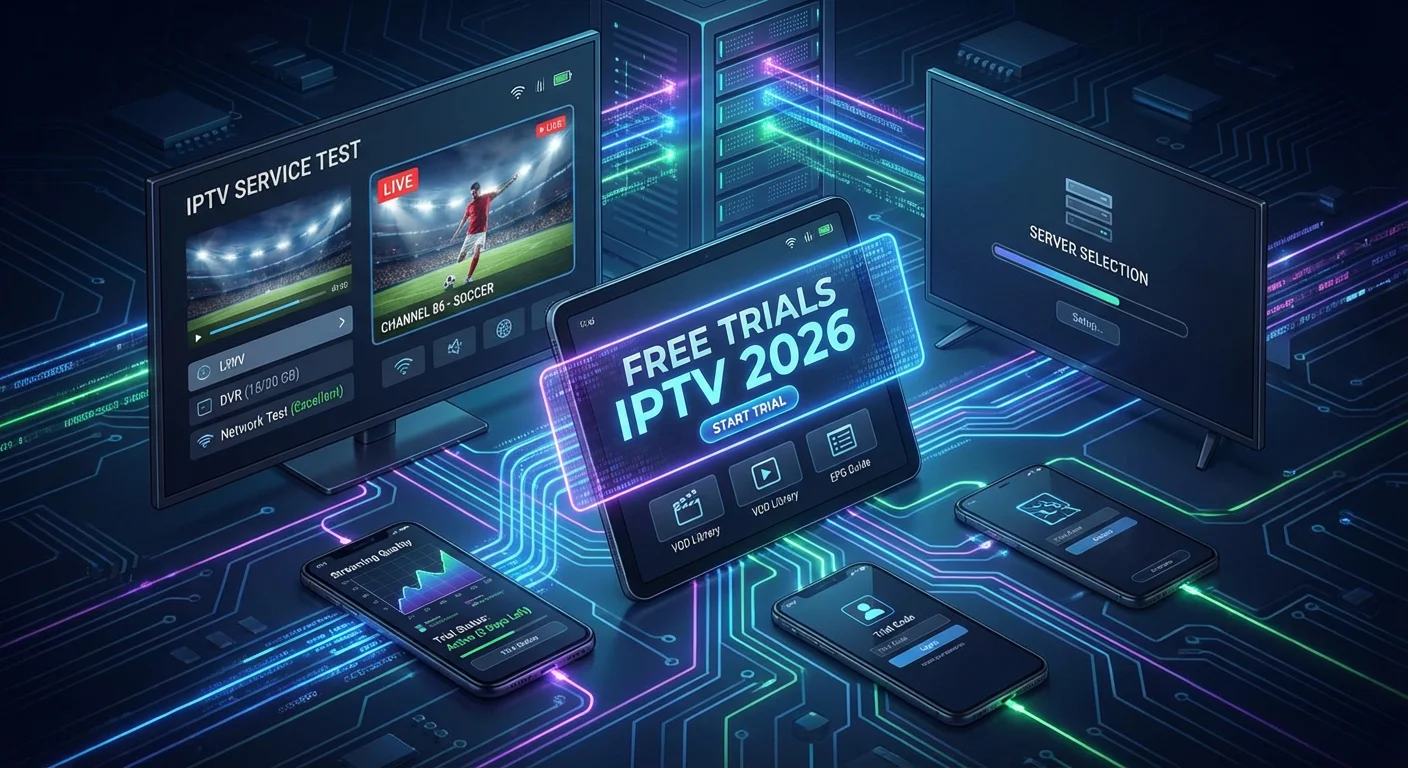
Free trials IPTV Australia 2026 options let you evaluate streaming quality on your actual NBN connection, test device compatibility across your household, and verify channel lineups before your credit card is charged. From my years testing streaming services across different NBN tiers, I’ve learned that a thorough trial period can save hundreds of dollars annually by helping you avoid services that don’t match your viewing habits.
This guide covers everything you need to know: which legal IPTV services offer the best trials, how to evaluate them systematically, and how to avoid the scams that have become increasingly sophisticated.
What Is IPTV and How Do Trials Work?
IPTV (Internet Protocol Television) delivers live TV channels and on-demand content through your internet connection instead of traditional cable or satellite infrastructure.
Think of it as cable TV streamed over NBN—you get live channels, DVR features, and program guides, but everything runs through your internet.
IPTV vs Standard Streaming Services
Many Australians confuse IPTV with services like Netflix or Stan. Here’s the key difference:
Standard streaming (Netflix, Disney+, Binge):
- On-demand libraries
- No live channels
- Watch whenever you want
IPTV services (Foxtel Now, Kayo Sports, YouTube TV):
- Live television channels
- Real-time broadcasts
- DVR recording capabilities
- Channel guides and schedules
Understanding what IPTV actually is helps clarify whether these trial services match your viewing needs.
How Legal IPTV Trials Function
Legitimate best IPTV trials typically offer 3-14 days of full access. Here’s what to expect:
| Feature | What You Get |
|---|---|
| Duration | 3-14 days (7 days most common) |
| Access Level | Complete channel lineup and features |
| Payment Required | Credit card needed but not charged until trial ends |
| Cancellation | Online cancellation before trial expires |
| Limitations | None—full service access during trial period |
Pro tip: Set a phone reminder for 48 hours before any trial expires. This gives you time to evaluate and cancel if needed without the pressure of a same-day deadline.
Best IPTV Free Trials Australia 2026
The most reliable IPTV streaming trial options for Australian viewers come from established, licensed providers. Here’s what I’ve tested recently:
1. Foxtel Now (7-Day Trial)
Best for: Sports fans and Australian content
Foxtel Now offers comprehensive access to Australian sports, entertainment, and movie channels. The trial includes access to Kayo Sports integration for live AFL, NRL, cricket, and international sports.
What I noticed:
- Excellent EPG (electronic program guide) functionality
- Reliable streaming on NBN 50+ connections
- Some 4K content available for major sports events
- App quality varies significantly between devices
Channel highlights: Fox Sports, Fox Footy, lifestyle channels, movie packages
Drawback: Premium channel add-ons increase cost significantly after the trial.
2. Kayo Sports (14-Day Trial)
Best for: Dedicated sports viewers
Kayo provides Australia’s most comprehensive sports IPTV coverage with over 50 sports and thousands of live events annually. The 14-day trial is one of the longest available.
What I noticed:
- Superior sports-specific features (split screen, key moments, no spoilers mode)
- Excellent streaming quality on NBN 100 connections
- Some buffering during peak demand events on NBN 50
- Limited non-sports content
Sports coverage: AFL, NRL, cricket, F1, tennis, soccer, rugby, motorsports
Drawback: Sports-only focus means no general entertainment channels
3. Binge (Free Trial Periods Vary)
Best for: Entertainment and drama content
Binge focuses on entertainment, drama, and reality TV with content from HBO, Warner Bros, and Australian networks. Trial availability changes frequently—it’s often offered during promotional periods.
What I noticed:
- Strong on-demand library
- Limited live channel offerings compared to traditional IPTV
- Excellent app performance across devices
- 4K content still limited
Content highlights: HBO shows, reality TV, Australian dramas, documentaries
Drawback: Not a traditional IPTV service—more on-demand focused
4. Flash (Formerly Optus Sport) (7-Day Trial)
Best for: International sports, particularly soccer
Flash provides Premier League, international soccer, and select other sports. The 7-day trial gives full access to live and on-demand sports content.
What I noticed:
- Excellent international soccer coverage
- Reliable streaming quality
- Limited sports variety outside soccer
- No general entertainment content
Sports coverage: Premier League, UEFA competitions, international soccer
Drawback: Very niche—only suitable for dedicated soccer fans
Legal Services vs Unlicensed Options
Important distinction: This guide covers only legal IPTV services with proper licensing. Unlicensed services offering “thousands of channels for $10/month” are:
- Illegal in Australia
- Unreliable (frequent shutdowns)
- Security risks (payment and data theft)
- Not supported here
Legitimate services cost more because they pay licensing fees to content creators. That’s how legal businesses operate.
For a comprehensive breakdown of legal versus illegal services, see our guide on IPTV legal status in Australia.
How to Evaluate an IPTV Trial: 5-Point Checklist
A systematic approach to testing prevents expensive mistakes. Here’s my proven evaluation framework:
1. Test Streaming Quality During Peak Hours
Don’t just watch during quiet periods. Test specifically:
Weekday evenings (7-10 PM): When NBN congestion peaks Weekend sports events: AFL, NRL, cricket matches Multiple simultaneous streams: What happens when two devices stream at once?
I once tested a service that performed beautifully on Sunday mornings but buffered constantly during Thursday night football. Peak-hour testing reveals real-world performance.
2. Verify Your Must-Have Channels
Create a specific list before starting any trial:
- Local channels (Seven, Nine, Ten, ABC, SBS)
- Sports channels (Fox Sports, ESPN, BeIN)
- Entertainment networks (specific to your preferences)
- International channels (if relevant)
Please verify that “200+ channels” includes the channels you prefer to watch. Please review your IPTV subscription comparison needs first.
3. Stress-Test DVR Functionality
Cloud DVR implementations vary dramatically:
Storage limits: 50 hours to unlimited. Simultaneous recordings: Can you record multiple shows at once? Retention period: Some delete recordings after 28 days. Playback features: Fast-forward, rewind, skip capabilities
Record 5-10 programmes during any trial to fully test DVR performance.
4. Check Every Device You’ll Use
Test on:
- Smart TV (your specific brand and model)
- Streaming devices (Chromecast, Apple TV, Fire TV)
- Mobile devices (iOS and Android)
- Tablets and computers
App quality varies significantly between platforms. A service might have an excellent Apple TV app but a clunky Android TV experience. For detailed device compatibility, check our best IPTV apps guide.
5. Locate Cancellation Before You Need It
On day one of any trial, find the cancellation option:
- Can you cancel online, or must you phone?
- Is the button obvious or buried in settings?
- Do they offer retention deals when cancelling?
If cancellation is difficult to locate during the trial, that’s a red flag about the company’s practices.
Legal Considerations for Australian IPTV Users
Australian law distinguishes clearly between licensed and unlicensed IPTV services. Understanding these differences protects both your finances and legal standing.
What Makes an IPTV Service Legal?
Legal services:
- Licensed by content owners and broadcasters
- Available through official app stores (Google Play, App Store)
- Operated by registered Australian or international companies
- Accept standard payment methods (credit cards, PayPal)
- Advertise openly through mainstream channels
Unlicensed services to avoid:
- Suspiciously low prices for premium content ($10-20 for “everything”)
- Payment only through cryptocurrency or untraceable methods
- No verifiable business address or Australian presence
- Operated through Telegram groups or Discord servers
- Promise all sports PPV events “free”
Australian Legal Framework
The Copyright Act 1968 and Telecommunications Act 1997 govern IPTV services in Australia. Using unlicensed services can result in:
- ISP warnings and service restrictions
- Civil liability (damages to content owners)
- Criminal charges in extreme cases
My recommendation: Stick exclusively to services from official app stores. The price difference between legal and illegal services is minimal when you factor in reliability and legal protection.
For comprehensive legal guidance, read our detailed article on whether IPTV is illegal in Australia.
Device Compatibility and Setup Guide
Modern legal IPTV services support most streaming devices, though app quality varies between platforms.
Supported Devices (Major Australian Services)
| Device | Foxtel Now | Kayo Sports | Binge | Flash |
|---|---|---|---|---|
| Apple TV | ✓ | ✓ | ✓ | ✓ |
| Chromecast | ✓ | ✓ | ✓ | ✓ |
| Fire TV | ✓ | ✓ | ✓ | ✓ |
| Android TV | ✓ | ✓ | ✓ | ✓ |
| Samsung Smart TV | ✓ | ✓ | ✓ | Limited |
| LG Smart TV | ✓ | ✓ | ✓ | Limited |
| iOS/Android | ✓ | ✓ | ✓ | ✓ |
| Gaming Consoles | Limited | ✓ | ✓ | Limited |
For detailed setup instructions on specific devices, see our comprehensive IPTV Fire Stick guide or IPTV apps for Amazon Fire Stick.
NBN Speed Requirements
From testing across different NBN tiers:
| Stream Quality | Minimum Speed Required |
|---|---|
| SD | 3-5 Mbps |
| HD (720p/1080p) | 10-15 Mbps |
| 4K/UHD | 25+ Mbps |
| Multiple streams | Add 10 Mbps per stream |
Important: These are minimum speeds. I recommend NBN 50 minimum for reliable HD streaming, especially during peak hours.
Quick Setup Process
Step 1: Verify internet speed (run speedtest.net)
Step 2: Download official app from your device’s app store
Step 3: Create account and start trial (credit card required)
Step 4: Enter your postcode for local channels
Step 5: Test streaming quality immediately
Step 6: Set up DVR preferences, if available
Common setup issues:
- Poor quality despite good internet: Restart the router and connect via Ethernet if possible
- App not loading: Clear cache, update app, reinstall if needed
- Login issues: Try web browser first, then sync to devices
If you experience buffering issues, consult our detailed guide on how to fix IPTV buffering in Australia.
Avoiding IPTV Scams: Critical Warning Signs
Scam IPTV services have become more sophisticated. Here’s what to watch for:
Red Flag #1: Impossibly Low Pricing
Reality check: Legal IPTV services cost $25-80/month depending on channel packages. Services advertising “10,000 channels for $15/month” cannot be legally licensed.
If pricing seems too good to be true, it is.
Red Flag #2: Unusual Payment Requirements
Legitimate services accept:
- Major credit cards
- PayPal
- Direct debit
Scam services demand:
- Cryptocurrency only
- Direct bank transfers with no protection
- “Annual payment only” with no refunds
- Gift cards or untraceable payment methods
Red Flag #3: No Verifiable Business
Before any trial, verify:
- Registered business address (not just P.O. box)
- Working customer service phone number
- Presence in official app stores
- Reviews on trusted platforms (not just their own website)
Services operating solely through Telegram or Discord are almost always unlicensed.
Red Flag #4: Promises of Unrestricted Content
Be suspicious of claims like the following:
- “All PPV events free.”
- “Every premium channel included.”
- “Content from all countries without restrictions”
Legal services have geographic restrictions because that’s how content licensing works.
Red Flag #5: High-Pressure Tactics
Scammers use urgency:
- “Only 24 hours left!”
- “50 accounts remaining!”
- “Sign up before we’re shut down!”
Legitimate services don’t operate this way.
If You’ve Been Scammed
- Contact your bank/credit card immediately for a chargeback.
- Document all communications and screenshots
- Change passwords if you used the same credentials elsewhere
- Report to ACCC (Australian Competition & Consumer Commission)
- Report to ACMA (Australian Communications and Media Authority)
NBN Performance and ISP Considerations
Your NBN connection and ISP policies significantly impact IPTV streaming quality.
Understanding NBN Performance by Type
From testing across different NBN technologies:
FTTP (Fibre to the Premises): Most consistent IPTV performance HFC (Hybrid Fibre-Coaxial): Good performance, some peak-hour congestion FTTC (Fibre to the Kerb): Generally reliable for HD streaming FTTN (Fibre to the Node): Variable quality, depends on copper distance. Fixed Wireless: Can work but subject to congestion and weather
For detailed NBN optimisation tips, see our guide to the best IPTV service with no buffering.
Data Usage Expectations
IPTV consumes significant data:
| Quality | Data Per Hour |
|---|---|
| SD | 1-2 GB |
| HD | 3-5 GB |
| 4K | 7-10 GB |
If your NBN plan has data caps (some do), heavy IPTV use can exceed limits quickly. Calculate expected usage before committing.
ISP Throttling
Some Australian ISPs may throttle streaming during peak hours. Signs include:
- Quality degradation specifically during 7-10 PM
- Buffering that doesn’t match speed test results
- Streaming issues while other internet activities work fine
Solutions:
- Test during trial period at peak hours
- Consider ISPs with unlimited plans and no throttling policies
- Use Ethernet instead of Wi-Fi for more consistent performance
Frequently Asked Questions
How long are IPTV free trials in Australia?
Most legal IPTV services in Australia offer 7-14 day trials. Kayo Sports provides 14 days; Foxtel Now offers 7 days, and binge trials vary by promotion. Always verify the exact trial length during signup as promotional periods change frequently.
Do I need a credit card for an IPTV trial?
Yes, legitimate services require a valid payment method to start trials, but you won’t be charged until the trial period ends. Set a reminder 2-3 days before expiry to cancel if the service doesn’t meet your needs.
What NBN speed do I need for IPTV?
NBN 50 (50 Mbps) is the recommended minimum for reliable HD streaming. SD streaming works on NBN 25, while 4K content requires NBN 100+ for consistent quality, especially with multiple devices streaming simultaneously.
Are free IPTV services legal in Australia?
Services from Foxtel, Kayo Sports, Binge, and other licensed providers available through official app stores are completely legal. Unlicensed services offering “thousands of channels” for minimal cost are illegal and should be avoided. Learn more about safe legal IPTV providers in Australia.
Can I cancel before the trial ends?
Yes, all legitimate services allow online cancellation before the trial expires without any charge. Locate the cancellation option on day one of your trial to ensure you know the process.
Which IPTV service has the most channels in Australia?
Foxtel Now typically offers the largest channel selection (80+ channels depending on package). However, more channels doesn’t always mean better value—focus on whether the service includes your specific must-watch channels.
Do IPTV services work on all devices?
Major Australian IPTV services support Apple TV, Chromecast, Fire TV, Android TV, iOS, Android, and most smart TVs. App quality varies between platforms, so test on every device you plan to use during your trial. Check device compatibility in our best IPTV boxes Australia comparison.
How can I tell if an IPTV service is a scam?
Warning signs include: prices far below market rates ($10-20 for premium content), cryptocurrency-only payments, no verifiable business information, promises of unrestricted content, and absence from official app stores. If it seems too good to be true, it is.
What happens if I forget to cancel my trial?
Your credit card will be charged for the first billing period (usually monthly). Some services offer refunds if you contact them immediately, but this isn’t guaranteed. Set multiple reminders to prevent this.
Can I use a VPN with IPTV services?
Most legal Australian IPTV services prohibit VPN use in their terms of service and may block VPN connections. VPNs also often degrade streaming quality and are unnecessary for legal services. For details on VPN implications, read our guide to using IPTV with a VPN in Australia.
Conclusion: Making the Right Choice
IPTV free trials in Australia in 2026 provide risk-free opportunities to evaluate streaming services before committing financially. The key is approaching trials systematically—test during peak hours, verify your essential channels, stress-test DVR features, and check compatibility across all your devices.
My core recommendations:
- Start with legal services only (Foxtel Now, Kayo Sports, Binge, Flash)
- Test aggressively during the trial period (don’t just watch casually)
- Verify NBN compatibility (NBN 50 minimum for HD streaming)
- Set cancellation reminders (48 hours before trial expires)
- Avoid anything that seems too cheap (it’s almost always unlicensed)
The Australian streaming market continues evolving rapidly. Trial periods let you adapt without wasting money on services that don’t match your viewing habits or NBN capabilities.
Use this guide as your roadmap to finding the best IPTV trial that actually fits your needs—without legal risks or financial surprises.
Related Resources:
- What Is IPTV: Easy Explanation for Beginners
- Best IPTV Providers Australia 2026
- IPTV Australia Subscription Guide
- Family-Friendly IPTV Services Australia