
INTRODUCTION
An IPTV app delivers television channels and on-demand video through your internet connection rather than satellite dishes, cable boxes, or digital antennas. For Australian households in 2026, this sounds straightforward until you actually try setting one up. Suddenly you’re dealing with buffering during peak hours, apps that won’t install on your smart TV, and confusing questions about what’s actually legal to watch.
I’ve spent considerable time testing various IPTV applications across Android devices, Samsung and LG smart TVs, and dedicated streaming boxes on typical Australian NBN connections. The reality is more nuanced than most guides suggest. Some IPTV apps work brilliantly for specific use cases. Others create more headaches than they solve.
This guide cuts through the marketing language to explain what an IPTV app actually does, where it fits in an Australian household, and the genuine limitations you should understand before committing time or money to any streaming app solution in 2026.
TABLE OF CONTENTS
1. What is an IPTV app and how does it work?
2. Is using an IPTV app legal and safe in Australia?
3. What problems do Australians face when using an IPTV app?
4. How should Australians choose an IPTV app in 2026?
5. Expert view: when does an IPTV app make sense, and when doesn’t it?
6. Frequently Asked Questions
7. Conclusion
1. What Is an IPTV App and How Does It Work?
Featured Snippet Answer: An IPTV app is software that receives and plays television content delivered over internet protocol networks. Unlike traditional broadcasting, where signals travel through dedicated infrastructure, an IPTV application pulls video data packets from servers and reassembles them on your device in real time.
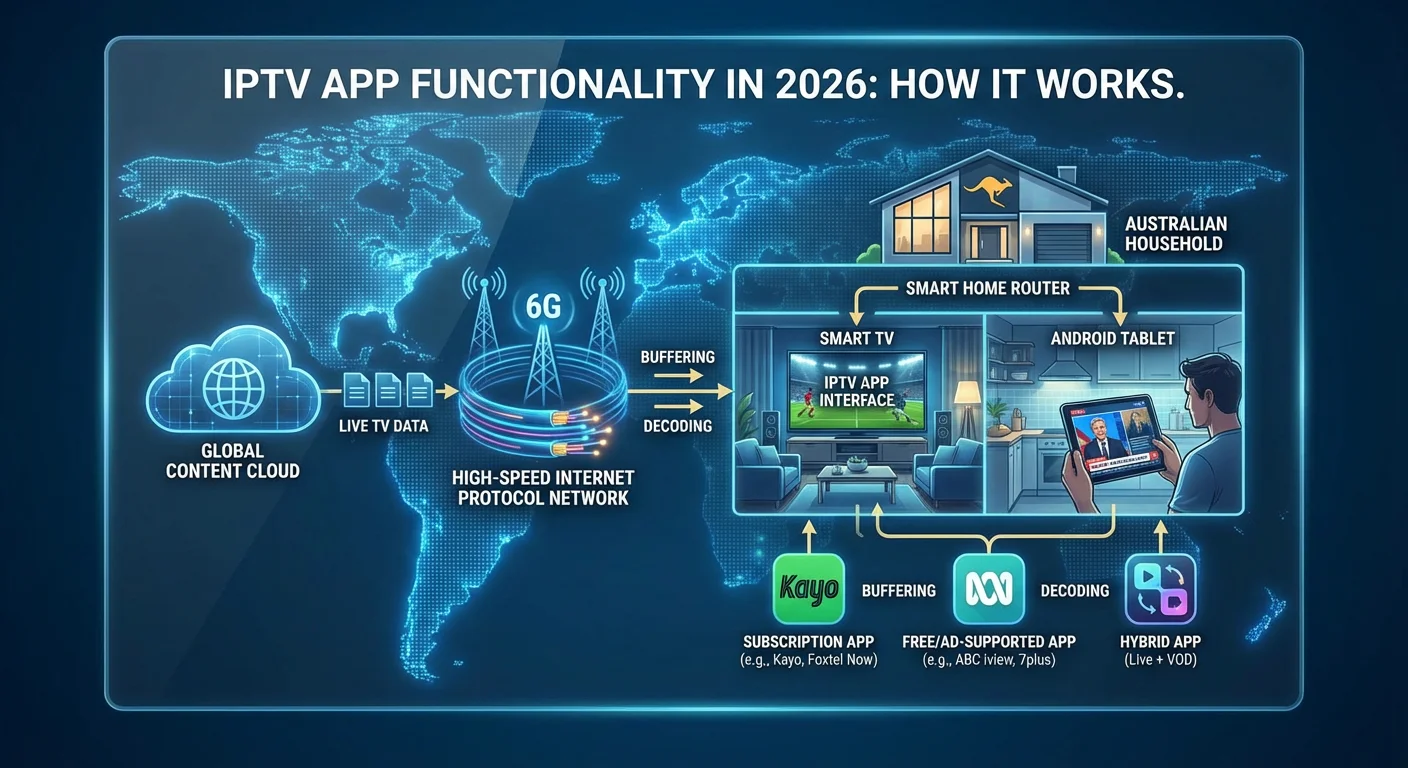
The technical process works similarly to how you might stream a YouTube video, but with important differences. When you open an IPTV app on your smart TV or Android device, the application connects to a content server, requests specific channel data, and buffers enough information to begin playback. This happens continuously as you watch, with your internet connection constantly fetching new data packets.
For Australian users in 2026, understanding this mechanism matters because it explains why your experience varies so dramatically based on your NBN connection type. Someone on FTTP (fibre to the premises) with consistent 100Mbps speeds will have a fundamentally different experience than someone on FTTN (fibre to the node) with evening congestion dropping speeds to 15Mbps.
Types of IPTV Applications
IPTV apps fall into several categories. Legitimate streaming services like Stan, Kayo, and Foxtel Now are technically IPTV applications—they deliver content over internet protocol. Dedicated IPTV player apps act as interfaces for external subscription services, requiring you to input playlist URLs or login credentials. Some smart TV manufacturers include built-in IPTV functionality, particularly for free-to-air streaming services.
The distinction matters because different IPTV app types have vastly different reliability, legal status, and technical requirements. A family using Kayo for AFL coverage has a completely different experience than someone attempting to configure a third-party IPTV player with an overseas subscription service.
2. Is Using an IPTV App Legal and Safe in Australia?
Featured Snippet Answer: Using an IPTV app is legal in Australia when accessing licensed content through authorised services. The legality depends entirely on the content source, not the app itself. Streaming pirated content through any IPTV application exposes users to potential legal consequences under Australian copyright law.
This question comes up constantly because the terminology creates confusion. The IPTV app—the software itself—is simply a tool. Think of it like a web browser: the browser isn’t illegal, but what you access through it might be.
Australian copyright legislation, including the Copyright Amendment (Online Infringement) Act and subsequent 2026 updates, provides mechanisms for blocking access to services that facilitate piracy. The Australian Federal Police have also pursued cases against operators of illegal streaming services. While individual users watching unauthorised streams face lower enforcement priority than distributors, the legal risk exists.
Security Considerations
Beyond legality, safety concerns with IPTV applications centre on data security and malware risks. Downloading IPTV apps from unofficial sources—outside the Google Play Store, Apple App Store, or manufacturer app stores—significantly increases exposure to malicious software. Some third-party IPTV apps request excessive permissions, potentially compromising device security.
I’ve encountered IPTV apps that requested access to contacts, location data, and camera functions—none of which a streaming player legitimately needs. If an IPTV application asks for permissions unrelated to video playback, treat that as a warning sign regardless of what the app promises to deliver.
3. What Problems Do Australians Face When Using an IPTV App?
Featured Snippet Answer: Australian IPTV app users commonly experience buffering during peak internet hours, device compatibility issues with certain smart TV brands, geo-blocking on international content, and service reliability problems with budget providers. NBN connection type significantly affects streaming quality.
Network Congestion and Buffering
The most common complaint I hear from Australian households involves buffering between 7pm and 10pm—precisely when most families want to watch television. This isn’t necessarily the IPTV app’s fault. NBN congestion during peak hours reduces available bandwidth, and IPTV streaming is particularly sensitive to throughput fluctuations.
On a 50Mbps plan experiencing congestion down to 20Mbps, a standard definition stream might work fine while a 4K stream becomes unwatchable. The IPTV application can’t solve infrastructure limitations—it can only work with whatever bandwidth reaches your device.
Smart TV Compatibility in 2026
Device compatibility creates frustration for many Australian users. Samsung TVs run Tizen OS, LG uses webOS, and neither supports all IPTV apps available on Android. If you’ve purchased a smart TV expecting to install a specific IPTV application, you may discover it simply isn’t available for your platform.
Older smart TVs compound this problem. A television purchased in 2020 or 2021 might no longer receive app updates, meaning IPTV applications either won’t install or crash frequently. Many households eventually purchase a separate Android TV box or Chromecast device to work around these limitations.
Geo-Blocking and Content Availability
Content licensing means legitimate IPTV services restrict access based on location. Australian users can’t access UK-specific BBC iPlayer content or US-only streaming catalogues through standard means. Some users attempt VPN workarounds, but many IPTV apps actively detect and block VPN connections, and using VPNs to circumvent geo-restrictions often violates service terms.
4. How Should Australians Choose an IPTV App in 2026?
Featured Snippet Answer: Choose an IPTV app based on your specific content needs, device compatibility, and internet connection quality. Prioritise apps available through official app stores, verify they support your smart TV or streaming device, and test with free trials before committing to paid subscriptions.
Start With Your Actual Viewing Habits
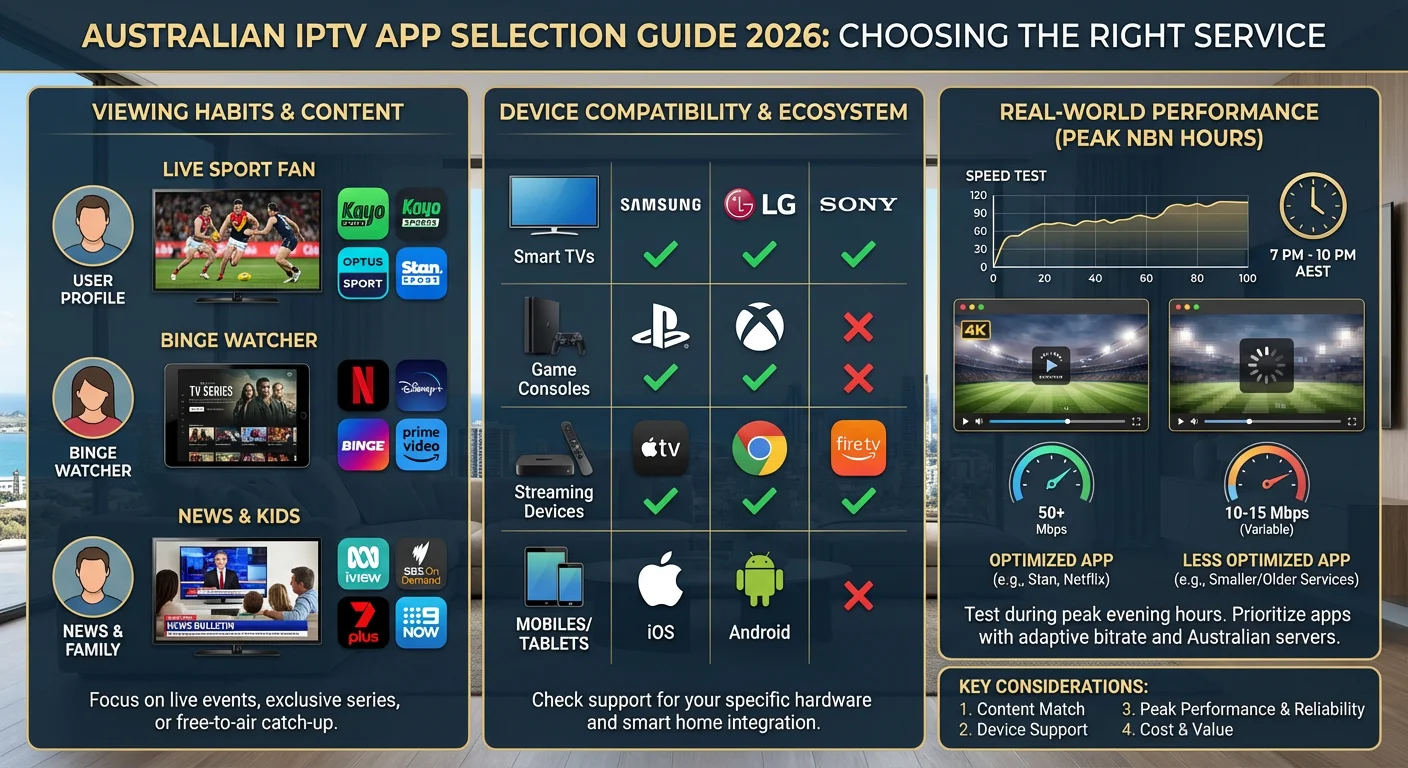
Before evaluating any IPTV app, list what you actually want to watch. Sports-focused households have different requirements than families wanting children’s content or viewers seeking international programming. There’s no universal solution—the selection should match your household’s genuine usage patterns.
A common mistake involves subscribing to services offering thousands of channels when you realistically watch fewer than twenty. More channels often means more server strain and lower quality on individual streams. Targeted IPTV apps focusing on specific content categories frequently outperform generalist alternatives.
Verify Device Support Before Purchase
Check compatibility with every device in your household. If you have a Samsung smart TV in the lounge, an iPad the kids use, and want occasional viewing on your phone, confirm the IPTV app supports all platforms. Some services allow simultaneous streams; others require separate subscriptions per device.
Test During Peak Hours
Any IPTV app will perform adequately at 2pm on a Tuesday. The real test happens at 8pm on Saturday when the neighbours are streaming, downloading, and gaming simultaneously. Use free trials during your actual peak viewing times. If the service buffers during trial periods, paying won’t improve the experience.
5. Expert View: When Does an IPTV App Make Sense, and When Doesn’t It?
Featured Snippet Answer: An IPTV app makes sense for households with reliable internet (50Mbps+), specific content requirements not met by free-to-air, and appropriate devices. It doesn’t suit areas with unstable NBN connections, users expecting cable-like reliability, or households primarily watching content available through existing free services.
Scenarios Where IPTV Apps Work Well in 2026
Sports enthusiasts: If you follow specific sports leagues, a targeted IPTV app (like Kayo for Australian sports) often provides better value and experience than traditional cable packages with channels you’ll never watch.
Cord-cutters with good internet: Households on FTTP or reliable HFC connections with 100Mbps+ can usually replicate or exceed traditional TV experiences through combinations of IPTV apps and free-to-air streaming.
International content seekers: Australian expat communities or multilingual households often find IPTV apps the only practical way to access programming in specific languages.
Scenarios Where IPTV Apps Disappoint
Unreliable internet: If your NBN connection drops during storms, slows dramatically in evenings, or averages under 25Mbps, IPTV apps will frustrate rather than satisfy. No app can stream reliably without stable bandwidth.
Casual viewers: Households that mainly watch free-to-air channels gain little from paid IPTV subscriptions. ABC iview, SBS On Demand, 7plus, 9Now, and 10 Play already provide streaming access to major Australian networks at no cost.
Technophobe households: IPTV apps require more technical management than traditional television. If troubleshooting router issues, updating apps, and adjusting settings sounds exhausting, the convenience factor diminishes significantly.
Frequently Asked Questions
What internet speed do I need for an IPTV app in Australia?
For standard definition, 10Mbps suffices. HD streaming requires 25Mbps minimum, while 4K content needs 50Mbps or higher with low latency. These figures assume dedicated bandwidth—if multiple household members stream simultaneously, multiply accordingly. Consistency matters more than peak speed; a stable 40Mbps outperforms an inconsistent 100Mbps connection.
Can I use an IPTV app on my smart TV without extra hardware in 2026?
It depends on your TV brand and model. Android TV models support most IPTV apps directly. Samsung Tizen and LG webOS TVs have more limited selections. Smart TVs older than four years often lack app support entirely. Check your TV’s app store for specific IPTV applications before assuming compatibility—purchasing an Android TV box may ultimately prove necessary.
Why does my IPTV app buffer only during evening hours?
Evening congestion on Australian NBN networks reduces available bandwidth across your neighbourhood. Between 7pm and 11pm, more households simultaneously stream, game, and download, creating bottlenecks at network nodes. Your IPTV app performs identically—the infrastructure delivering data to your home cannot keep pace with demand during these windows.
Are free IPTV apps safe to use?
Free IPTV apps from official stores (Google Play, Apple App Store) that access legitimate free content are generally safe. Free apps promising paid content for nothing should raise immediate suspicion—they often contain malware, serve excessive advertising, or facilitate pirated streams. If an IPTV app seems too good to be true, it almost certainly is.
Do IPTV apps work with VPNs in Australia?
Some do, many don’t. Legitimate streaming services actively block VPN connections to enforce content licensing agreements. Third-party IPTV player apps typically work with VPNs, but this often violates service terms. VPNs also add latency, potentially worsening buffering issues on marginal connections. Using VPNs to circumvent geo-restrictions sits in a legal grey area.
How much data does an IPTV app use monthly?
Consumption varies dramatically by quality settings. Standard definition uses roughly 1GB per hour; HD approaches 3GB hourly; 4K can consume 7GB per hour or more. A household watching four hours daily at HD would use approximately 360GB monthly through IPTV apps alone. Australians on capped NBN plans should monitor usage carefully.
Can multiple people use the same IPTV app subscription?
Policies vary by service. Most legitimate Australian streaming IPTV apps allow 2-4 simultaneous streams on one subscription, though some restrict this to devices within the same household. Third-party IPTV services have inconsistent policies—some allow unlimited devices while others disconnect existing sessions when new devices connect.
What’s the difference between IPTV apps and regular streaming apps?
Functionally, very little. “IPTV app” typically refers to applications delivering live television channels over internet, while “streaming app” often implies on-demand content libraries. Services like Kayo and Foxtel Now blur this distinction entirely, offering both live channels and on-demand content through what is technically IPTV infrastructure.
Conclusion
An IPTV app represents one option among many for Australian households seeking television content in 2026. It isn’t inherently better or worse than traditional broadcasting or other streaming methods—it simply operates differently, with distinct advantages and limitations.
Your decision should start with honest assessment: What do you actually watch? How reliable is your internet connection during peak hours? Which devices need access? Households with stable NBN connections, specific content requirements, and some technical comfort often find IPTV apps genuinely useful. Those expecting plug-and-play simplicity or working with unreliable internet may find the experience falls short of expectations.
Test before committing. Use free trials during your actual viewing hours. Confirm compatibility with your specific devices. And remember that the IPTV app landscape continues evolving—what works today may change as services update, merge, or disappear. Approach any streaming solution as a temporary arrangement rather than a permanent fixture.
