
The best device for IPTV is one whose operating system offers a good choice of player apps, that connects to your home network reliably, and that can decode the video formats IPTV services use.
For most Australian homes, that means a current streaming box or stick with an Ethernet port or strong Wi-Fi. A recent smart TV can also do the job on its own.
This guide explains the five things that decide whether a device suits IPTV, looks at the main options sold in Australia, and ends with a table that matches each type of household to a suitable model, including the limits worth knowing before you buy.
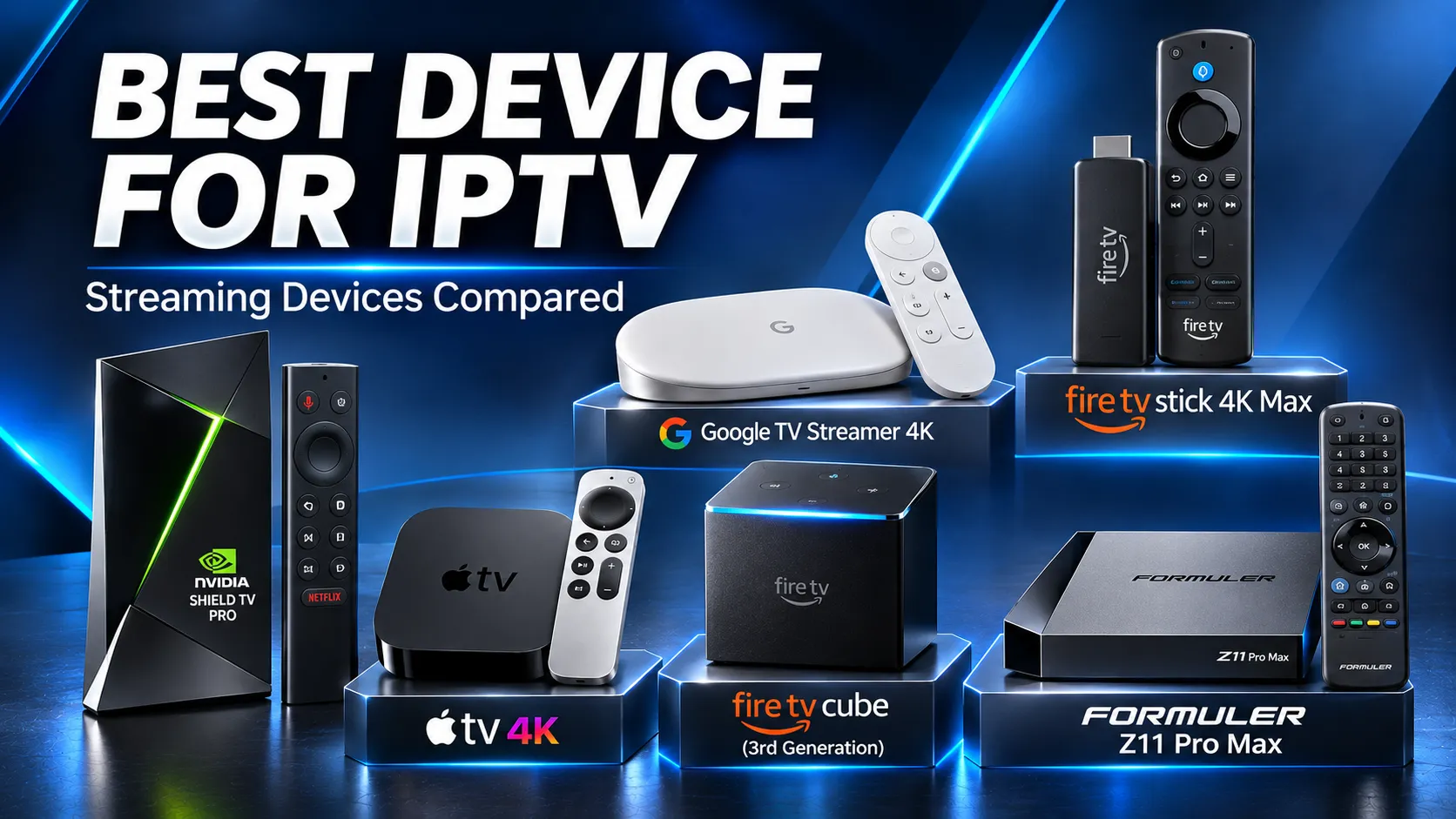
What Makes the Best Device for IPTV?
Brand names and marketing labels tell you little. Five practical criteria separate a device that suits IPTV from one that causes problems.
Operating system and player availability
The operating system decides where your apps come from and which IPTV player apps you can install.
Android TV and Google TV devices generally offer a wide choice through Google Play. Apple TV relies on the App Store, and Samsung and LG TVs use their own smaller app stores.
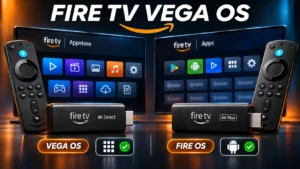
Amazon Fire TV devices now come on two different systems, Fire OS and Vega OS, with very different app options.
Our guide to which Fire TV models run Vega OS explains the difference in detail. Choose the operating system first and the brand second.
Network connection: Ethernet, Wi-Fi quality and stability
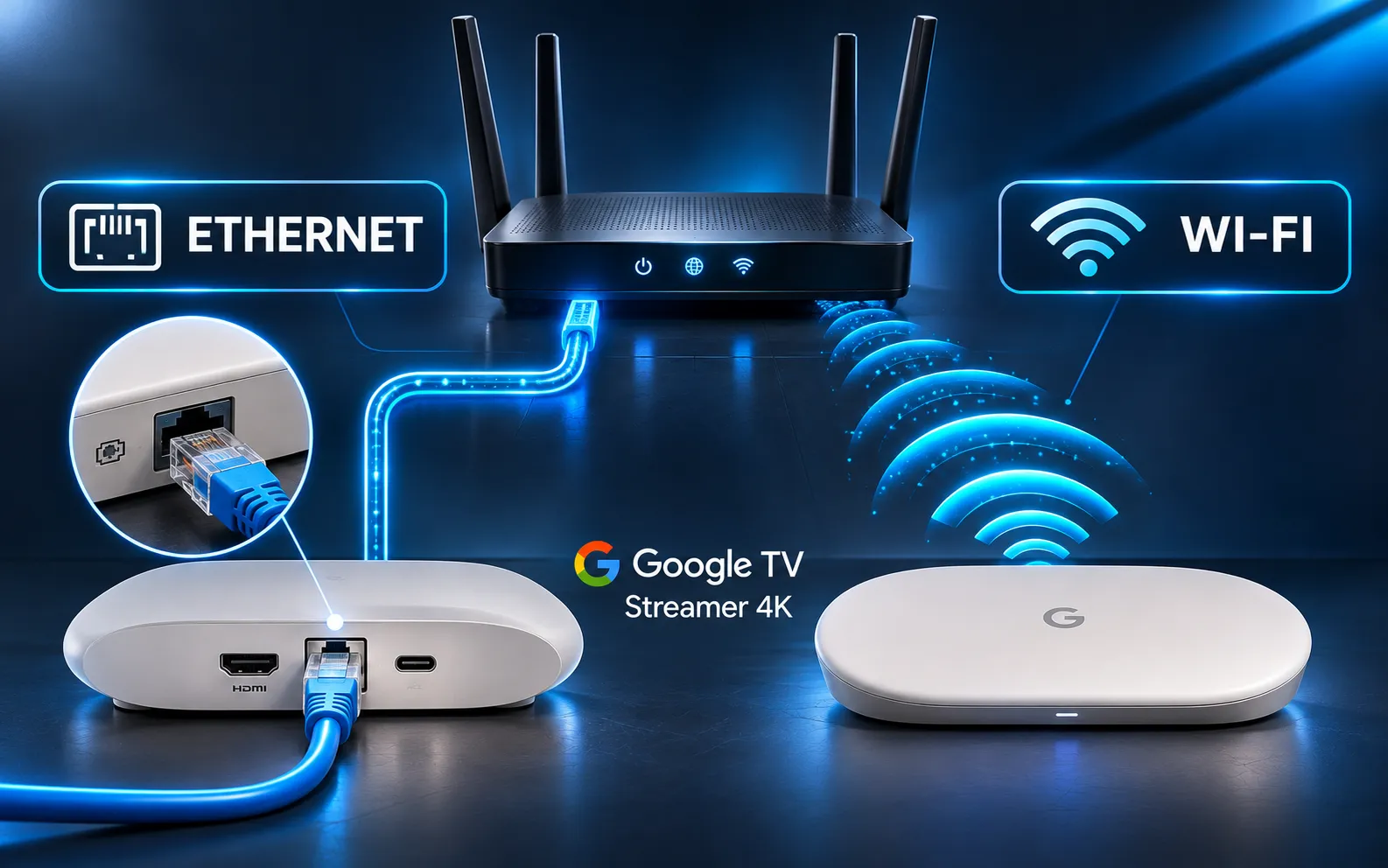
Live TV needs a steady stream of data rather than short bursts. A wired Ethernet connection is usually more stable than Wi-Fi because it isn’t affected by walls, neighbouring networks or other wireless devices.
A good Wi-Fi signal near the TV is often enough, though. If live TV already stutters on your current setup, our guide to fixing IPTV buffering covers the usual causes. Newer standards such as Wi-Fi 6 and 6E help in busy homes, but they are a feature, not a requirement.
Ethernet ports are not all equal. Some devices have gigabit (1,000 Mbps) ports, while others have 100 Mbps ports.
A single HD or 4K stream normally uses only a fraction of 100 Mbps, so in most homes either type is enough for IPTV. The difference matters more for large downloads than for watching TV.
Video decoding: H.265, 4K and HDR
Many IPTV channels use H.265 (also called HEVC), a format that delivers good picture quality at lower bandwidth.
Most current streaming devices decode it in hardware, but some very cheap boxes and older TVs struggle with it. If you want 4K, the device, your TV and the stream all need to support it.
Processing speed and storage
A faster processor generally helps a large channel list and TV guide load and scroll more smoothly, although the player app and the service also affect this.
Storage matters when you install several apps: devices with 8GB can fill up quickly, while 16GB or 32GB leaves room for player apps, updates and their data.
Remote control and ease of use
The device will be used by everyone in the house. A simple remote with dedicated buttons, a clear home screen and reliable voice search make a bigger difference day to day than a slightly faster chip.
Your Smart TV’s Built-In Apps
If you own a recent Samsung (Tizen) or LG (webOS) smart TV, you may not need another device at all. Both platforms offer IPTV player apps through their own app stores, and using the TV directly means one remote and one less box.
The trade-off is choice. Tizen and webOS have fewer IPTV players than Android TV or Google TV, and some players are paid. Some older models may also run slowly, offer fewer apps or have stopped receiving software updates, though this varies a lot from model to model.
Buy an external device only when your current TV has a real problem: a player you need isn’t available, the TV is slow with large channel lists, or playback isn’t reliable. The TV’s age alone isn’t a reason to replace it with a streaming stick.
Amazon Fire TV Devices
Fire TV devices are among the most widely sold streaming devices in Australia. They are popular for IPTV because they are affordable and easy to use. One detail now matters more than anything else on the box.
Fire OS or Vega OS: check before you buy
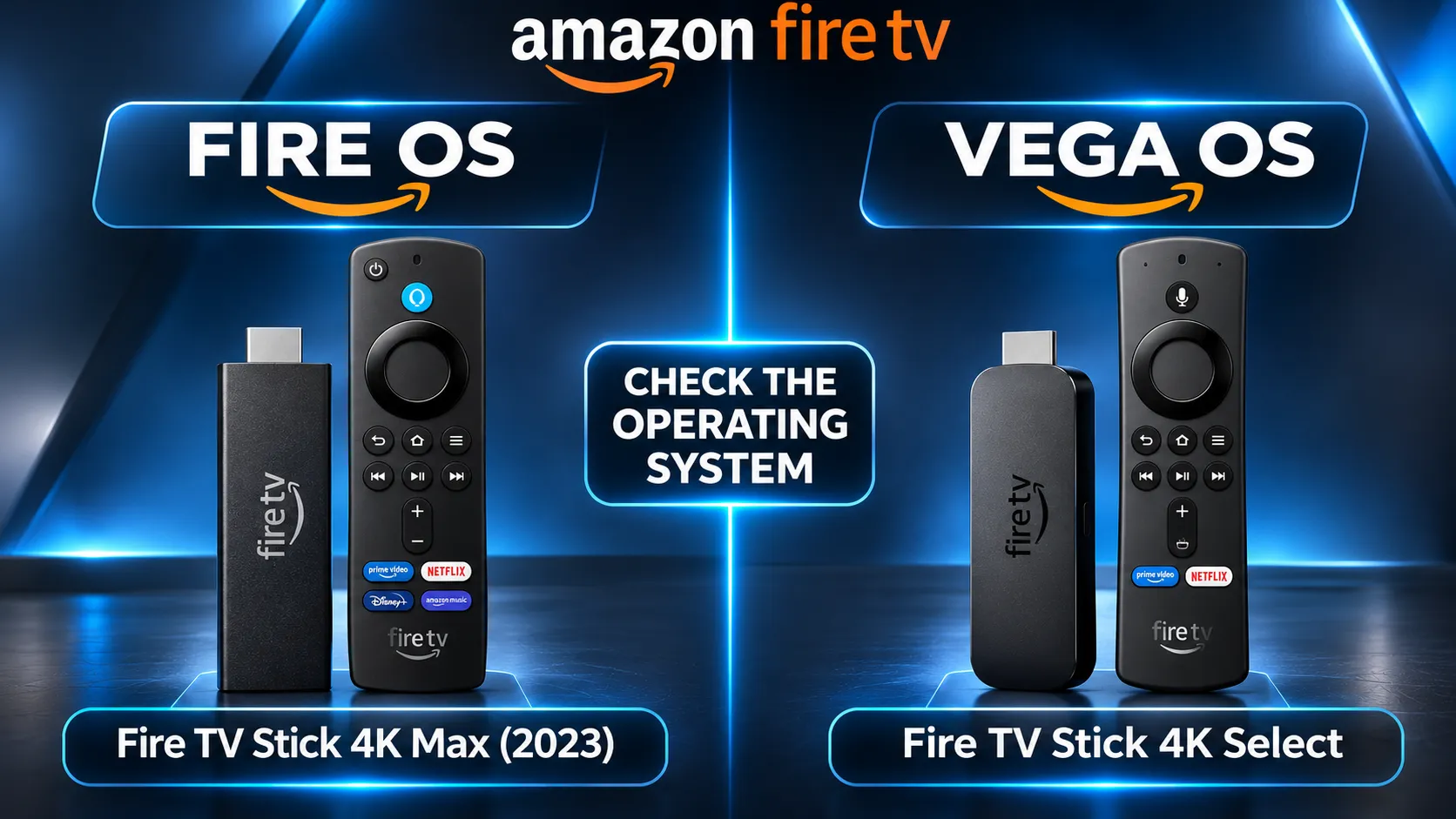
Amazon sells Fire TV devices on two operating systems. Fire OS is based on Android and has a broad choice of apps. Vega OS is a newer, separate system, and on Vega OS devices you can only install apps available in the Amazon Appstore.
As of November 2026, the Fire TV Stick 4K Select, the 2nd-generation Fire TV Stick HD and the latest Fire TV Stick 4K run Vega OS. The Fire TV Stick 4K Max (2023 model) still runs Fire OS. Model names are close, so read the exact product name and check the operating system in the listing before you buy.
Fire TV Stick 4K Max and Fire TV Cube
The Fire TV Stick 4K Max is a compact stick with 4K HDR and Wi-Fi 6E. It has no Ethernet port, so a wired connection needs Amazon’s separate adapter. Once you own one, see how to install IPTV on Firestick.
The Fire TV Cube (3rd generation) is a small box with a built-in Ethernet port, Wi-Fi 6E and hands-free Alexa. Its Ethernet port is 100 Mbps, which is usually enough for a single stream in normal conditions.
Google TV and Android TV Devices
Google TV and Android TV devices give you Google Play, which generally offers a broad choice of IPTV players.
Google TV Streamer 4K
Google’s current streaming box runs Google TV and has a gigabit Ethernet port, 32GB of storage and Wi-Fi 5. The storage leaves plenty of room for player apps, and the wired port makes it a strong choice where a cable can reach the TV.
NVIDIA Shield TV Pro: premium features on an older platform
The Shield TV Pro has been sold since 2019 and runs Android TV. It has a gigabit Ethernet port, broad support for video and audio formats, and AI upscaling for lower-resolution video. NVIDIA has kept updating it: SHIELD Experience 9.2.4 was released in 2026, according to NVIDIA’s software update page.
The trade-off is age. The hardware is several years old, it sits at the top of the price range, and future update support is NVIDIA’s decision.
Google-certified devices and generic Android boxes
Not every box that runs Android is a Google TV or Android TV device. Google-certified devices include Google Play and Google’s security protections, although how long each model receives updates depends on its manufacturer.
Many low-cost generic boxes run uncertified versions of Android and may never be updated. In 2025 the FBI warned that uncertified streaming devices were being infected with BADBOX 2.0 malware, sometimes before they reached the buyer.
If a box is unusually cheap and the listing doesn’t mention Google certification, treat it with caution. Our guide on whether IPTV is safe covers the wider risks.
Apple TV 4K
Apple TV 4K is smooth, well built and supported with software updates for many years. The current model is the Apple TV 4K (4th generation), introduced in 2026 with Apple’s A19 chip, one 128GB storage option, gigabit Ethernet and Wi-Fi 7, according to Apple’s technical specifications.
If you’re buying the previous 3rd-generation model (2022), for example second-hand, check the storage size: the 128GB version has an Ethernet port and the 64GB version does not.
The main limit for IPTV is that apps come only from the App Store, so the choice of IPTV players is smaller than on Google TV or Android TV.
Dedicated IPTV Boxes (Formuler and MAG)
Some boxes are designed mainly for live TV. Formuler boxes, such as the Z11 Pro Max, run Android 11 and have a gigabit Ethernet port and Formuler’s own MYTVOnline player, which is built around a TV-style channel guide.
Formuler’s product page does not state whether the box is Google-certified, so check app availability and update plans before buying.
MAG boxes are set-top boxes made by Infomir. Most models run Infomir’s own Linux-based software and connect to a service through a portal address; some newer models run Android instead. The Linux-based models are simple to use once set up but much less flexible, as you can’t install general apps on them.
Dedicated boxes suit households that watch mostly live TV and want a cable-box style experience. They are a less natural fit if you also want the usual streaming apps.
Phones, Tablets and Computers
Phones, tablets and computers can all run IPTV players, and they are useful as a second screen, in another room or when travelling.
As a main living-room device they are less convenient: you either watch on a small screen or cast to the TV, which adds another step that can fail. Use them alongside a TV device rather than instead of one.
Best Device for IPTV by Situation
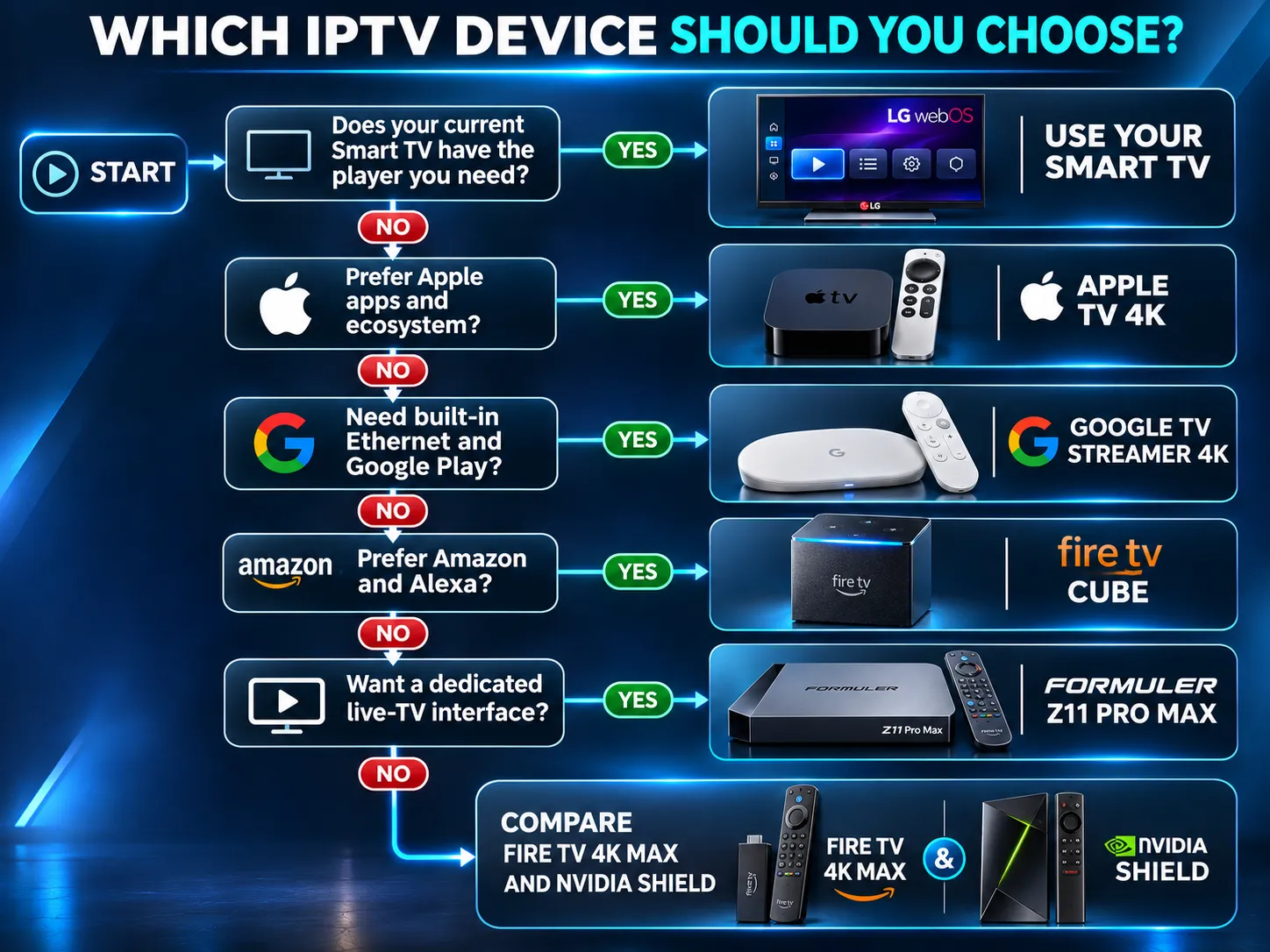
There is no single winner for every home. The table matches common situations to a suitable model, based on published specifications. These are not results of comparative testing, and “suitable” doesn’t mean “fastest”.
| Your situation | Suitable model | Why it suits | Limit to know |
|---|---|---|---|
| Budget-conscious choice | Fire TV Stick 4K Max | Compact, 4K HDR, Wi-Fi 6E, runs Fire OS | No built-in Ethernet. Don’t confuse it with Vega OS models such as the Fire TV Stick 4K Select |
| Wired, most stable connection | Google TV Streamer 4K | Gigabit Ethernet, 32GB storage, Google Play | Wi-Fi 5 only |
| Amazon or Alexa household, wired | Fire TV Cube (3rd generation) | Built-in Ethernet, Wi-Fi 6E, hands-free Alexa | 100 Mbps Ethernet (usually enough for a single stream) |
| Apple household | Apple TV 4K (4th generation) | Gigabit Ethernet, Wi-Fi 7, long software support | App Store only, fewer IPTV players; high price band |
| Recent Samsung or LG smart TV | The TV’s built-in apps | No extra device to buy, one remote | Smaller choice of players on Tizen and webOS |
| Advanced user with many apps | NVIDIA Shield TV Pro | Gigabit Ethernet, wide format support, still updated | 2019 hardware, top price band |
| Mostly live TV, cable-box feel | Formuler Z11 Pro Max | Built-in live TV player, gigabit Ethernet | Check Google certification and app availability |
A device that runs IPTV player apps is not automatically confirmed to work with every IPTV service. Check with your provider before buying a device specifically for one service.
Devices to Be Careful With
A few types of device cause more trouble than they save:
- Uncertified generic Android boxes. Very low prices often mean an old, unsupported version of Android, no security updates and a documented risk of preinstalled malware.
- “Fully loaded” boxes. Boxes sold with apps already installed and promises of free channels often carry modified apps that can compromise your network, and they may give access to unlicensed content.
- Very old smart TVs with problems you already notice. If your TV is already slow or missing apps, a supported streaming device is usually a better fix than troubleshooting the TV repeatedly.
- Unfamiliar model names. With Fire TV in particular, two sticks with nearly the same name can run different operating systems. Always check the exact model.
Check Your Device Before You Buy
The safest order is device first, then service. If you already own a device, or you’re deciding between two, message us on WhatsApp with the exact model before you buy anything.
We’ll check the model and the player app you plan to use, and you can then test the service with a free 24-hour trial on your own TV before paying. You can see plan lengths and prices on our IPTV subscription Australia page.
Once your device is in place, the next step is our guide on how to set up IPTV, which walks through installing a player and adding your access details in the right order.